Table of Contents
- Why Editing Is Crucial to Create Scroll-Stop Listings
- 8 Editing Techniques to Ensure Scroll-Stop Listing Images
- How to Turn Scrolls Into Showings With PhotoUp
Properties with high-quality, professionally edited images consistently generate more clicks, longer viewing times, and stronger engagement compared to listings with average visuals. In other words, if your photos don’t stop the scroll, they may never get a second look.
The good news? Scroll-stop images aren’t about exaggeration or over-editing. They’re about strategic real estate photo editing that enhances visual appeal, maintains realism, and guides buyers emotionally through a property.
Let’s explore how to make that happen. But first, we need to explain why editing is crucial to creating real estate photos that get eyeballs.
Why Editing Is Crucial to Create Scroll-Stop Listings🌄
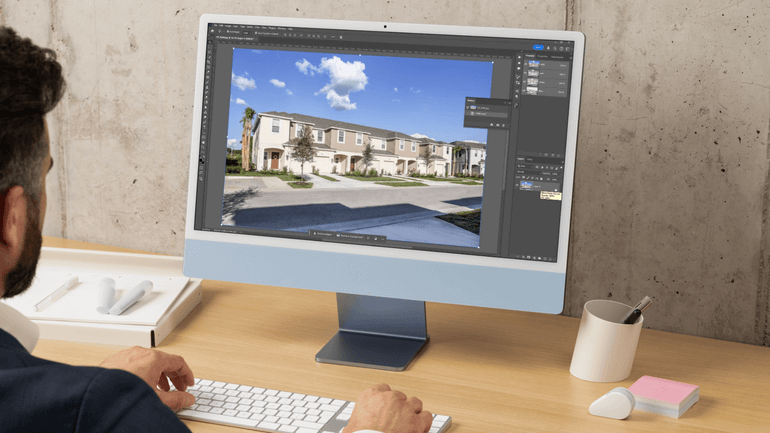
In today’s digital marketplace, real estate lives and dies by its visuals. With 100% of buyers beginning their home search online, listing photos have just seconds to capture attention before someone scrolls past.
High-quality, professionally edited images don’t just look better—they generate more engagement, more clicks, and ultimately more showings.
But RAW images straight out of the camera rarely deliver that “stop-and-stare” impact on their own.
Even the best photographers contend with challenging lighting, dull skies, uneven color temperatures, and distracting elements.
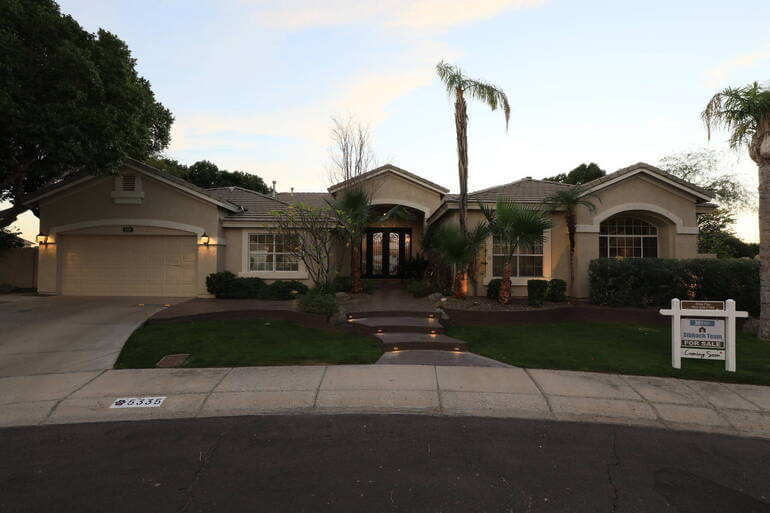
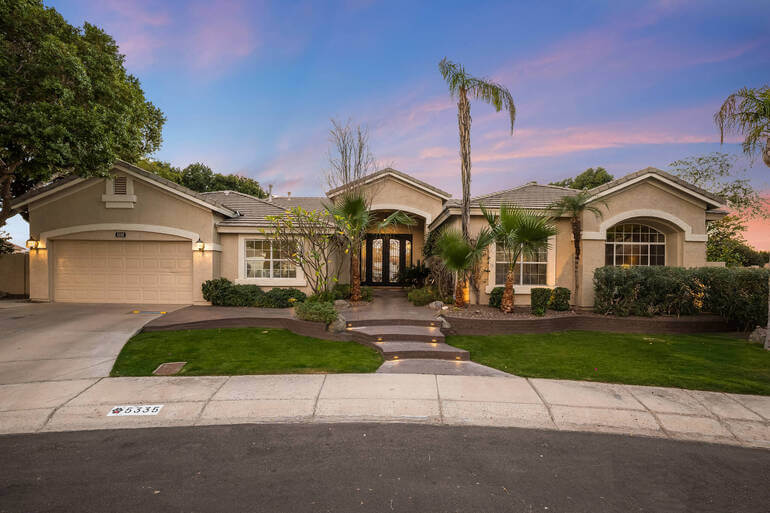
Strategic real estate photo editing bridges that gap. It transforms technically solid images into emotionally compelling marketing assets—without compromising authenticity.
Once you understand why editing is essential, the next step is knowing how to use it intentionally.
8 Editing Techniques to Ensure Scroll-Stop Listing Images😱
Let’s break down the most effective techniques for creating scroll-stop listing images with these 8 head turners:
1. Balance Exposure & Perfect Color Accuracy🌈
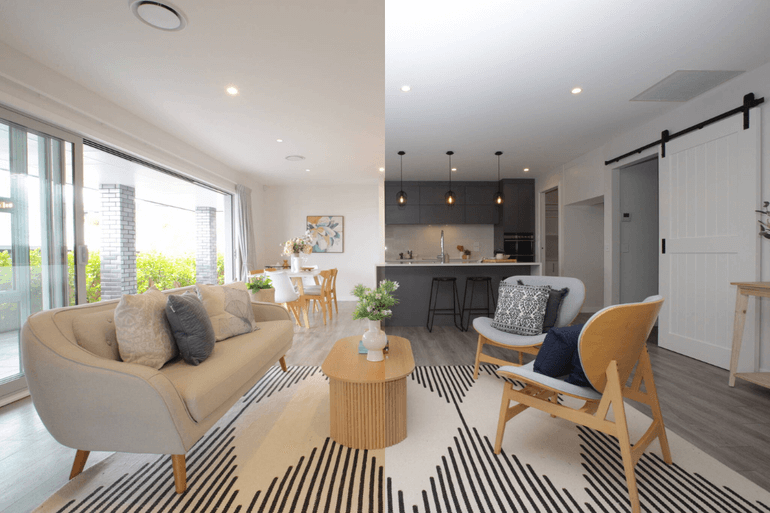
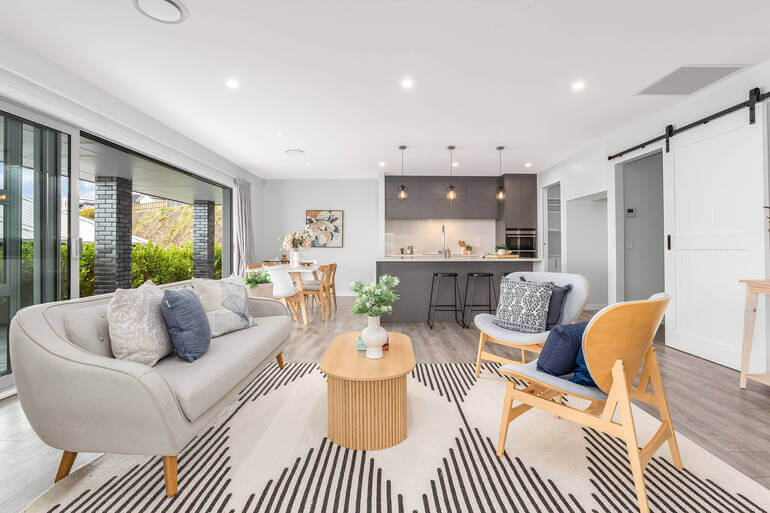
Every scroll-stopping image starts with a clean, polished foundation. Before adding dramatic effects or enhancements, exposure and color must be corrected.
Balanced brightness ensures interiors feel open and inviting rather than dim or washed out.
Proper window masking preserves outdoor views while preventing blown highlights.
Additionally, accurate white balance eliminates distracting yellow or blue casts that distort wall colors and finishes.
When lighting feels natural and true-to-life, buyers subconsciously perceive the property as well-maintained and higher quality.
These tutorials will help you balance exposure and perfect color accuracy and outdoor views:
- How to Brighten a Photo in Photoshop
- How to Adjust White Balance in Photoshop
- How to Mask Windows for Real Estate Photography in Photoshop
With this technical base in place, you can move from clarity to emotional impact—which is where exterior drama often comes into play.
2. Leverage Twilight Editing for Impact🌆


Twilight images are powerful because they create a mood. The contrast between a rich blue sky and warm interior lights draws the eye immediately, making listings stand out in crowded feeds.
Day-to-dusk conversions allow photographers to recreate that golden-hour glow even if the shoot happened midday.
When done correctly, twilight editing feels aspirational and inviting—not artificial.
This technique works especially well for luxury homes, waterfront properties, and listings where ambiance is part of the value proposition.
To learn how to create emotional impact with the help of dramatic sunsets, you can check out our guide on day-to-dusk conversion: the magic of twilight photo editing.
However, exterior mood doesn’t stop at lighting. The sky itself plays a critical role in grabbing attention.
3. Replace Dull Skies With Clean and Sunny, Inviting Backdrops🌞
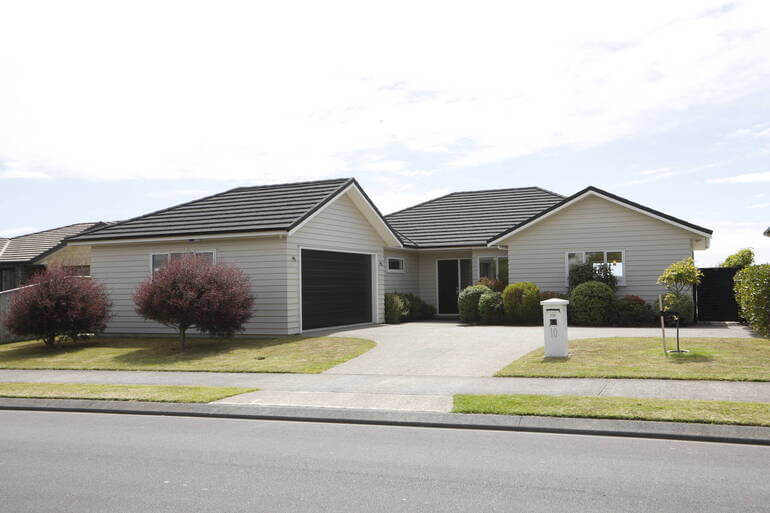
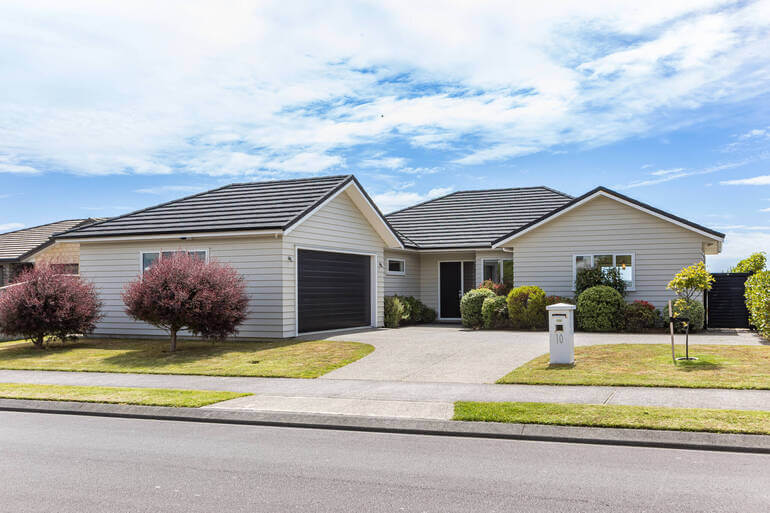
Flat gray skies can drain energy from even the most beautiful home. Strategic sky replacement restores vibrancy and contrast while keeping the scene believable.
A properly edited sky:
- Matches the property’s lighting direction
- Maintains realistic color temperature
- And avoids oversaturation
The goal isn’t to create unrealistic perfection but to remove visual distractions that diminish curb appeal.
To learn how to do a sky replacement, check out our tutorial on how to craft realistic skies that sell listings.
Once the sky is working in your favor, it’s time to enhance what’s happening at ground level.
4. Enhance Lawns and Landscaping for Instant Curb Appeal🌿
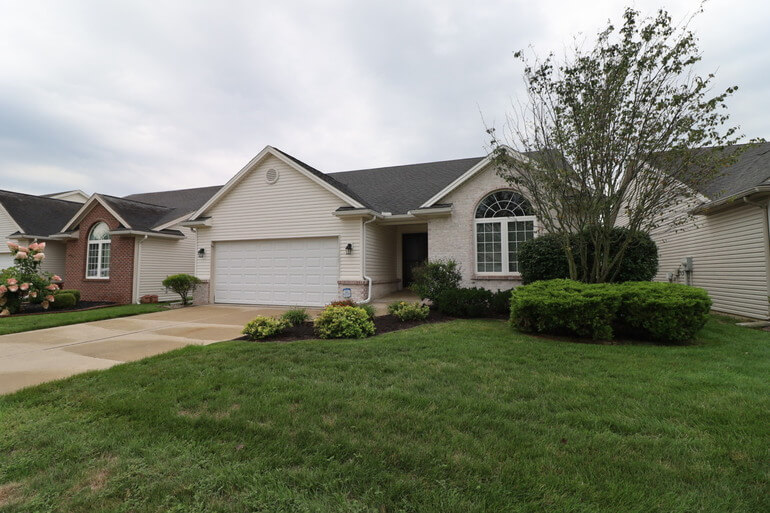
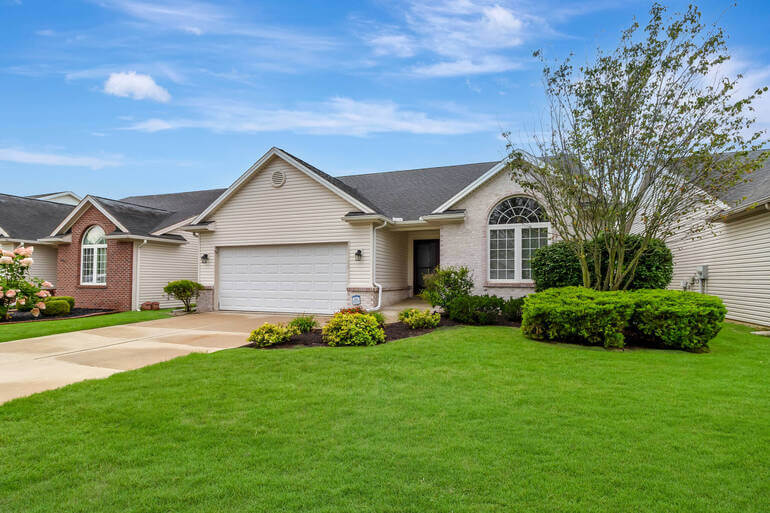
Curb appeal heavily influences whether buyers click into a listing—or skip it altogether. Patchy grass, dull landscaping, or seasonal discoloration can unintentionally signal neglect.
For instance, lawn enhancement and landscaping adjustments can:
- Revive faded grass
- Improve overall green tones
- Clean up flower beds
- And remove minor yard distractions
Subtle exterior enhancements create a sense of care and readiness. When the outside looks polished, buyers are more inclined to explore the interior images.
Check out our guide on how to create a lush green lawn in Photoshop and boost curb appeal to learn some powerful lawn enhancement techniques.
And once inside, clutter control becomes key.
Have You Ever Thought To
Outsource Photo Editing?
Try it today with 5 free edits from three professional photo editors.

5. Declutter and Remove Distractions🧹
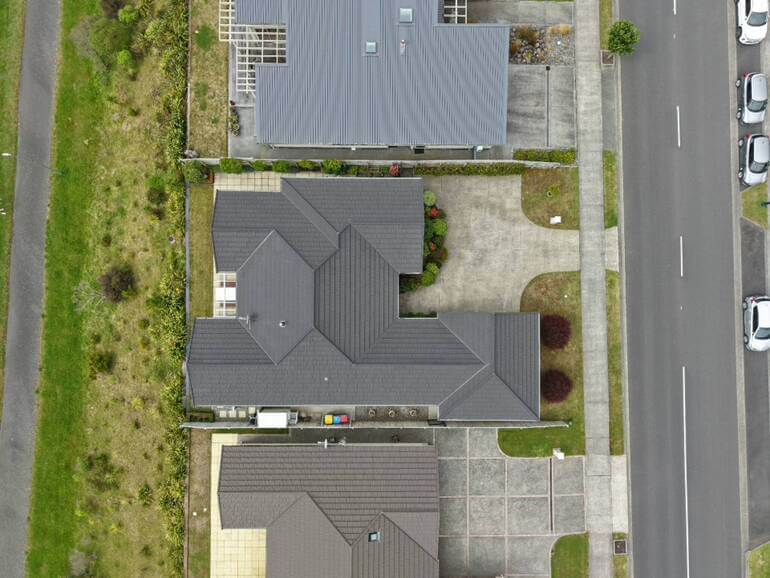
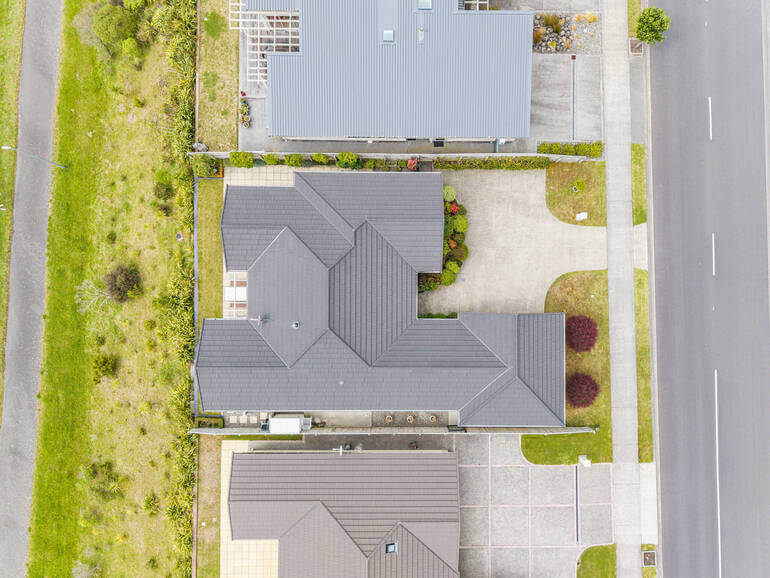
Visual noise competes for attention. Personal items, cords, trash cans, and minor imperfections can pull focus away from a room’s best features.
Virtual decluttering and object removal streamline the space so buyers can imagine themselves living there.
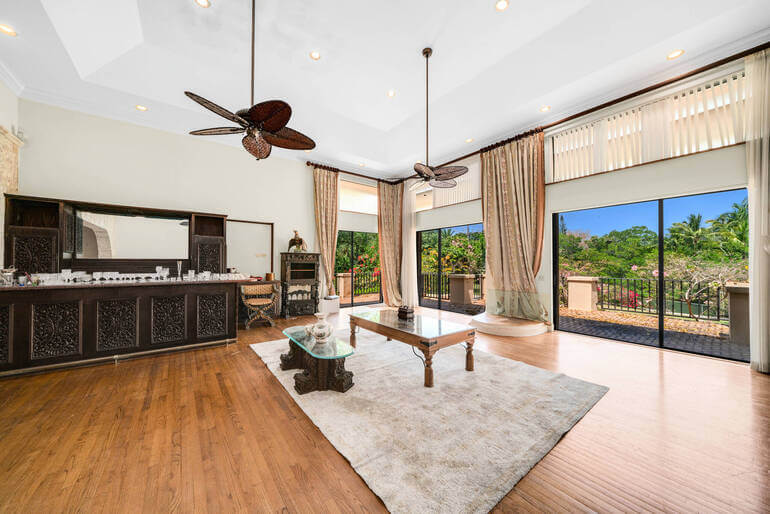
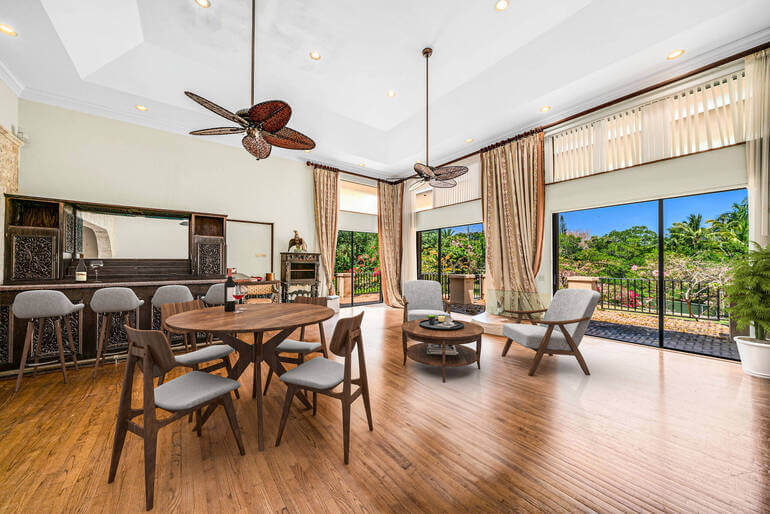
Clean countertops, tidy floors, and distraction-free surfaces make rooms feel larger and more refined.
To learn how to declutter your images, you can visit our tutorial on how to remove unwanted objects using Photoshop.
With clutter removed, the composition becomes stronger. But even the cleanest image can feel “off” if the geometry isn’t correct—which brings us to structural precision.
6. Correct Lines and Perspective📐
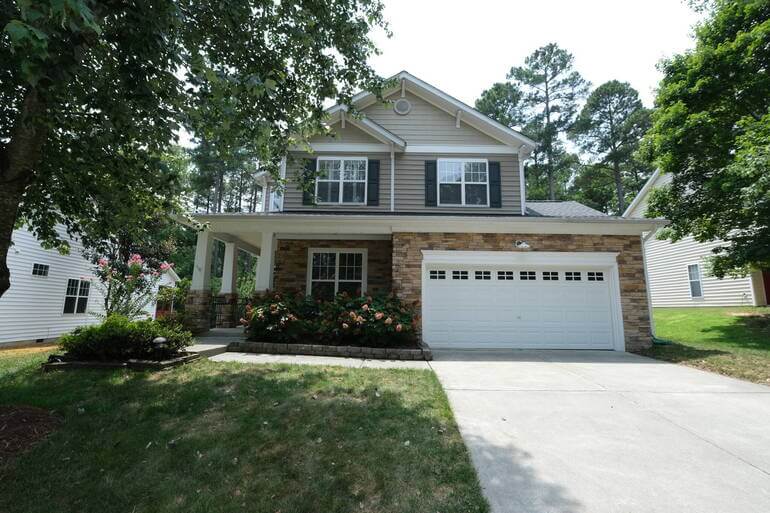
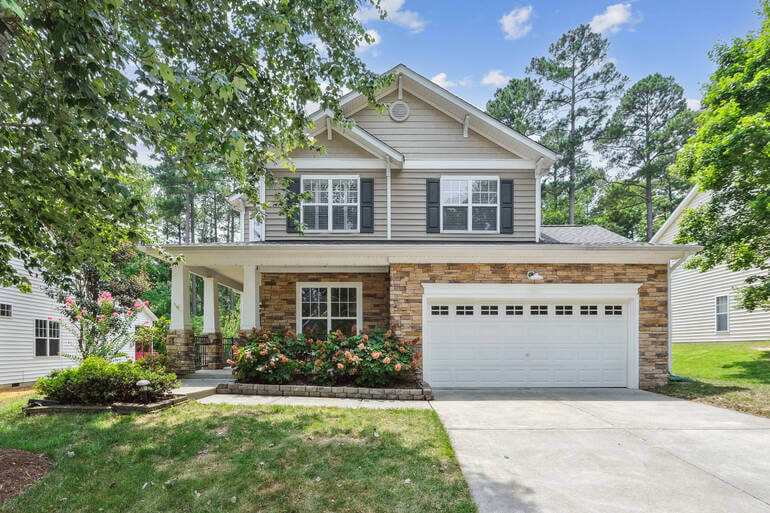
Crooked verticals and warped angles can subtly undermine credibility. Even if viewers can’t articulate what’s wrong, they’ll feel it.
Overall, perspective correction ensures:
- Straight walls and door frames
- Balanced proportions
- And a professional, trustworthy appearance
When architectural lines are clean, the home feels more stable and well-built.
To learn how to perform this essential edit, check out our tutorial on how to correct perspective in Photoshop.
With the structure corrected, you can then focus on enhancing depth and detail.
7. Add Subtle Contrast and Detail Enhancement to Add Sophistication✨
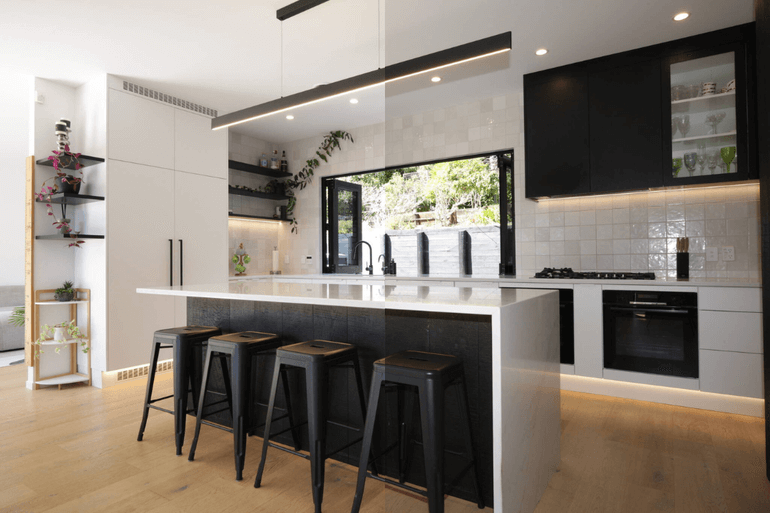
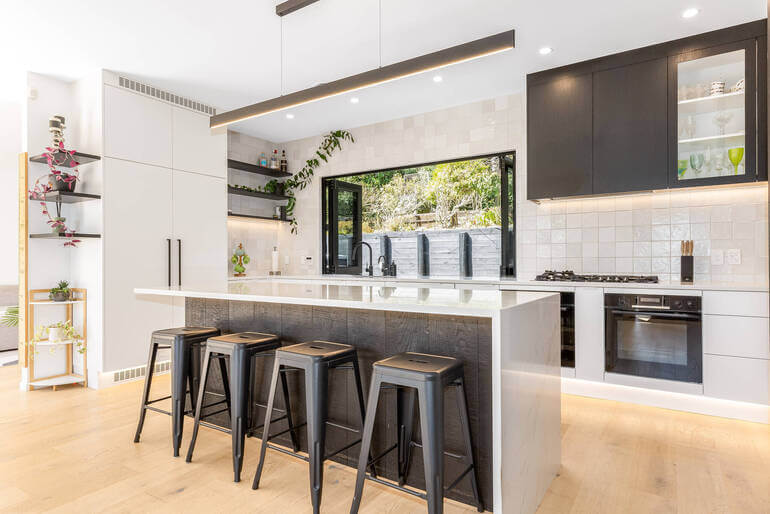
Micro-contrast and controlled sharpening add dimension to materials like stone countertops, cabinetry, tile, and hardwood floors.
The key is restraint. Over-processing leads to halos, noise, and artificial textures. But when applied thoughtfully, detail enhancement adds polish and sophistication.
These subtle refinements elevate perceived value without making the image look overly edited.
To learn more, you can visit our blog post on the role of micro-contrast in making real estate photography feel high-end.
Additionally, you can also find more valuable real estate photo editing tips in these guides:
Finally, the entire gallery must feel cohesive.
8. Maintain Consistency Across the Gallery🎨
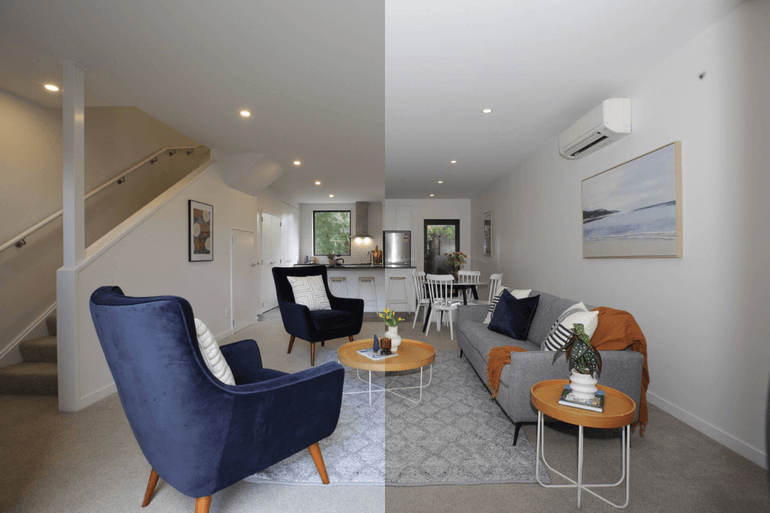
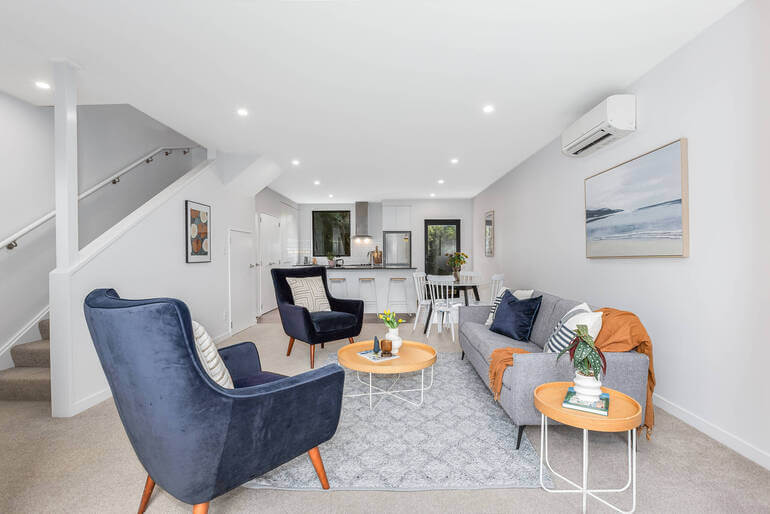
A powerful hero image may stop the scroll—but consistency keeps buyers engaged. Each photo in the listing should share:
- Cohesive color tones
- Similar brightness levels
- Balanced contrast
- And consistent editing style
When the gallery feels unified, buyers spend more time exploring the property.
And that’s it!
You’ve now learned how to create scroll-stopping listing images that will increase engagement and improve the chances of inquiries, showings, and offers.
If you don’t have the skill or time to do this yourself, we have the perfect solution for you – introducing PhotoUp.
Have You Ever Thought To
Outsource Photo Editing?
Try it today with 5 free edits from three professional photo editors.
How to Turn Scrolls Into Showings With PhotoUp🏡
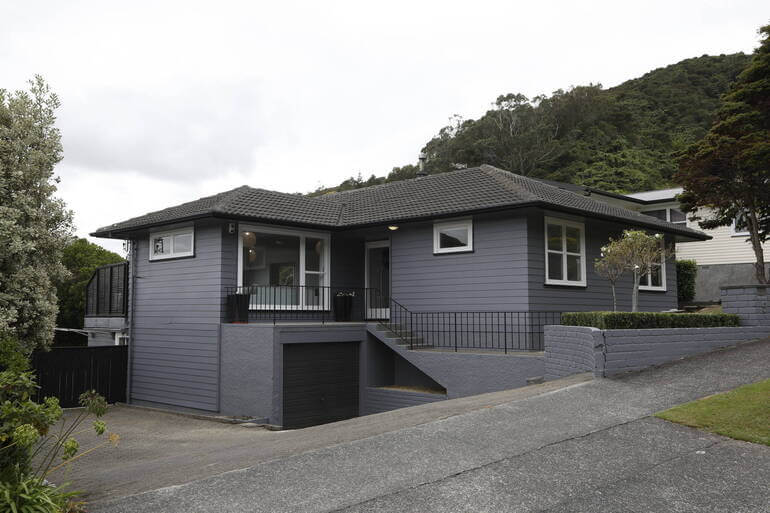
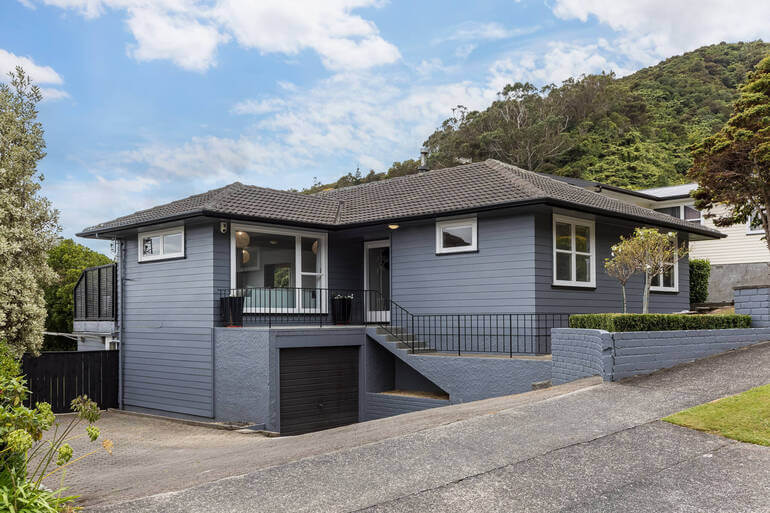
Scroll-stop listing images are about intentional enhancement—not exaggeration. Strategic real estate photo editing ensures properties look their best while staying truthful and believable.
From exposure balancing and twilight conversions to sky replacement, lawn enhancement, decluttering, perspective correction, and detail refinement, every editing step works together to capture attention and hold it.
If you’re managing multiple listings, consistently producing this level of polish can be time-consuming. That’s where PhotoUp comes in!
PhotoUp’s professional real estate photo editors specialize in:
- Day-to-dusk conversions
- Sky replacements
- Lawn greening
- Object removal
- HDR blending
- Line and perspective corrections
- And much more!
With fast turnaround times and scalable pricing—including Dedicated Editor options—PhotoUp helps photographers and agents deliver scroll-stop listing images without slowing down their workflow.
Because in today’s market, success starts with stopping the scroll, which you can maximize with additional marketing tools as well.
Browse Top Dedicated
Real Estate Photo Editors
Ready-to-hire editors for real estate photo editing, and more.
More Than Just Real Estate Photo Editing!
PhotoUp offers so much more than just real estate photo editing! We are a complete real estate marketing partner and also offer powerful marketing tools such as:
We have everything you need to enhance and ensure scroll-stop listing images in one user-friendly software!
How to Get Started
Getting started with PhotoUp is super easy – this is all you need to do:
Step 1. Sign up for a free PhotoUp account.
Step 2. Upload your photos to our easy-to-use software.
Step 3. Choose the level of editing that you need and provide instructions (optional).
Step 4. Wait for PhotoUp professional editors to edit and return the photos in less than 24 hours.
Step 5. Download and start using your beautifully edited photos.
PhotoUp Real Estate Photo Editing Uploader
To see how easy it is to get started with PhotoUp, check out our real estate photo editing uploader tutorial:
As simple as that! So, what are you waiting for?
👉 Sign up for a free PhotoUp account today and start creating scroll-stop listing images at record speed!
For a limited time, you’ll receive a bonus of 10 free credits you can use on any of our services when signing up for an account.
We hope this blog post helped you learn how to ensure scroll-stop listing images with the help of some effective real estate photo editing techniques. Before you go, you may also want to check out the following resources:
- Mastering Interior Photo Editing: 10 Powerful Techniques
- Quickly Enhance the Inside of Your Home With Interior Photo Editing
- The #1 Edit to Create Stunning Real Estate Photos
- The Power of Visual Appeal to Skyrocket Real Estate Sales
- 8 Secret Real Estate Photo Editing Tricks for Breathtaking Listings