Table of Contents
- Why Editing Interior Photos Matters for Buyer Emotion
- 7 Interior Editing Techniques to Amplify Vibe & Emotion
- FAQ About Editing Interiors
- Create Captivating Interior Images With PhotoUp
Interior real estate photos do more than document a home—they set an emotional tone that makes buyers feel something. The right editing transforms flat, uninspiring rooms into bright, welcoming spaces full of warmth and clarity.
In today’s competitive market, well-edited interiors can be the difference between a buyer scrolling past a listing or scheduling a showing on the spot.
In this guide, we’ll discuss how real estate photo editing elevates interior spaces and show you 7 powerful editing techniques to amplify mood, character, and buyer desire in your interior photos.
Key Takeaways
- Real estate photo editing transforms images to evoke emotion, making spaces feel warm and inviting
- Key techniques include correcting lighting, perfecting white balance, and enhancing window views for natural appeal
- Removing clutter and distractions helps buyers imagine their lifestyle in the home
- Smart color and texture enhancements, along with straightening lines, promote a trustworthy look
- Cohesive editing across all photos enhances storytelling and makes listings stand out in a competitive market
Why Editing Interior Photos Matters for Buyer Emotion🖼️
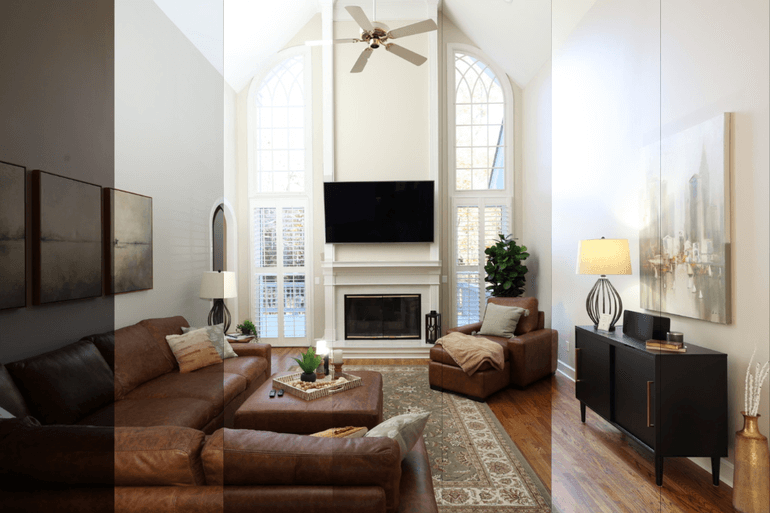
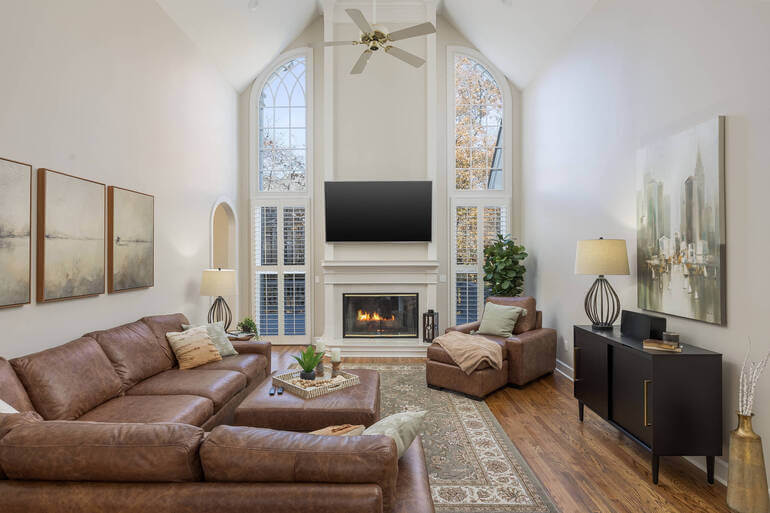
According to a NAR study, 85% of homebuyers consider photos the most critical factor when searching for homes, so the right image can make a potential buyer stop scrolling, click on your listing, and imagine themselves living in the home.
However, RAW interior images often struggle to capture the full warmth and ambiance of a space.
Natural lighting can be uneven, shadows may hide key features, colors can appear dull or inaccurate, and windows frequently blow out with harsh brightness.
Buyers need to see an interior exactly as it feels in person: balanced, bright, calm, and emotionally inviting. Professional real estate photo editing bridges the gap between what the camera captures and what the eye naturally sees.
By refining light, color, clarity, and composition, editors help buyers emotionally connect with a space—making them imagine living, relaxing, and creating memories there.
In other words, thoughtful interior editing ensures every room communicates the right mood, helping buyers instantly bond with the home, which we’ll show you how to achieve next.
7 Interior Editing Techniques to Amplify Vibe & Emotion
Below are 7 powerful real estate photo editing techniques that elevate interiors and shape how buyers feel as they view the home.
1. Balance the Lighting for an Inviting Mood🔆
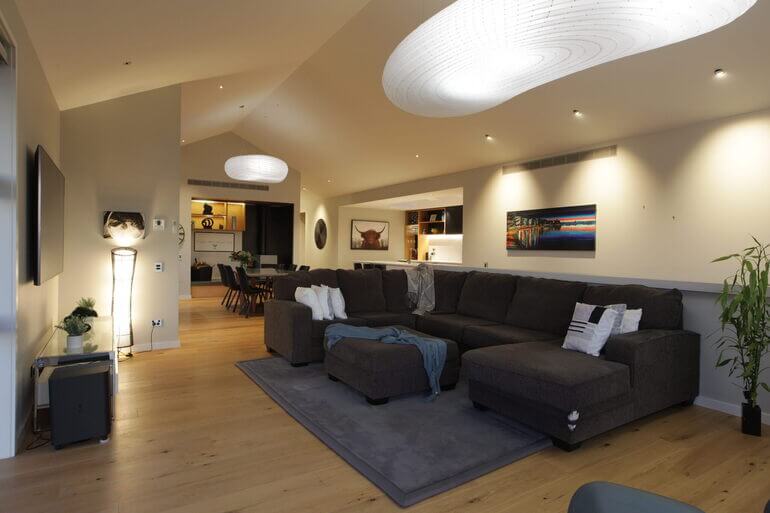
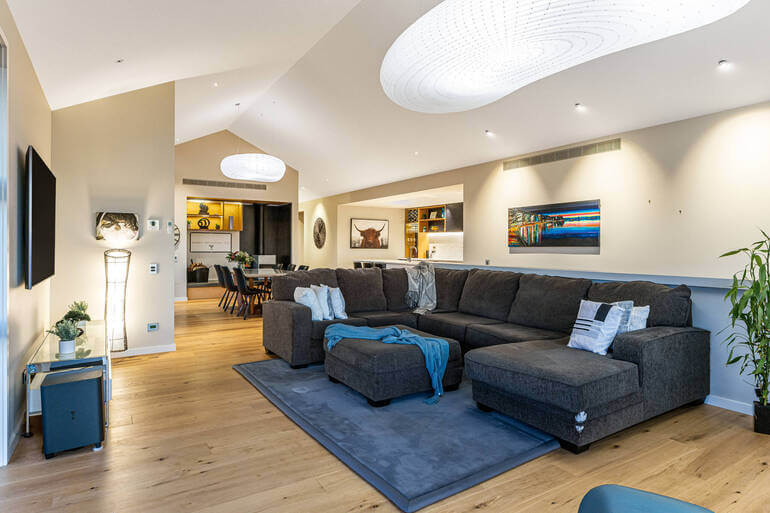
Poor lighting is the fastest way to drain emotion from an otherwise beautiful room. Editing adds clarity, warmth, and brightness that the camera sensor simply can’t replicate.
Consider using these real estate photo editing tips:
- Bringing up midtones to brighten the overall room
- Softening shadows to create a more welcoming, open feel
- Recovering highlights, especially near windows and reflective surfaces
- Adding subtle warmth to make the space feel cozy and livable
Balanced lighting mimics the natural glow buyers expect in a home and reduces the distraction of harsh contrasts.
These tutorials can help you balance the lighting in your interior photos and create an inviting mood:
- How to Adjust White Balance in Photoshop
- How to Color Correct in Photoshop
- How to Brighten a Photo in Photoshop
- How to Remove Shadows in Photos (Lightroom & Photoshop tutorial)
Why this works? Light-balanced images instantly feel warmer and more inviting, capturing buyer interest at first glance.
2. Perfect White Balance for True-to-Life Colors
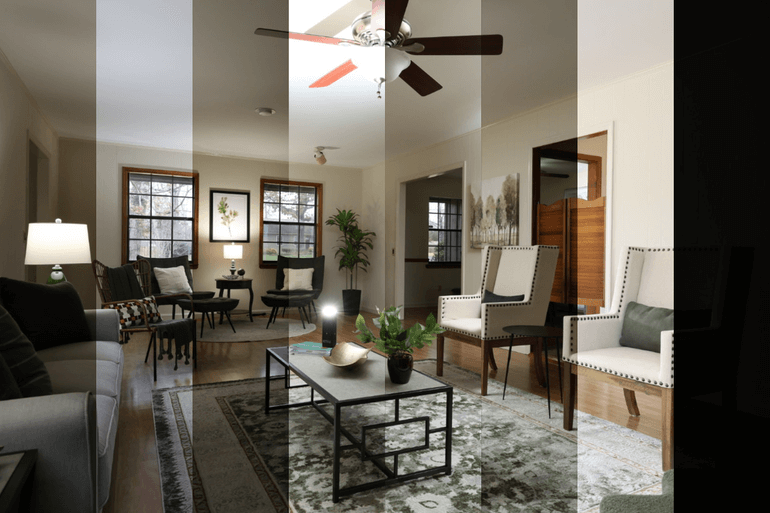
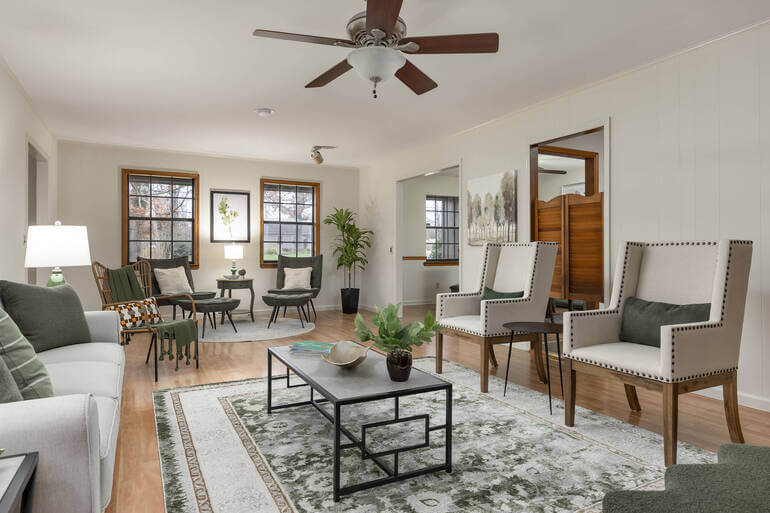
Different light sources—lamps💡, overhead lights, sunlight—create mixed color temperatures that distort the mood.
Yellow, blue, or green color casts can quickly make a space feel unintentional or unattractive. Consider performing these fixes:
- Neutralizing warm indoor lighting
- Correcting blue shadows from outdoor light
- Making whites look genuinely white
- Harmonizing mixed lighting to create consistency
Accurate white balance ensures the room feels clean, calm, and cohesive—key emotions buyers subconsciously look for.
To learn how to create true-to-life colors, you can check out our guides:
Why this works? When colors appear natural and balanced, buyers feel more comfortable and confident in the space.
The Ultimate All-in-One
Real Estate Photographer Business Platform
Grow a successful real estate photography business with PhotoUp.

3. Enhance Window Views Without Distracting From the Interior🏡
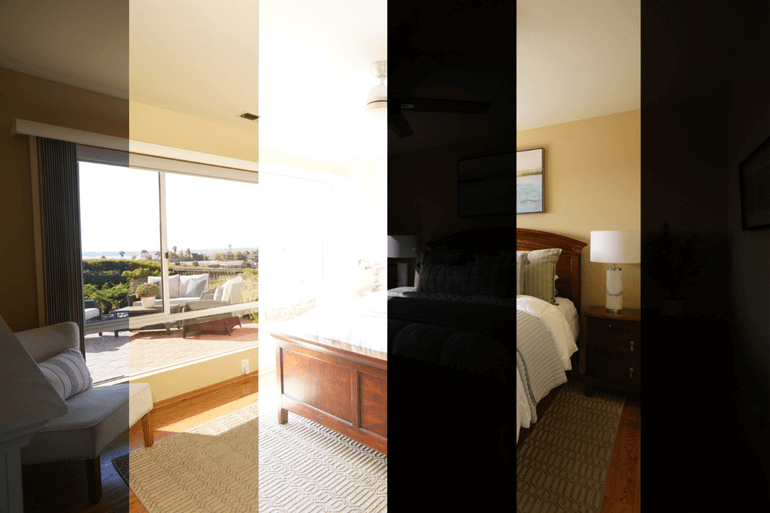
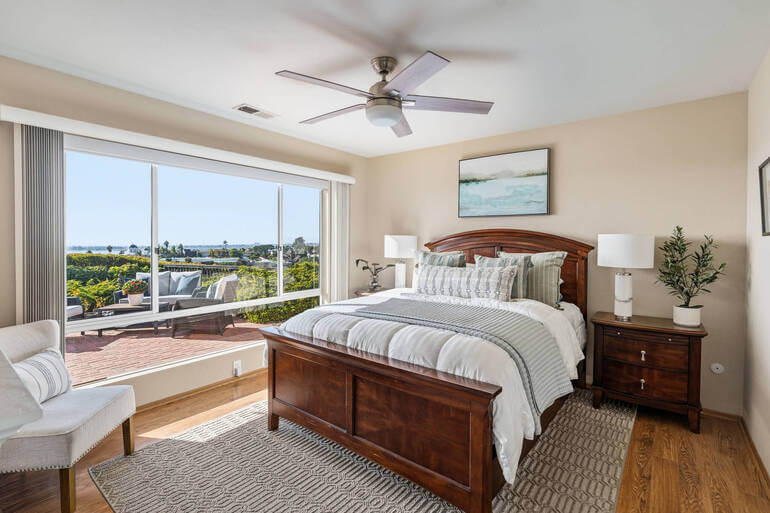
Windows give rooms life, dimension, and personality, but cameras often blow out the highlights.
Professional real estate photo editors can replace or recover window views in a way that feels natural and uplifting.
Approaches include:
- Layer-masking to reveal properly exposed exterior shots
- Using realistic window replacements for cloudy or overexposed conditions
- Enhancing detail outside the window while keeping interior lighting natural
A balanced window view adds depth and emotional appeal, making the interior feel brighter, more open, and connected to nature.
To learn how to enhance window views, you can visit our tutorial on a quick and easy way to mask windows in Photoshop.
Why this works? Clean, well-preserved window views elevate both the mood and perceived quality of the space.
4. Remove Clutter & Distractions for a Calming and Clean Vibe 🧹
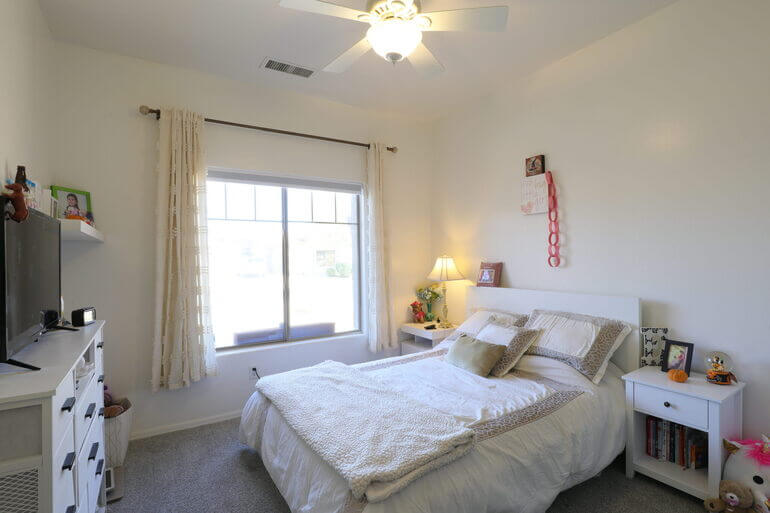
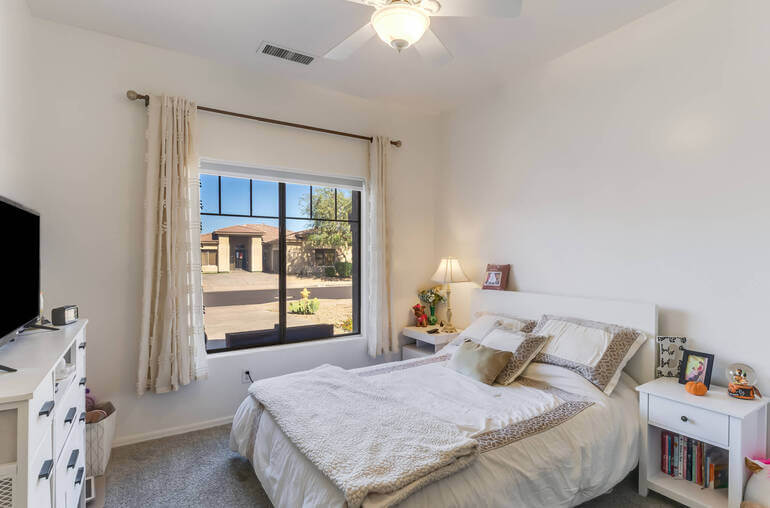
Even the most beautiful room loses impact when small distractions pull the buyer’s eye away. Object removal in real estate photo editing helps refine the visual story.
Here are some common removals that will clean up your interior photos:
- Wires, cords, outlet plates, or thermostat boxes
- Small items left on counters or tables
- Toys, towels, and magnets on refrigerators
- Reflections or shadows that feel messy or unintentional
Removing clutter allows buyers to imagine their own lifestyle in the home—clean, simple, peaceful. For more details, check out our guide on how to declutter photos.
Why this works? A distraction-free interior encourages buyers to focus on the room’s best features and emotional ambiance.
5. Add Smart Color & Texture Enhancements for Personality and Mood🎨
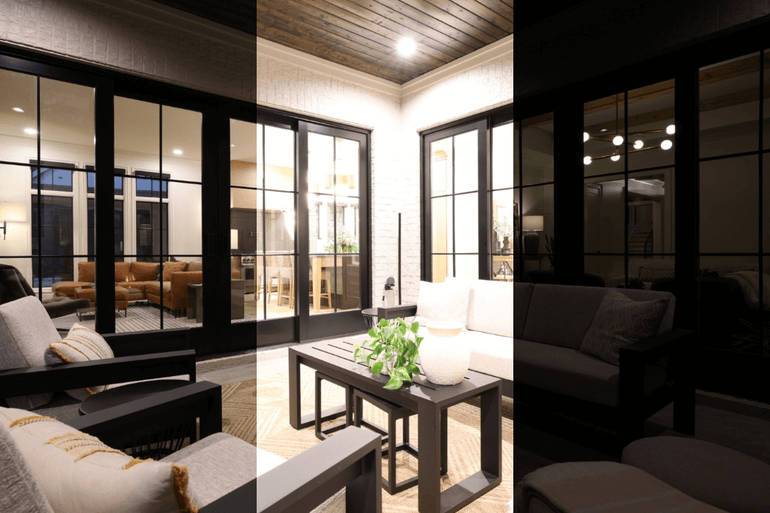
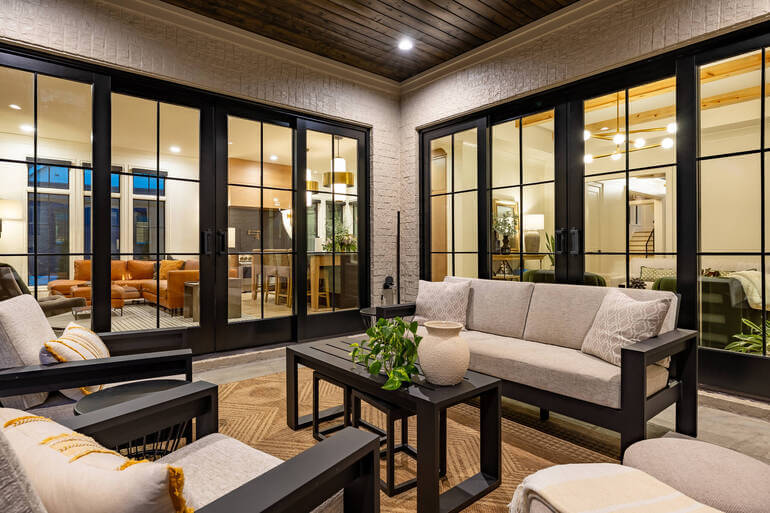
Texture and color accents draw buyers in and create mood. With subtle editing, even a modest room can feel stylish and full of character.
Consider these enhancements:
- Increasing contrast to add a visual dimension
- Adding clarity for sharper textures in fabrics, furniture, and décor
- Softening surfaces for a luxury look in bathrooms or kitchens
- Enhancing wood tones for warmth and richness
Overall, buyers love rooms that feel polished, intentional, and aesthetically pleasing.
To learn how to enhance textures for extra personality, you can check out our guides:
- How to Change Exposure in Photoshop
- How to Sharpen an Image in Photoshop
- How to Color Correct in Photoshop
Why this works? Tasteful color and texture work elevate the interior’s emotional impact without making it look over-edited.
6. Straighten Lines & Fix Distortion for a Calm, Trustworthy Look 📐
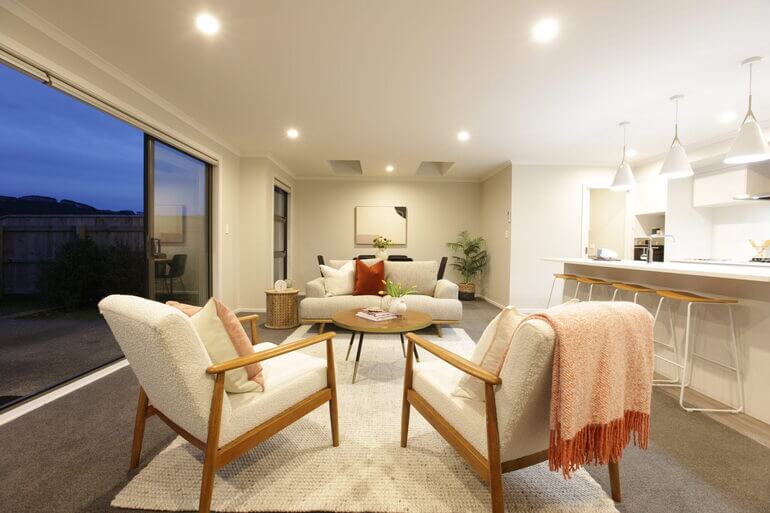
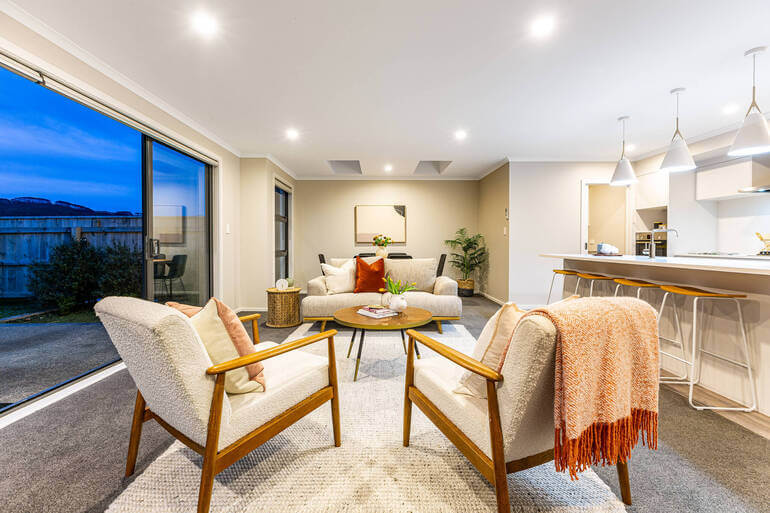
Crooked lines—even slight ones—can make buyers feel unsettled without knowing why. On the other hand, proper alignment and perspective correction create a sense of stability and professionalism.
Consider doing these adjustments:
- Correcting lens distortion from wide-angle lenses
- Straightening vertical lines on walls, windows, and cabinets
- Ensuring balanced room geometry for a grounded, stable feel
In summary, straight lines subconsciously communicate order, trust, and quality.
These two tutorials can help you create proper alignment in your interior photos:
Why this works? Clean, aligned lines help buyers feel grounded and confident in the home’s structure and layout.
7. Create Atmospheric Cohesion Across the Full Photo Set🌅
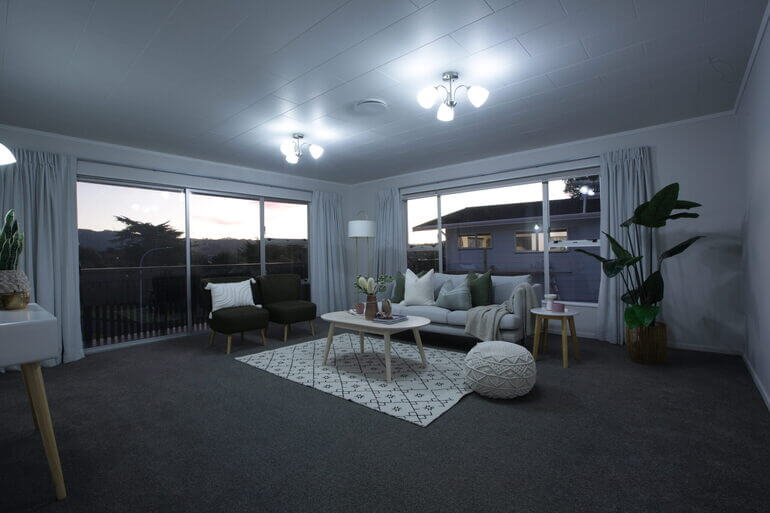
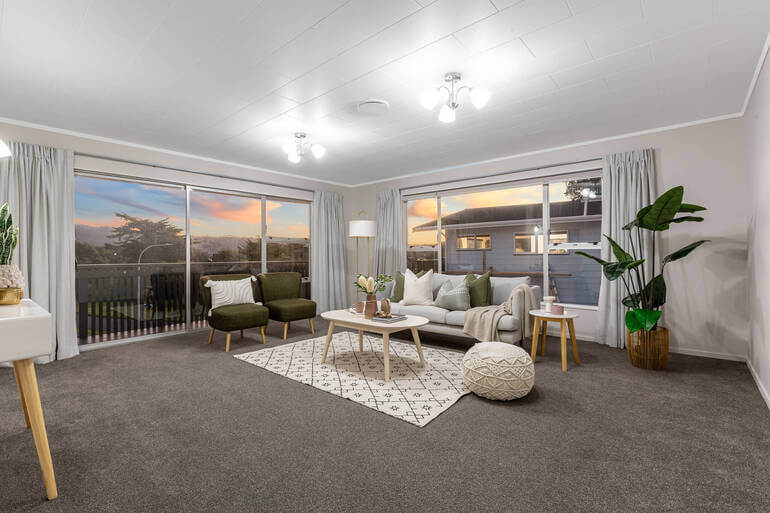
A cohesive real estate photo editing style enhances storytelling—making the home feel harmonious from room to room.
This includes:
- Consistent color temperature
- Seamless transitions between bright and darker spaces
- Uniform contrast, vibrancy, and clarity adjustments
Cohesion makes the property feel whole, balanced, and ready to move into.
Why this works? A consistent visual aesthetic strengthens buyer trust and amplifies emotional connection throughout the listing.
And there you have it! You’ve now learned 7 powerful real estate photo editing techniques that will create well-lit and inviting interior photos that buyers can’t resist.
FAQ About Editing Interiors📚
What’s the main goal of interior real estate photo editing?
The main goal of interior photo editing is to create clean, bright, inviting images that emotionally resonate with buyers while accurately representing the space.
Do edited interior photos still look natural?
Yes! Professional real estate photo editing focuses on subtle improvements, not drastic alterations, ensuring photos remain realistic yet appealing.
Should I always replace window views?
Not always. Only replace windows when the original is blown out or visually unappealing. Natural views are ideal when properly exposed.
Can I edit interiors myself?
You can, but it’s time-consuming. Most real estate photographers choose to outsource to professionals, like PhotoUp, to ensure consistency and save time.
Does real estate photo editing help a home sell faster?
Absolutely! Professionally edited photos receive significantly more engagement, higher CTR, and more showings—often accelerating the sale. For example, according to recent studies, homes with high-quality images saw a 47% increase in price per square foot.
Before we leave this topic, let’s present a solution that can help you ensure your real estate photos are up to par while allowing you to shoot more properties instead of being stuck in post-processing.
Have You Ever Thought To
Outsource Photo Editing?
Try it today with 5 free edits from three professional photo editors.
Create Captivating Interior Images With PhotoUp✨
PhotoUp specializes in high-quality real estate photo editing designed to amplify emotion, boost visual storytelling, and help your listings stand out.
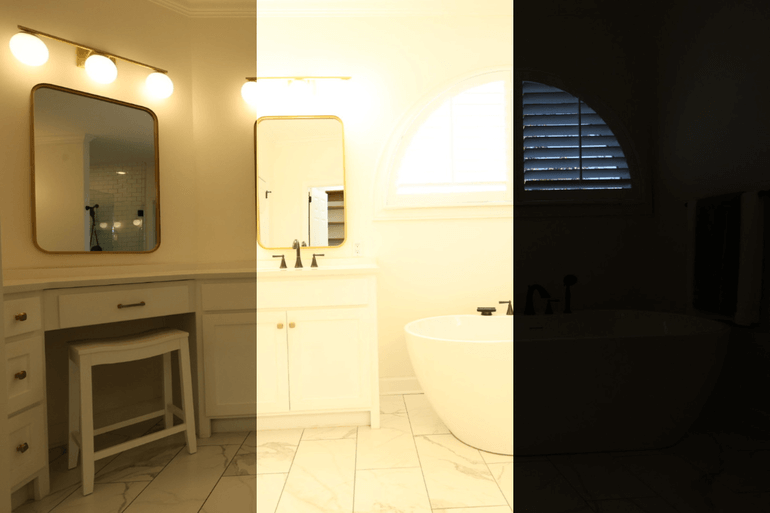
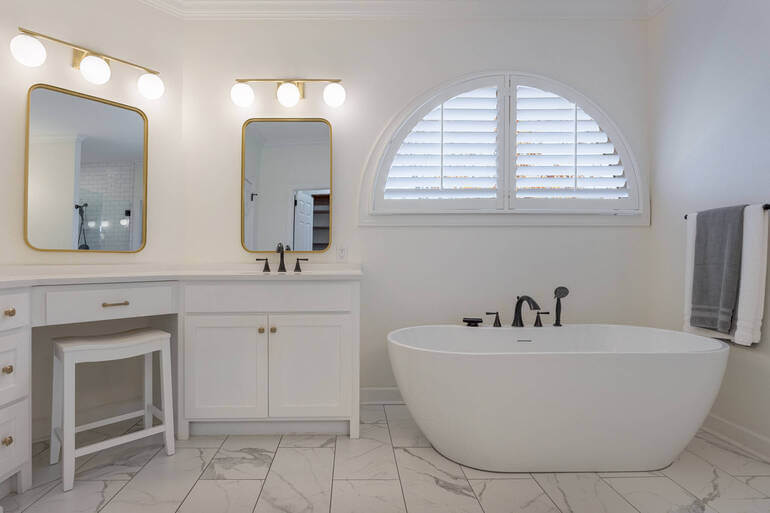
Whether you want clutter removal, window replacements, sky enhancement, straightening, or full interior/exterior editing, PhotoUp delivers stunning results at affordable rates.
With fast 12–24 hour turnaround times, Dedicated Editing teams, and pricing starting as low as $0.50 per image (depending on your style and editing batch), you can elevate your work without breaking the bank—or burning out!
Plus, there’s more…
Browse Top Dedicated
Real Estate Photo Editors
Ready-to-hire editors for real estate photo editing, and more.
A One-Stop Shop for Real Estate Marketing
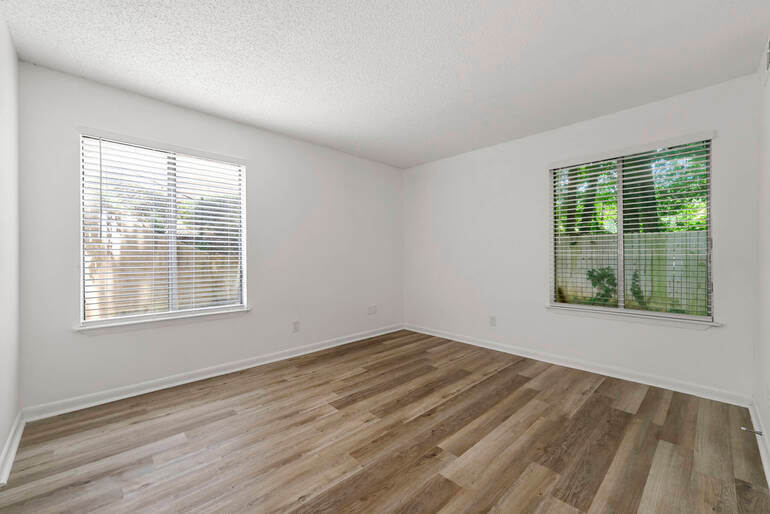
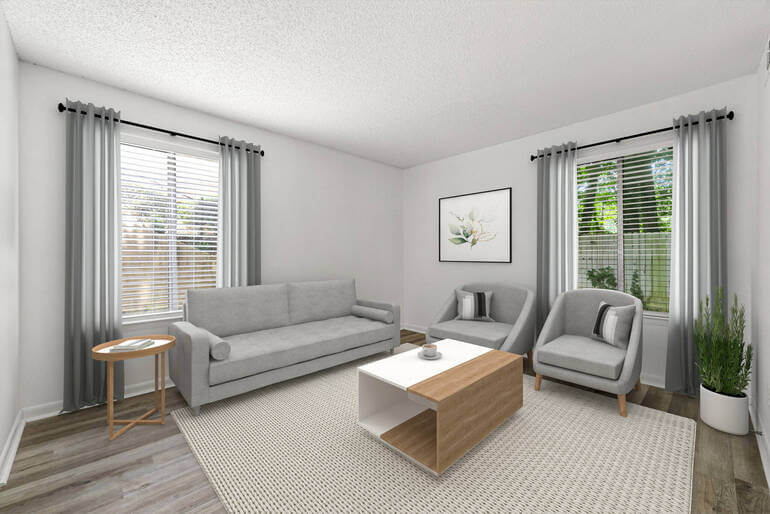
Furthermore, we offer so much more than just real estate photo editing! PhotoUp is a complete one-stop shop for real estate marketing and also offers additional services such as:
We have everything you need to edit and market real estate photography on one user-friendly platform!
How to Get Started
Getting started using PhotoUp’s real estate photo editing service is super easy.
This is all you need to do:
Step 1. Sign up for a free PhotoUp account.
Step 2. Upload your photos to our easy-to-use software.
Step 3. Choose the level of editing that you need and provide instructions (optional).
Step 4. Wait for PhotoUp professional editors to edit and return the photos in less than 24 hours (48 hours for virtual staging).
Step 5. Download and start using your beautifully edited photos.
PhotoUp Real Estate Photo Editing Uploader Demo
Have a look at the real estate photo editing uploader demo to see how easy it is to get started with PhotoUp:
As simple as that!
If you want to create captivating interior and exterior photos that move buyers emotionally and set your listings apart, PhotoUp is your trusted partner.
👉 Sign up for a free PhotoUp account today and let our expert editors help you amplify the vibe in your photos and create listings buyers can’t resist!
For a limited time, you’ll receive a bonus of 10 free credits you can use on any of our services when signing up for an account.
We hope this guide helped you learn how to edit interiors to amplify vibe and buyer emotion in real estate photo editing. If you got something out of this blog post, consider checking out the following resources as well:
- Real Estate Editing on a Budget: Top Services Under $2 Per Image
- 9 Proven Exterior Real Estate Photo Editing Techniques
- The #1 Edit to Create Stunning Real Estate Photos
- How to Replicate Professional Real Estate Photo Editing (10 Expert Tips)
- Why Real Estate Photo Editing Matters in a Competitive Market