Table of Contents
- What Happens Between the Before Photo and the After Photo
- Why the Before Photo Determines the After Photo
- What Makes a Virtual Staging After Photo Look Real
- What Makes a Virtual Staging After Photo Look Staged
- Why the Difference Matters for Buyers and Your Business
- PhotoUp’s AI Virtual Staging
A vacant room and its staged version usually end up sitting right next to each other in the same listing gallery. Buyers click through both in a matter of seconds, and the jump between them either builds trust in the listing or costs it.
That jump isn’t random. Small details determine whether the staging looks natural or obviously edited.
This article breaks down what makes AI virtual staging work, what can go wrong, and how the original photo shapes the final result buyers see in a listing.
What Happens Between the Before Photo and the After Photo
AI virtual staging isn’t a furniture sticker placed over a photo. The software reads the vacant room from your original image: wall lines, floor space, ceiling height, and the direction light is coming from.
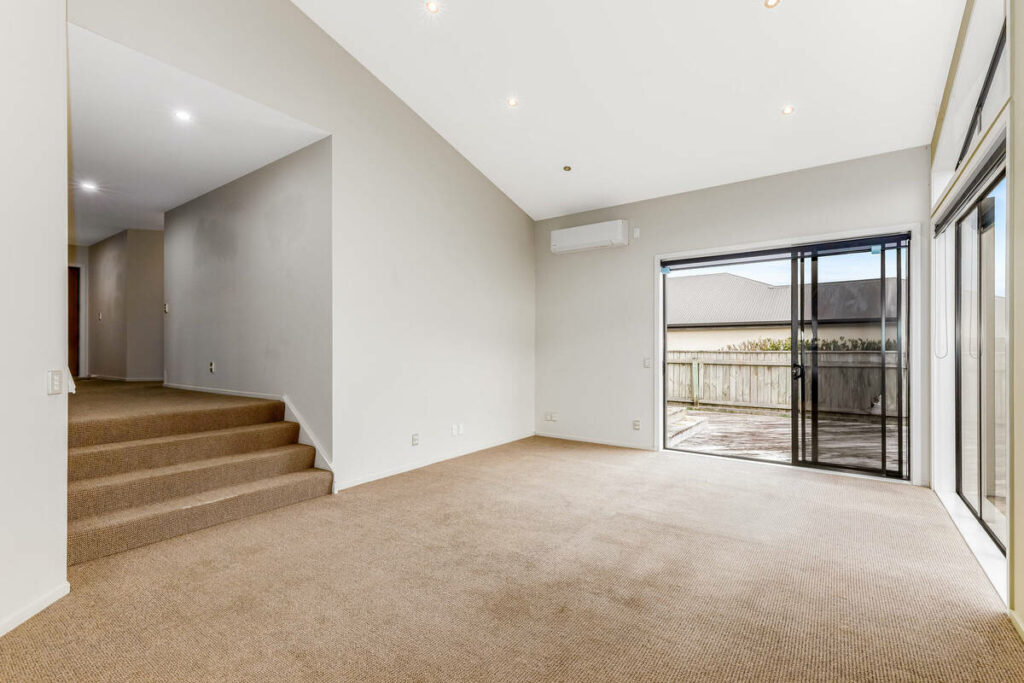
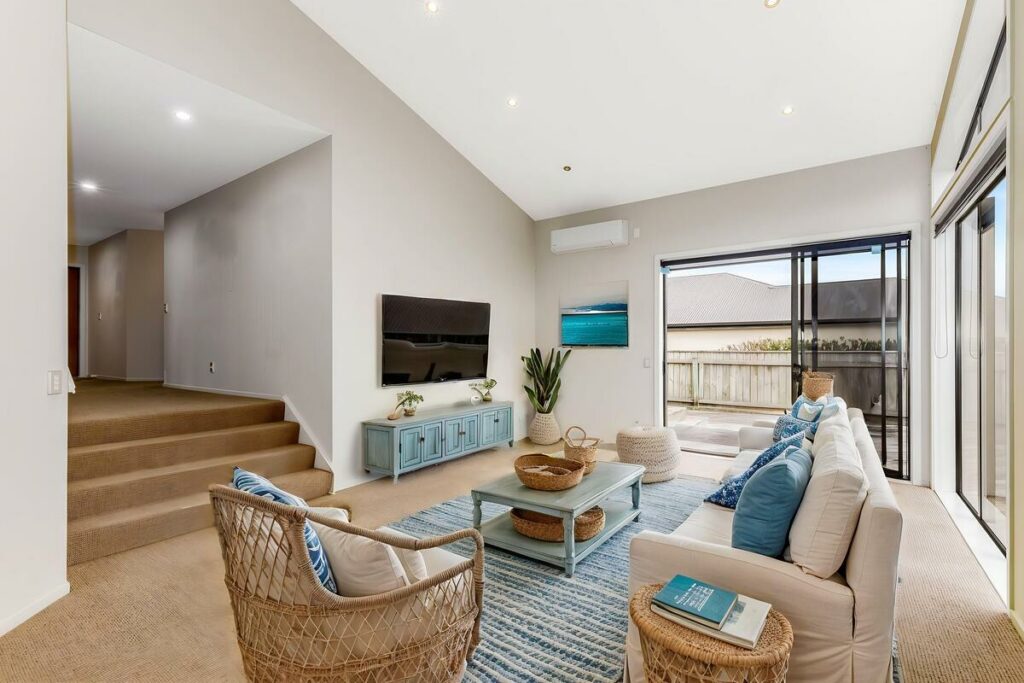
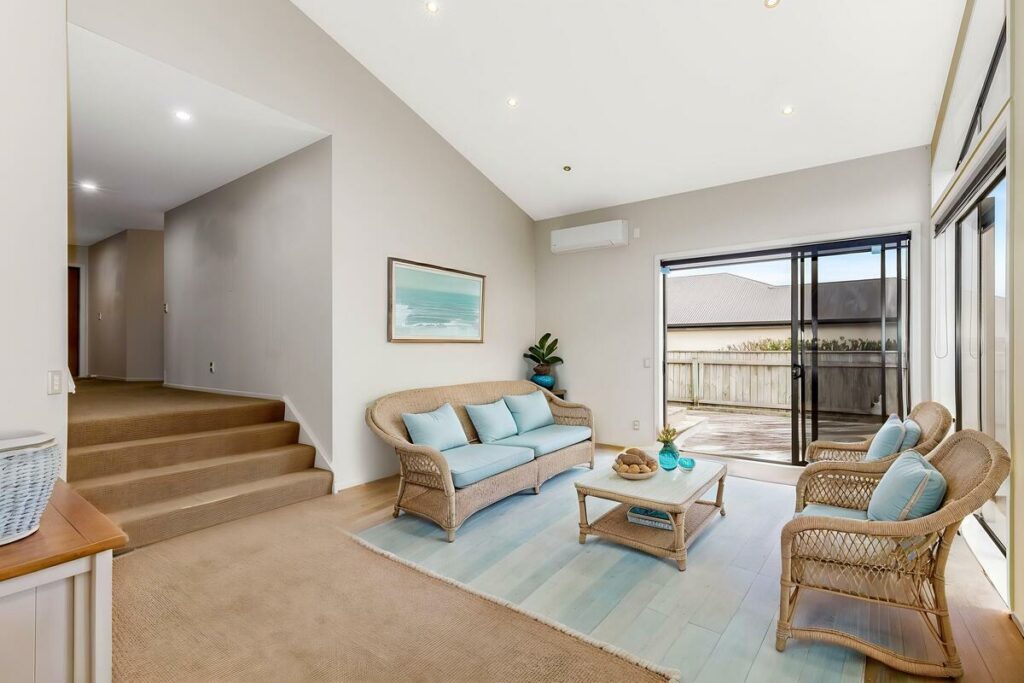
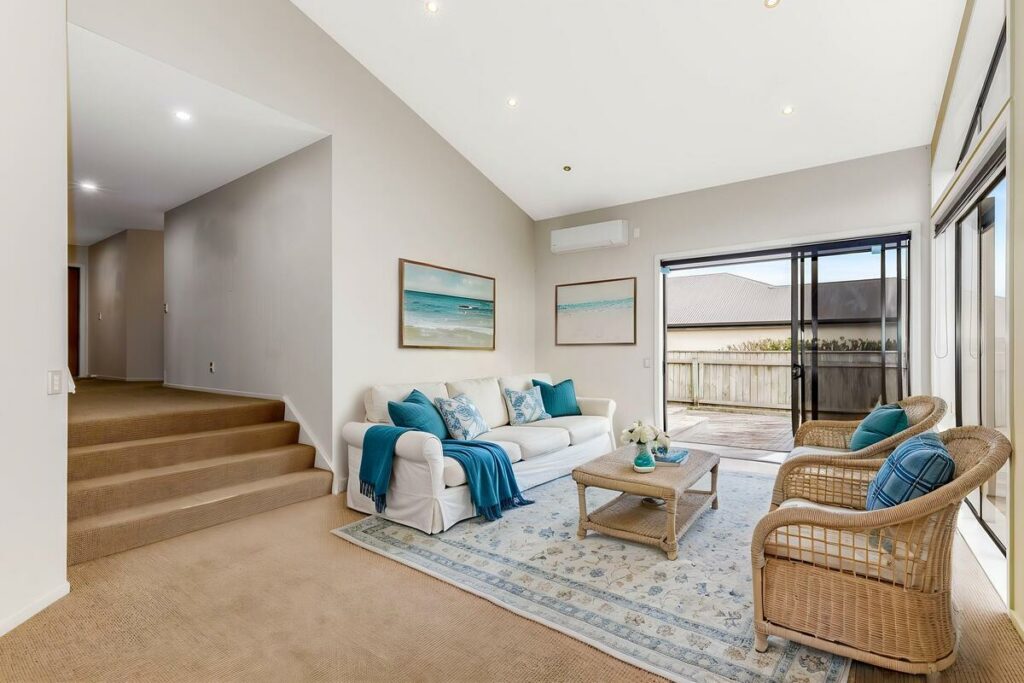
From there, it generates furniture and decor sized and angled to match what it reads. A well-fed system places a sofa where the room’s proportions say a sofa should go, not where a template says one usually goes.
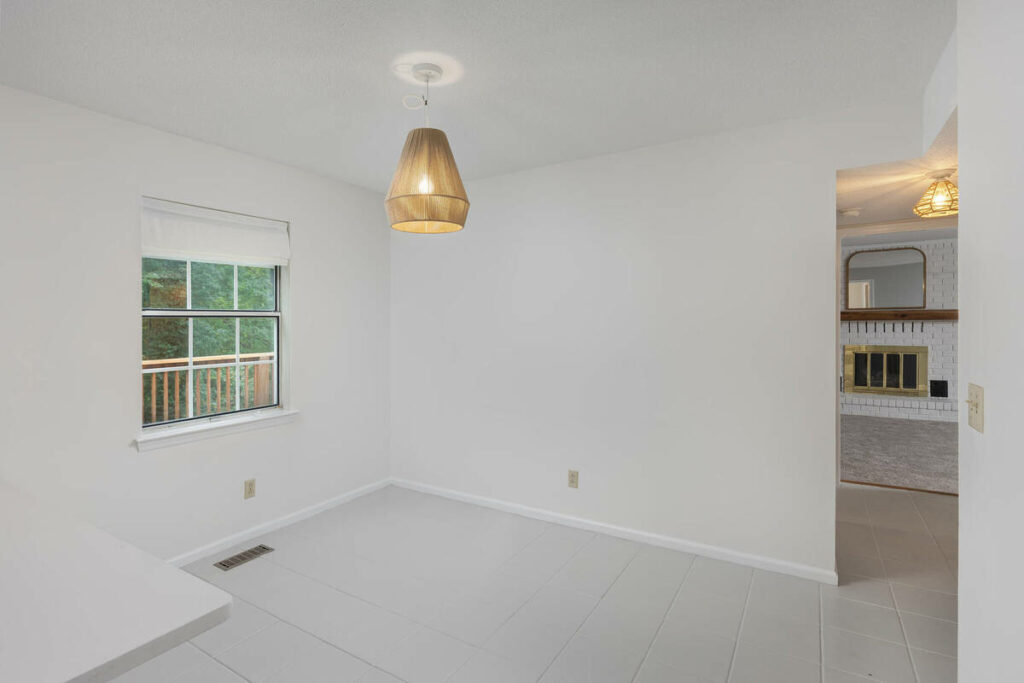
That’s also why the before photo carries more weight than it gets credit for. The AI can only work with what’s in the frame.
Why the Before Photo Determines the After Photo
Photographers sometimes treat the vacant shot as a formality, something to get through before the “real” work of staging happens. It’s the opposite. The vacant shot is the input the entire result depends on.
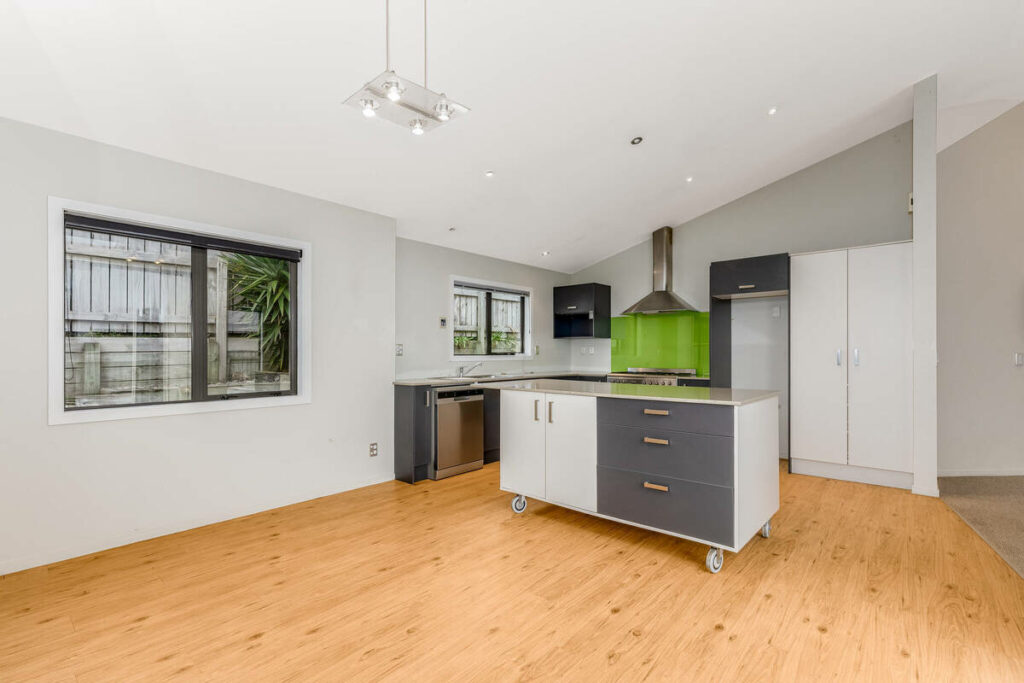
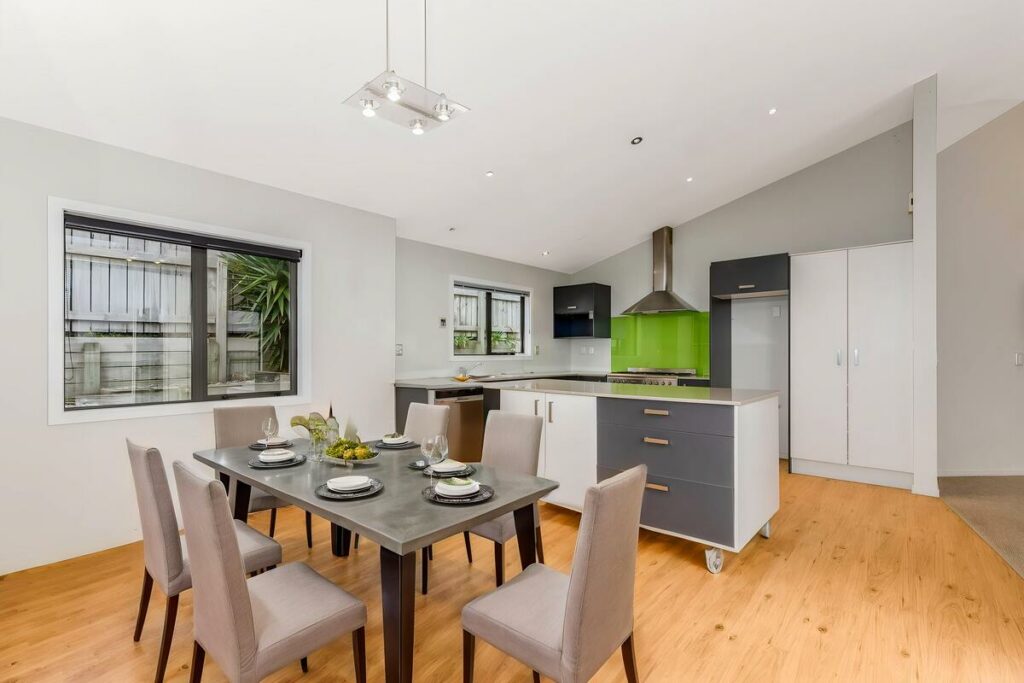
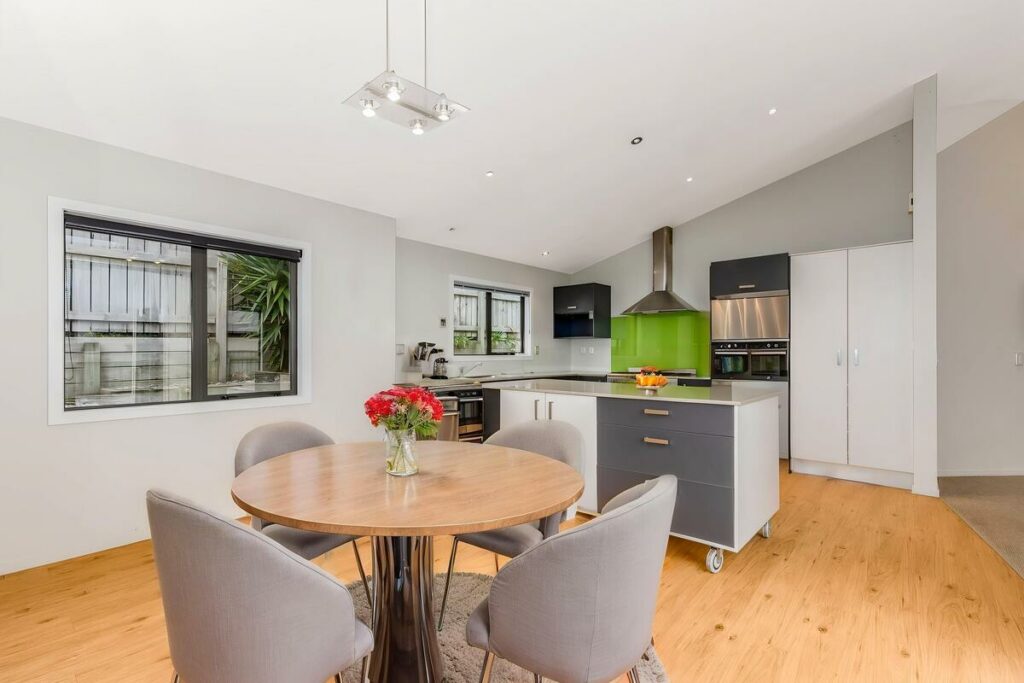
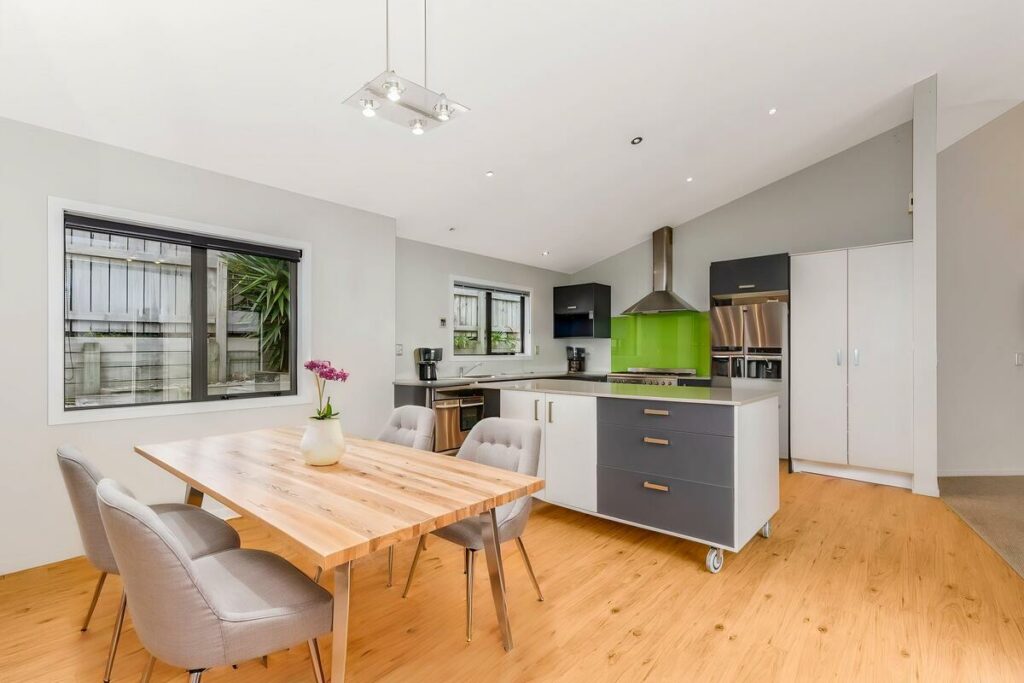
A few things in the before photo directly affect how convincing the after photo can be:
- Exposure and white balance: blown-out windows or a color cast make it harder for the software to read the room’s true light source
- Camera angle: a level, eye-height shot gives the AI clean lines to build from; an awkward angle distorts the proportions it’s working with
- Full room visibility: corners, floor space, and ceiling lines all need to be in frame so furniture placement has room to work with
- A clean, completely empty space: leftover cords, trash bins, or moving debris can get misread as room features
Get these right, and the staging software has accurate information to work from. Get them wrong, and no staging tool can fully compensate.
The after photo still carries your name as the photographer. The quality of your before shot is part of your own work product, not just a setup step.
Quick & Easy
AI Virtual Staging
Interiors. Landscapes. Commercial. Virtually transform any space.

What Makes a Virtual Staging After Photo Look Real
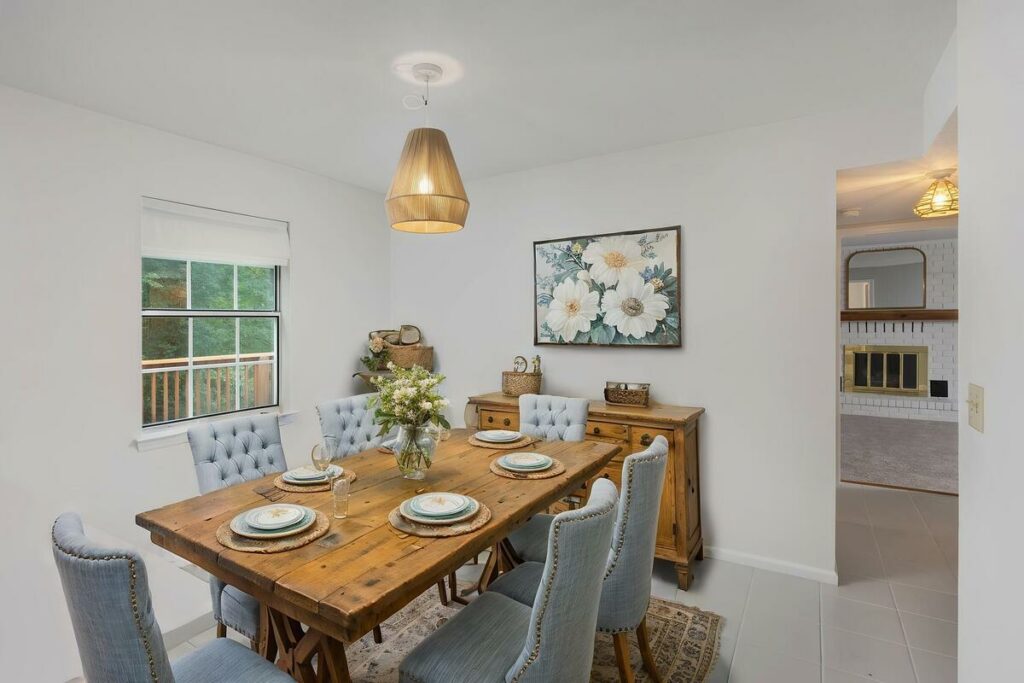
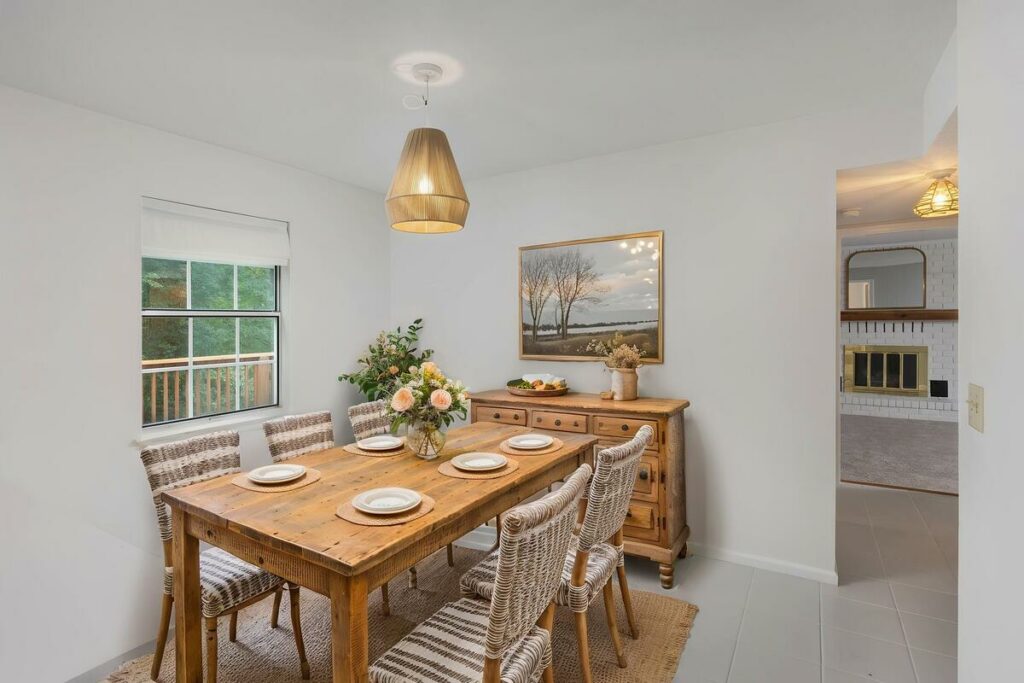
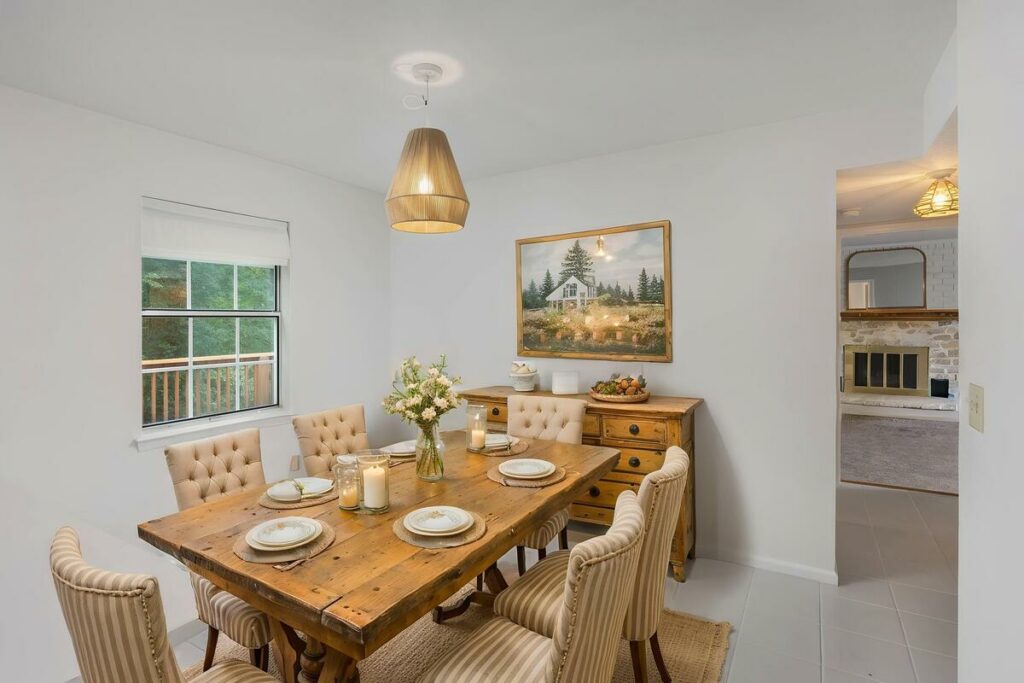
These details separate staging a buyer trusts from staging a buyer scrolls past:
- Furniture proportioned to the room: a sectional that would physically fit through the door and leave walking space around it, not one sized for visual impact
- Shadows that match the room’s light: if the window is on the left, the shadows fall to the right, consistently, across every piece of furniture in the frame
- Perspective that lines up: furniture angled to match the camera’s vanishing point, not floating slightly off from the room’s actual geometry
- A style that fits the home: a mid-century console in a 1920s craftsman reads as generic, even when the individual piece looks well-rendered, since style should match the home’s era and layout rather than whatever’s trending
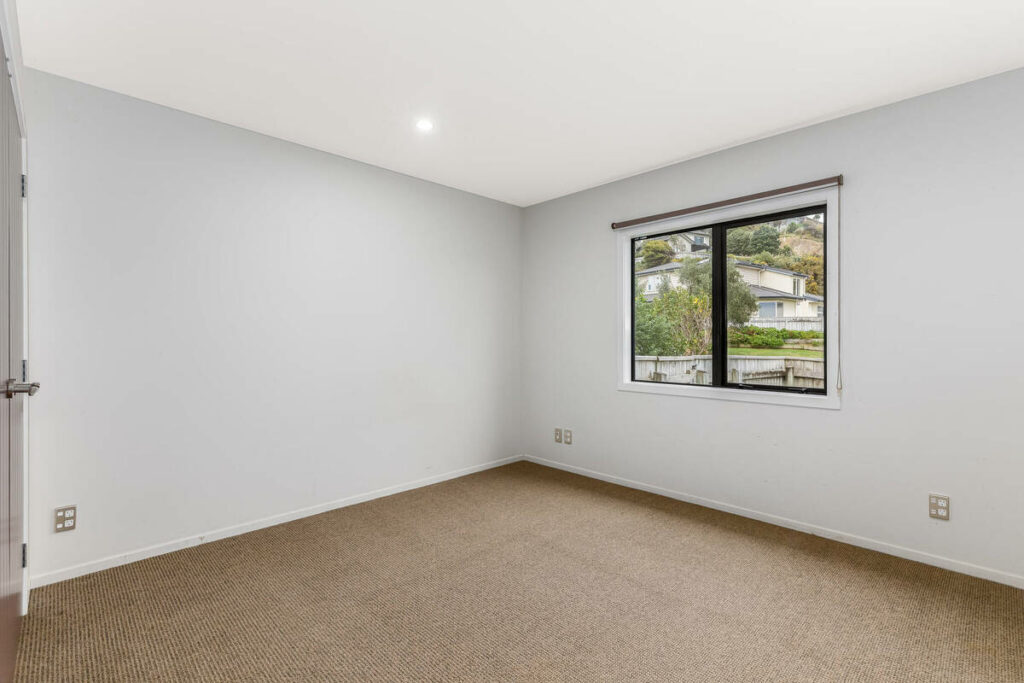
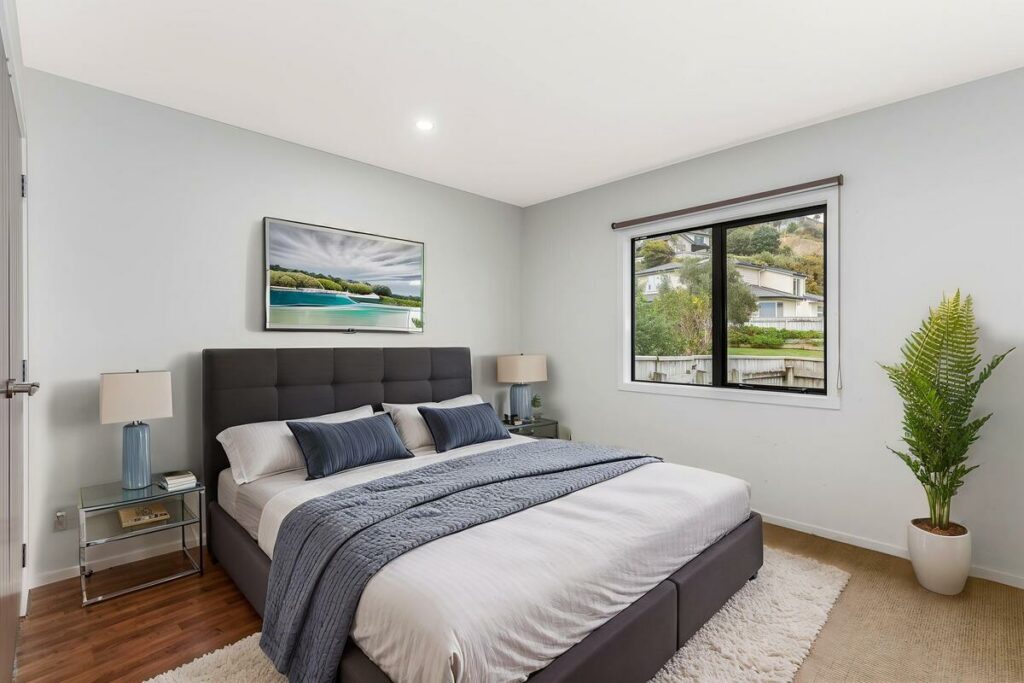
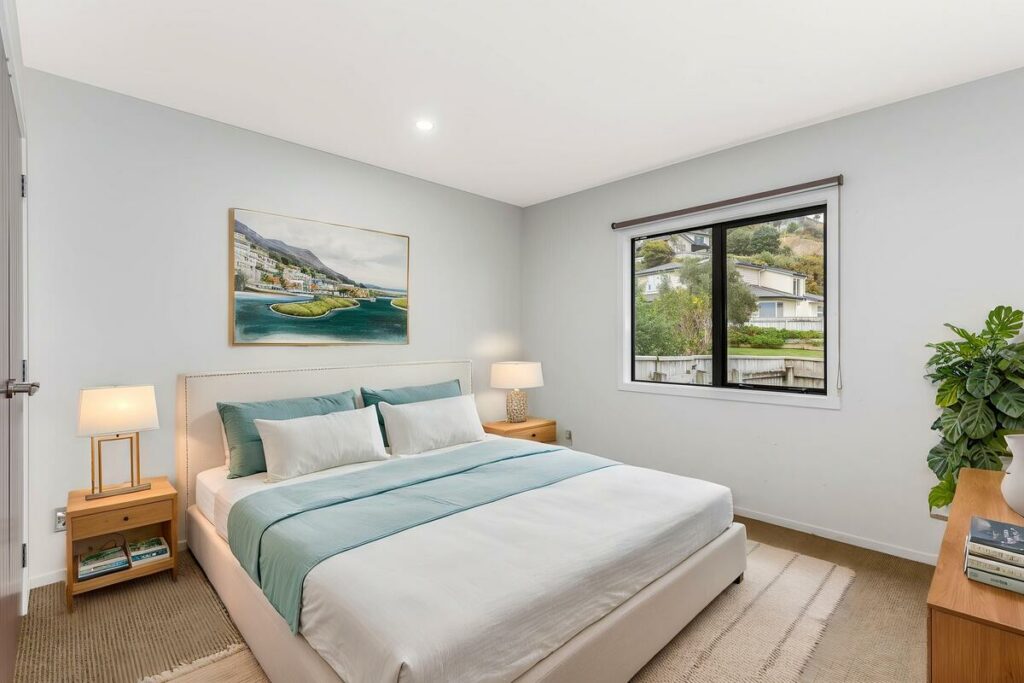
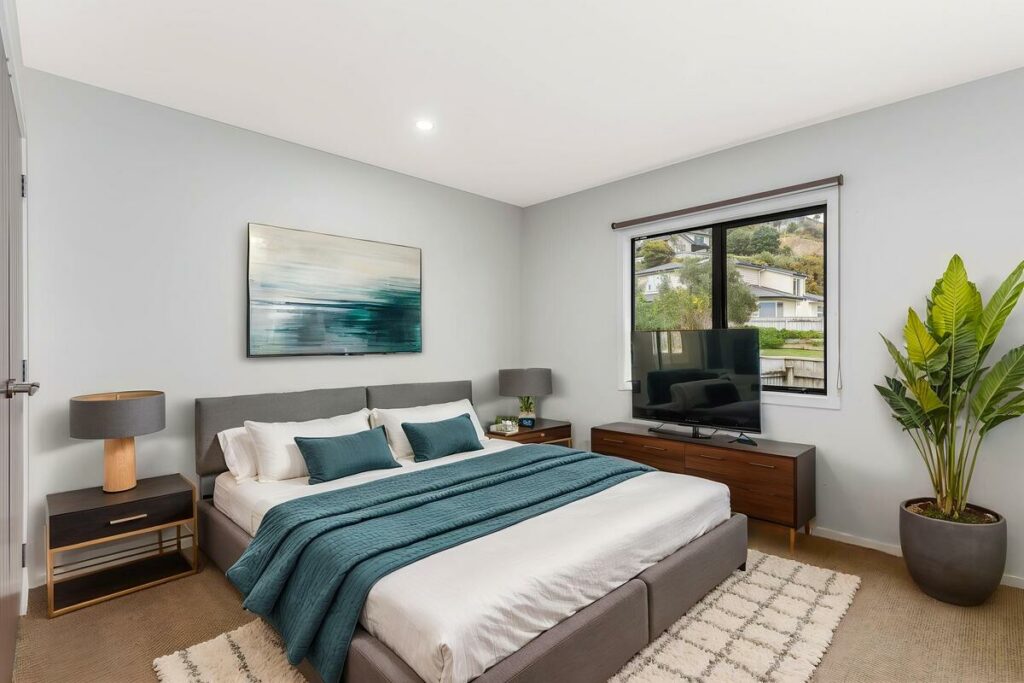
When these line up, a buyer stops noticing the furniture is virtual and starts picturing the room as livable.
What Makes a Virtual Staging After Photo Look Staged
The reverse signals show up fast. Buyers pick up on them even without knowing what to call them: furniture pasted on top of the photo instead of placed inside it, a room so overfurnished it reads like a showroom, or staging that covers up real selling points like a bay window or original hardwood.
These details can make an otherwise polished image feel noticeably artificial and weaken the credibility of the listing.
Why the Difference Matters for Buyers and Your Business
According to the National Association of Realtors’ 2025 Profile of Home Staging, 83% of buyers’ agents said staging made it easier for a buyer to visualize the property as a future home.1 That number only holds up when the staging itself looks credible. Staging that reads as fake doesn’t help a buyer picture anything. It just adds another reason to keep scrolling.
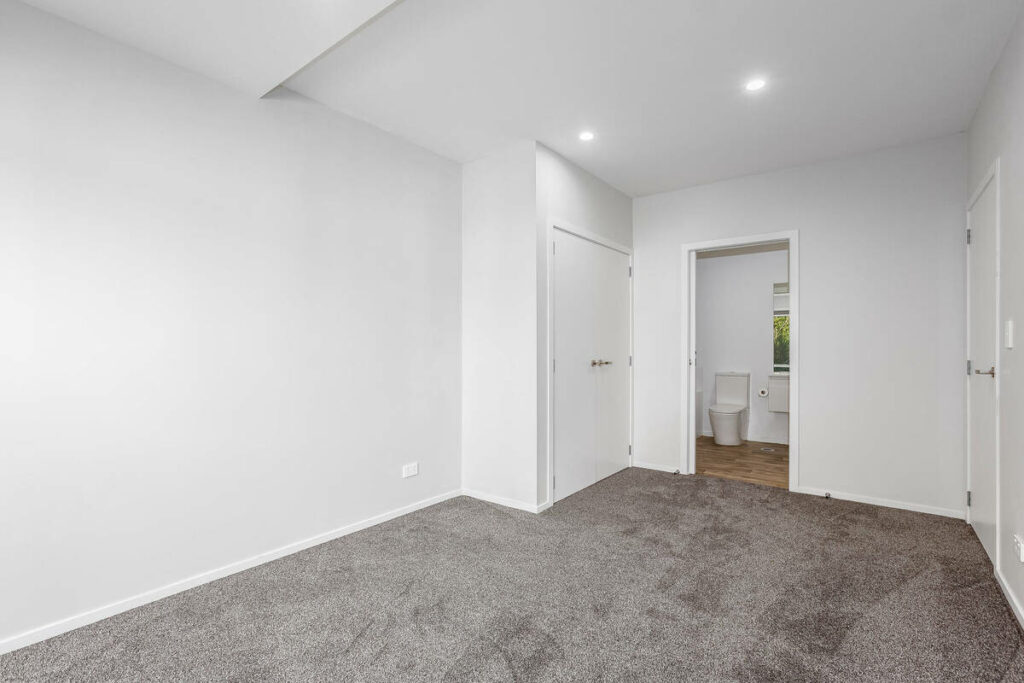
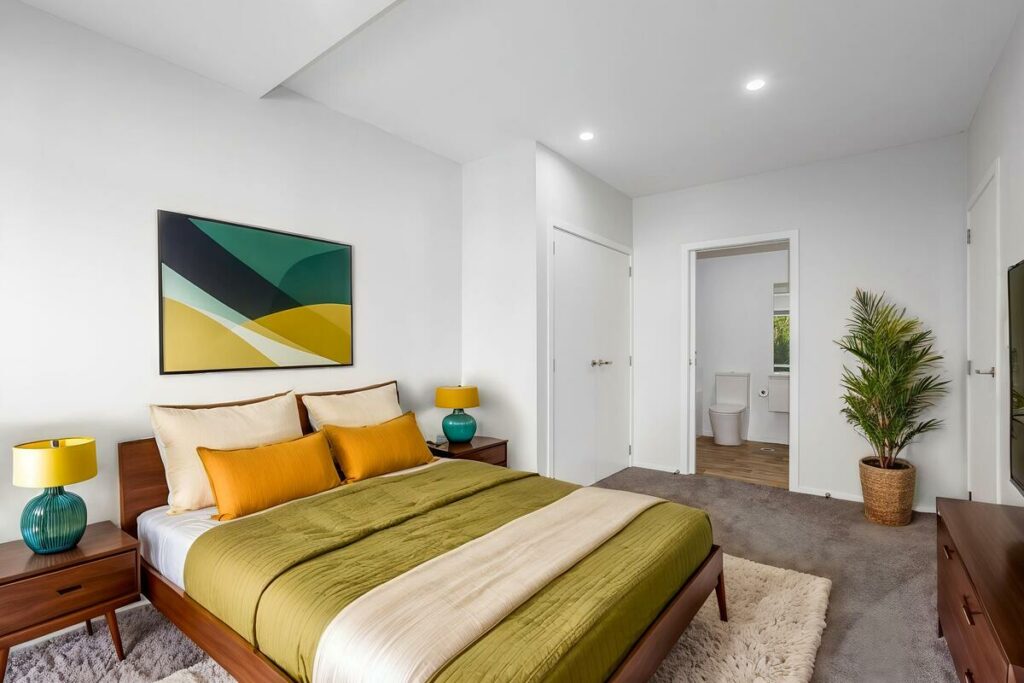
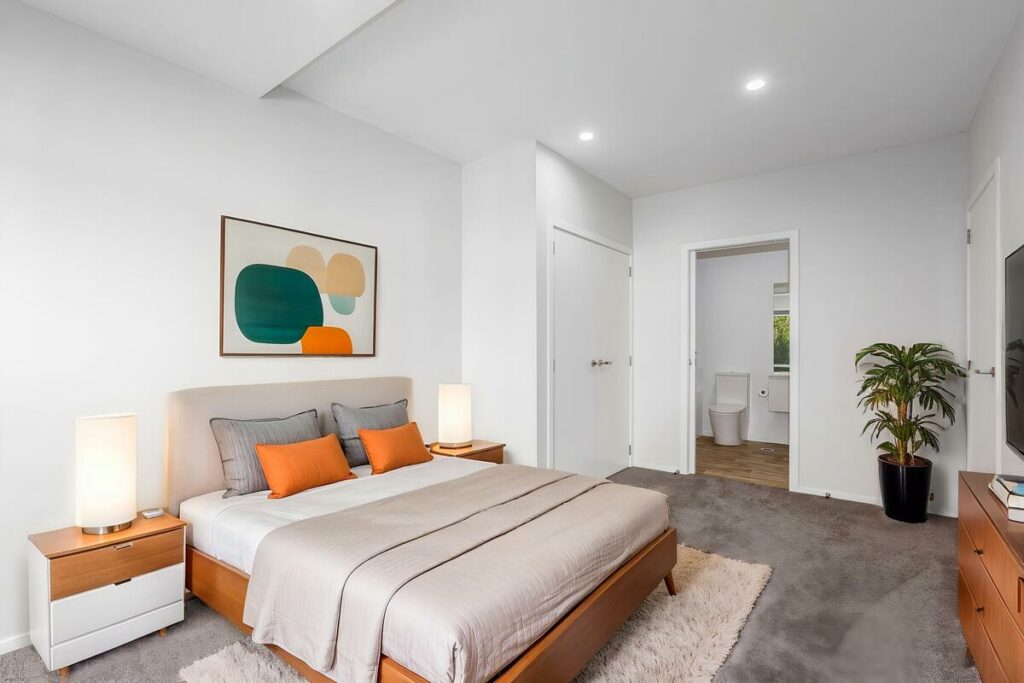
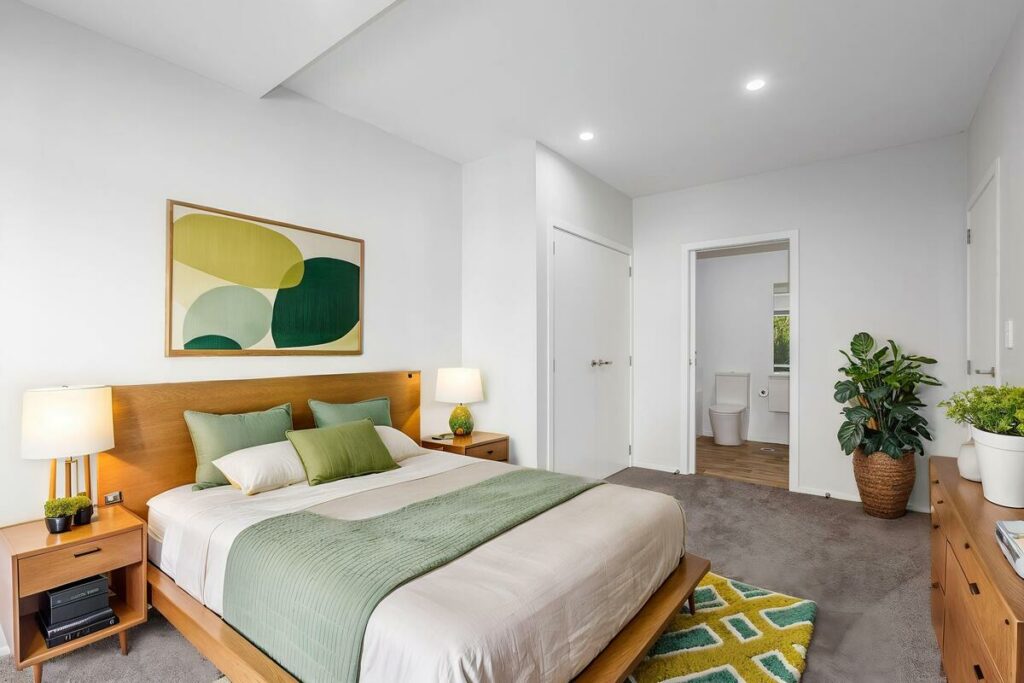
For photographers, this is also a turnaround and trust issue. Traditional staging can run well over a thousand dollars and take weeks to schedule and install. AI virtual staging delivers in a fraction of that time, which is exactly why more listings are using it.
But speed only pays off if the result is something you’re comfortable putting your name behind. A polished, natural-looking after photo protects both the listing and your reputation as the photographer who delivered it. A staged-looking one does the opposite, regardless of how fast it was turned around.
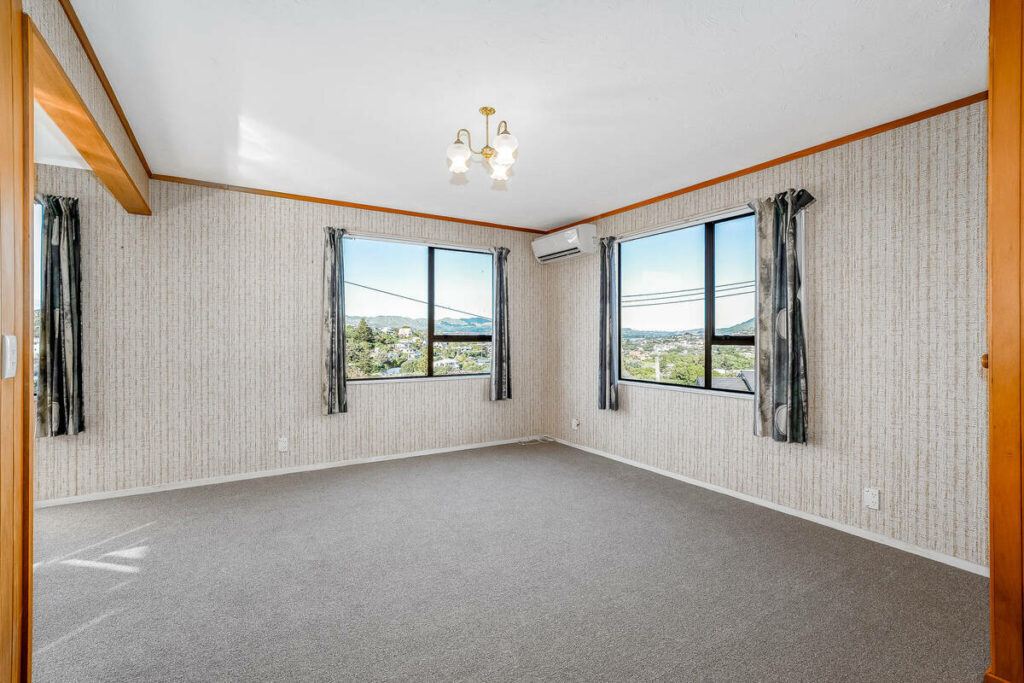
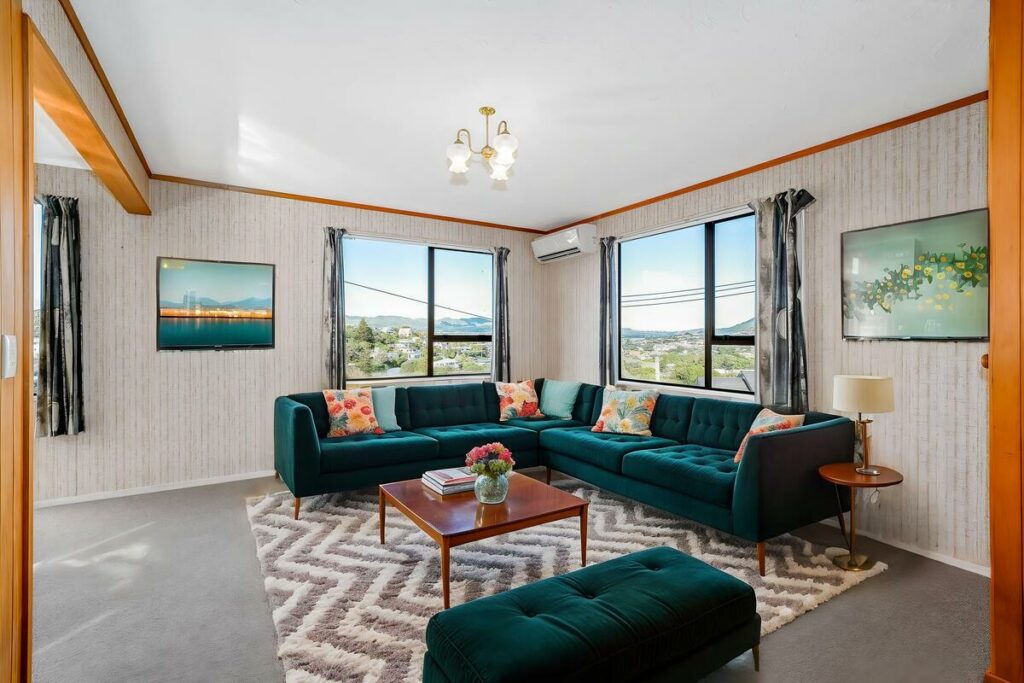
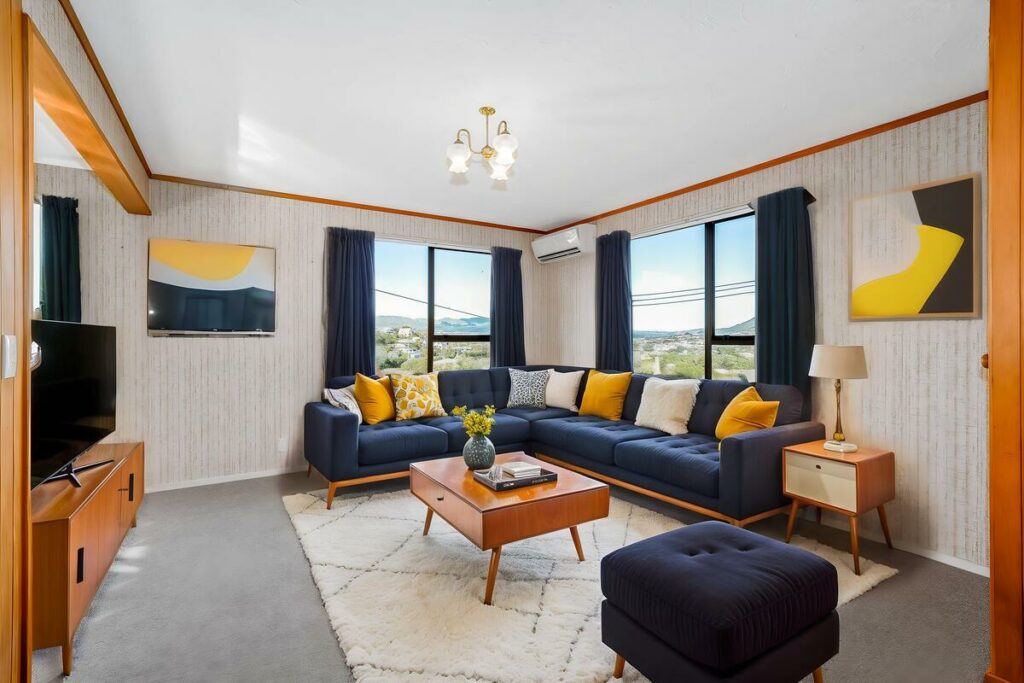
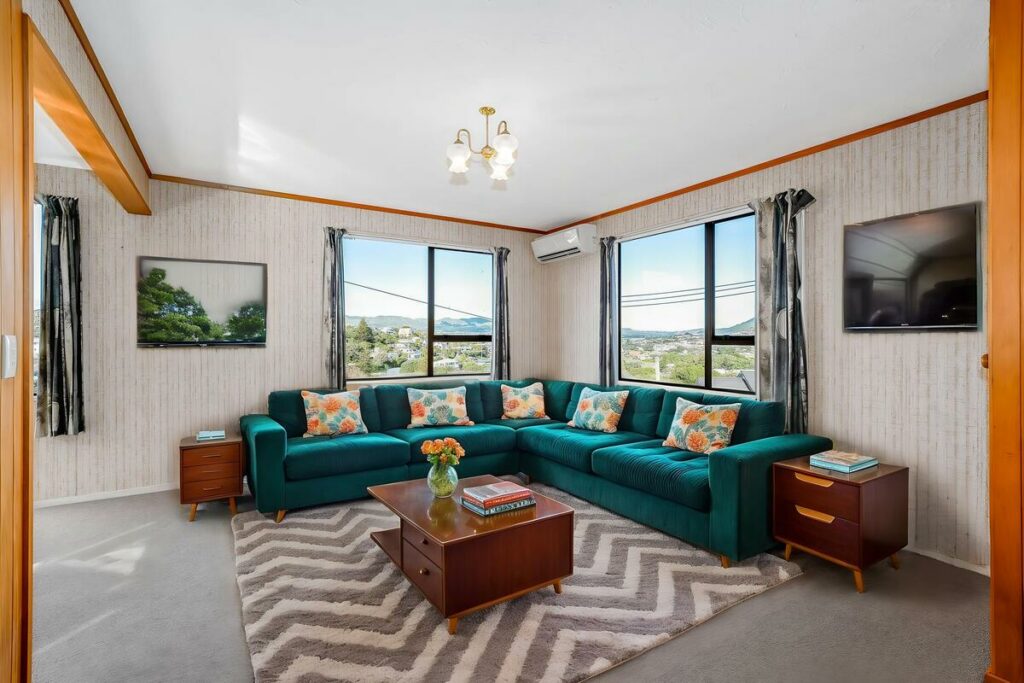
The takeaway is straightforward: the before photo sets the ceiling, and the realism markers decide whether the after photo clears it. Get that gap right, and a listing gains a buyer’s trust instead of losing it.
PhotoUp’s AI Virtual Staging
PhotoUp’s AI virtual staging makes it easy to turn vacant rooms into furnished, listing-ready spaces using AI. Upload your image, choose a design style, and let the AI generate the staged result.
What’s included:
- AI-generated virtual staging for vacant rooms
- Multiple design styles for different listing types
- Fast processing for listing photos
- Simple online workflow from upload to finished image
Quick & Easy
AI Virtual Staging
Interiors. Landscapes. Commercial. Virtually transform any space.
Why choose PhotoUp:
PhotoUp offers a fast and straightforward way to stage vacant rooms without physical furniture or traditional staging costs. With multiple styles and AI-powered processing, you can create polished listing images with less time and effort.
How To Get Started
- Upload your vacant room photo
- Choose your preferred staging style
- Let AI generate the staged version
- Review the result
- Download your finished image
Try a test order on one listing, and compare the before and after yourself.
Related Articles:
- How AI Virtual Staging Helps Buyers Picture Life in Every Bedroom
- What to Look for in AI Virtual Home Staging Services
- AI Virtual Home Staging Software Checklist: 7 Things to Evaluate Before Choosing a Platform
- AI Virtual Staging Mistakes That Can Hurt Your Listing
- Is AI Virtual Staging Becoming a Must-Have for Modern Listings?
References: