Table of Contents
- Why Empty Bedrooms Are a Problem in Listing Photos
- What Is AI Virtual Staging for Real Estate?
- How Staged Bedrooms Change Buyer Perception
- Staging Every Bedroom, Not Just the Primary
- What AI Virtual Staging Handles Well, and Where It Needs Your Eye
- Adding Virtual Staging to Your Service Menu
- Stage Every Bedroom in Your Next Listing with PhotoUp
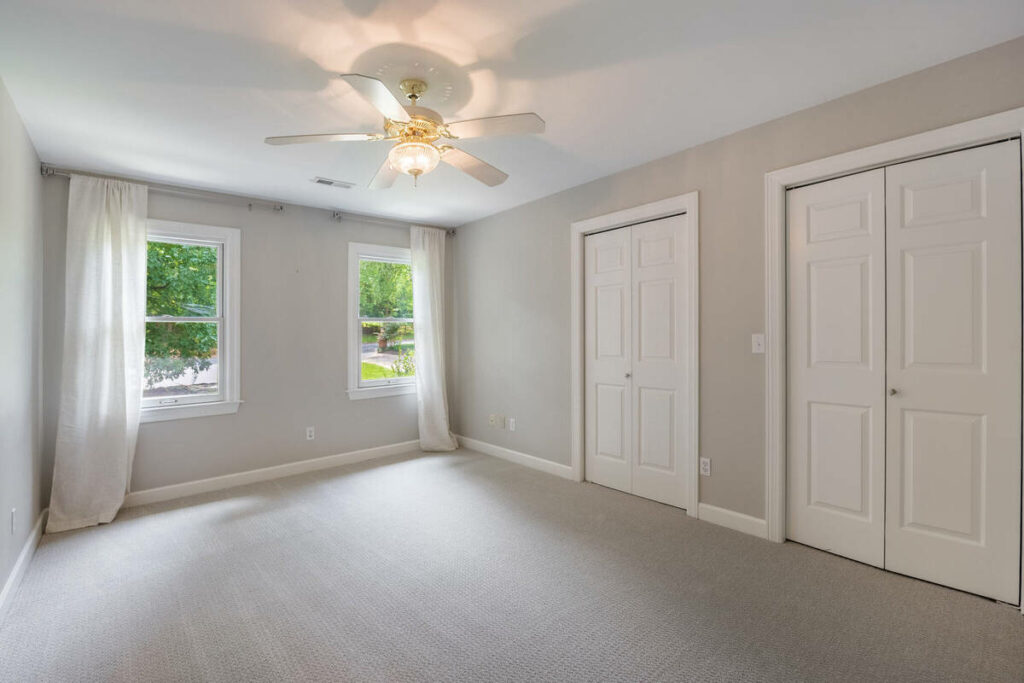
Empty bedrooms are the hardest rooms in a listing to photograph well. A living room has architecture and sightlines to work with. A kitchen has cabinetry, counters, and appliances that carry the frame on their own. A vacant bedroom has four walls, a window, and flooring.
Buyers scroll right past it. And since bedrooms make up most of the rooms in a typical home, a listing full of unreadable bedrooms is a listing that never quite lands.
This is where AI virtual staging for real estate earns its place in a photographer’s workflow. In this article, we’ll cover why empty bedrooms underperform in listing photos, how AI staging changes buyer perception, and where the technology still needs a human eye before delivery.
Why Empty Bedrooms Are a Problem in Listing Photos
Buyers now view roughly 20 homes online for every 8 they tour in person,1 which means the photo gallery does most of the selling before anyone books a showing.
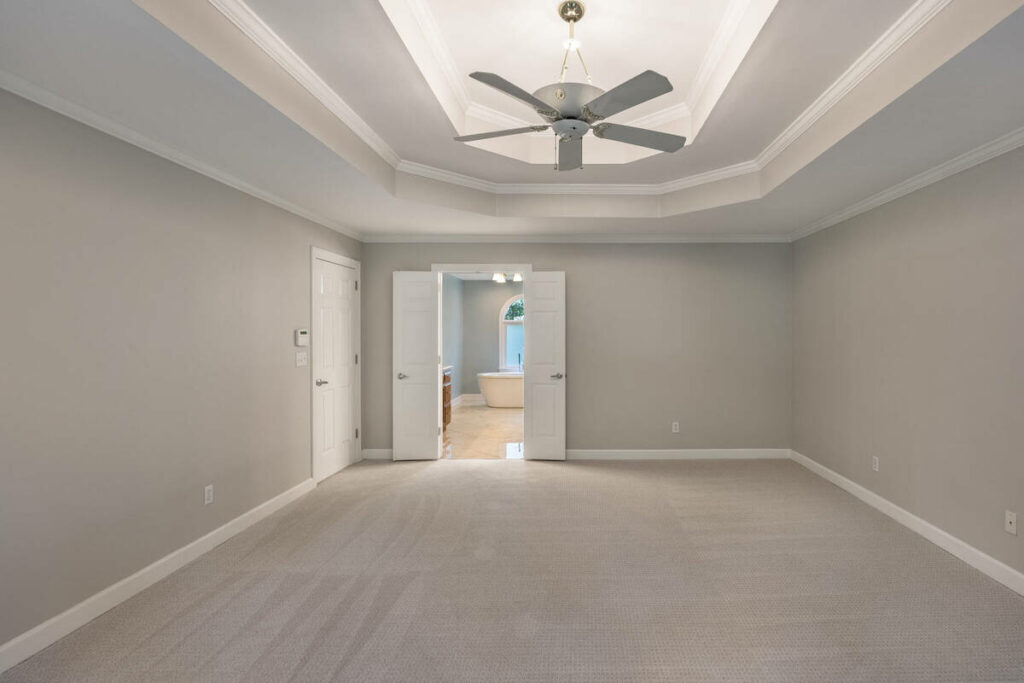
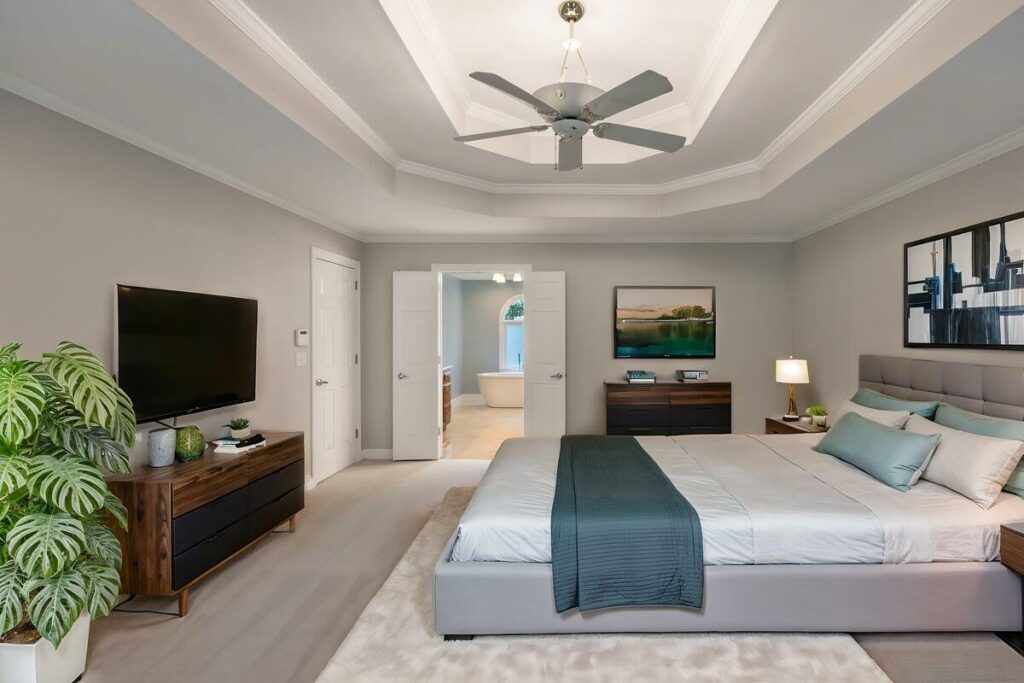
Staging directly affects how well those photos work. According to the NAR 2025 Profile of Home Staging, 83% of buyers’ agents said staging made it easier for buyers to visualize a property as their future home.2
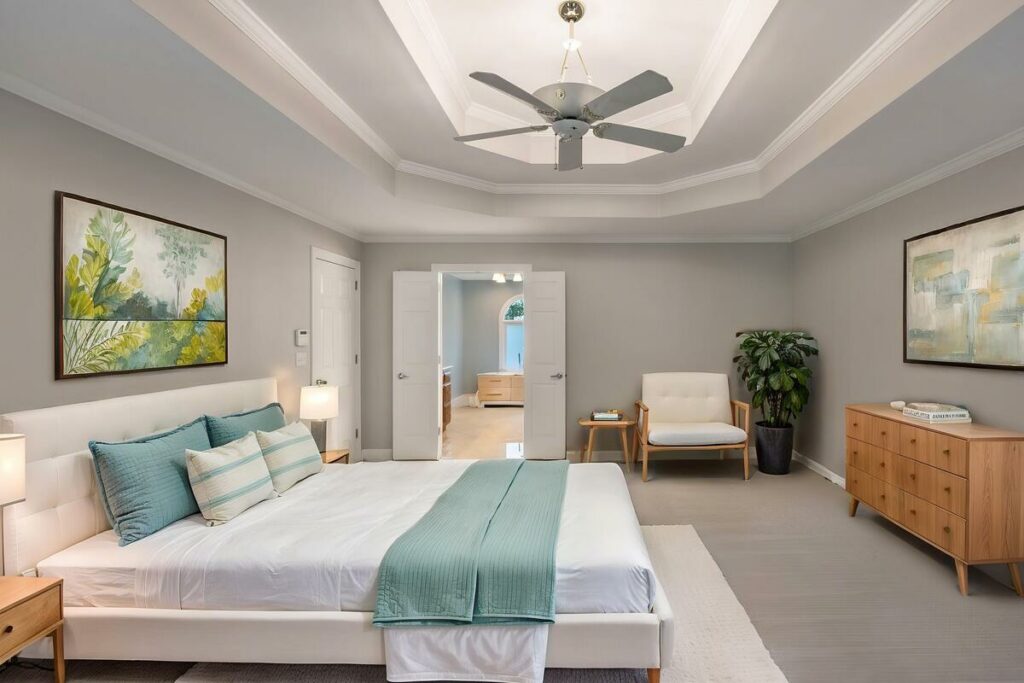
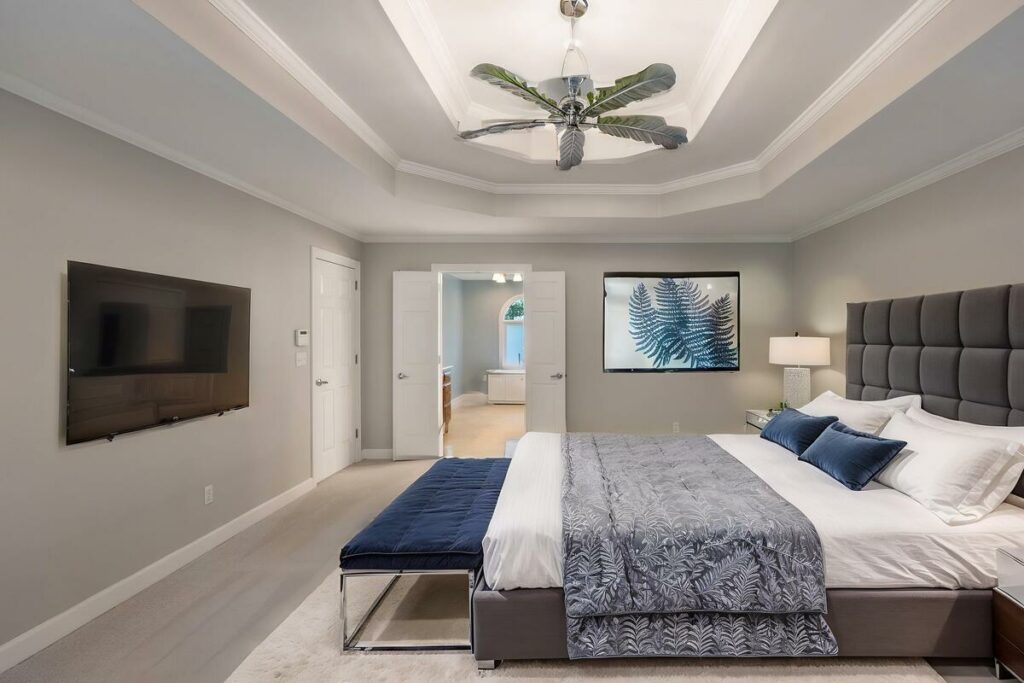
Buyers rank the primary bedroom as the second most important room to stage at 34%, just behind the living room at 37%.
Physical staging solves the problem but rarely reaches every bedroom. Stagers concentrate their budget on the living room and primary suite, leaving the second and third bedrooms empty. Those are exactly the rooms where a buyer with kids, in-laws, or a work-from-home setup needs the most help imagining the fit.
Now that the problem is clear, let’s define the tool.
What Is AI Virtual Staging for Real Estate?
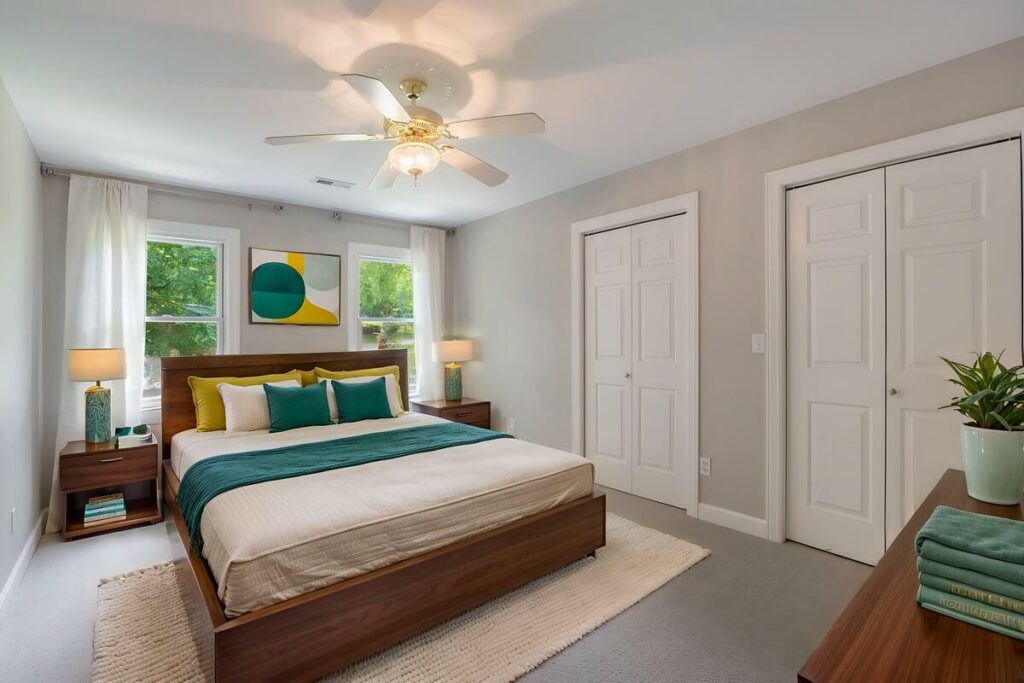
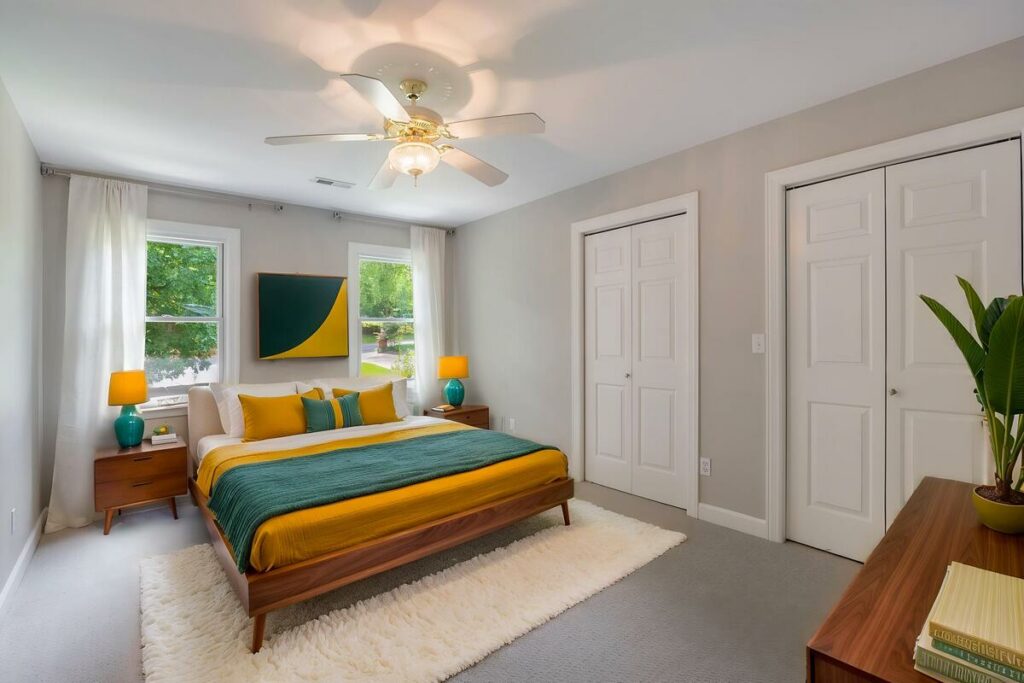
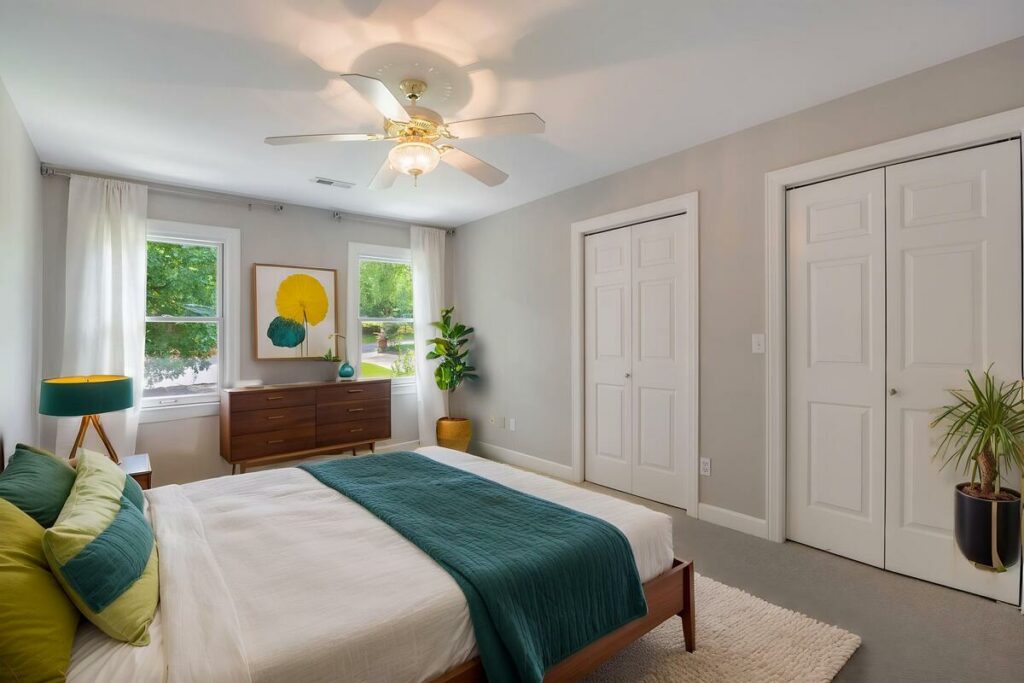
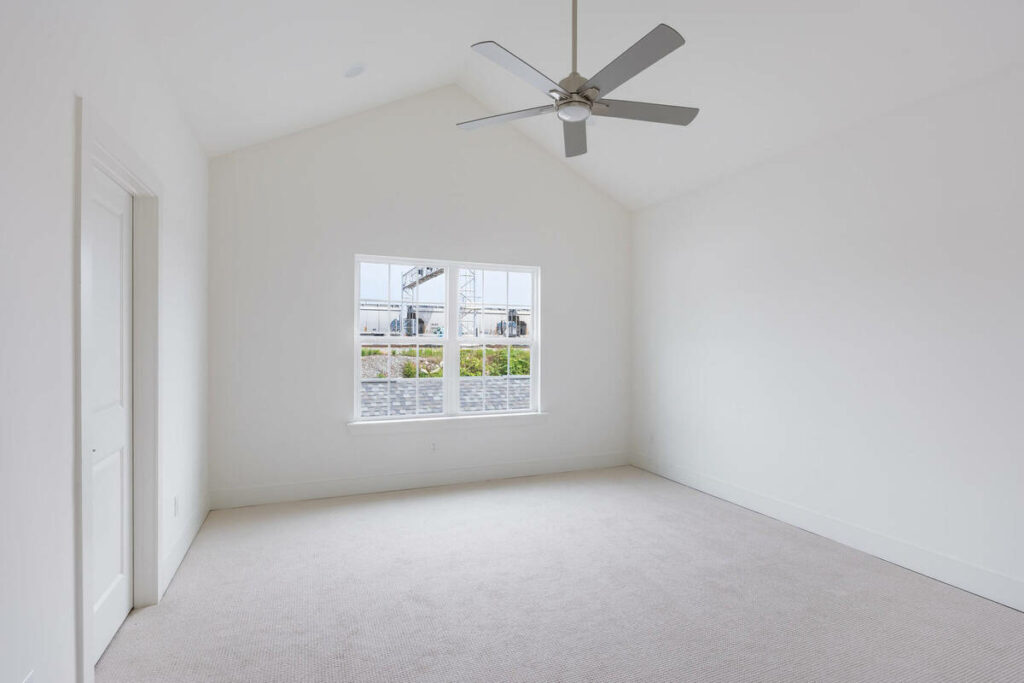
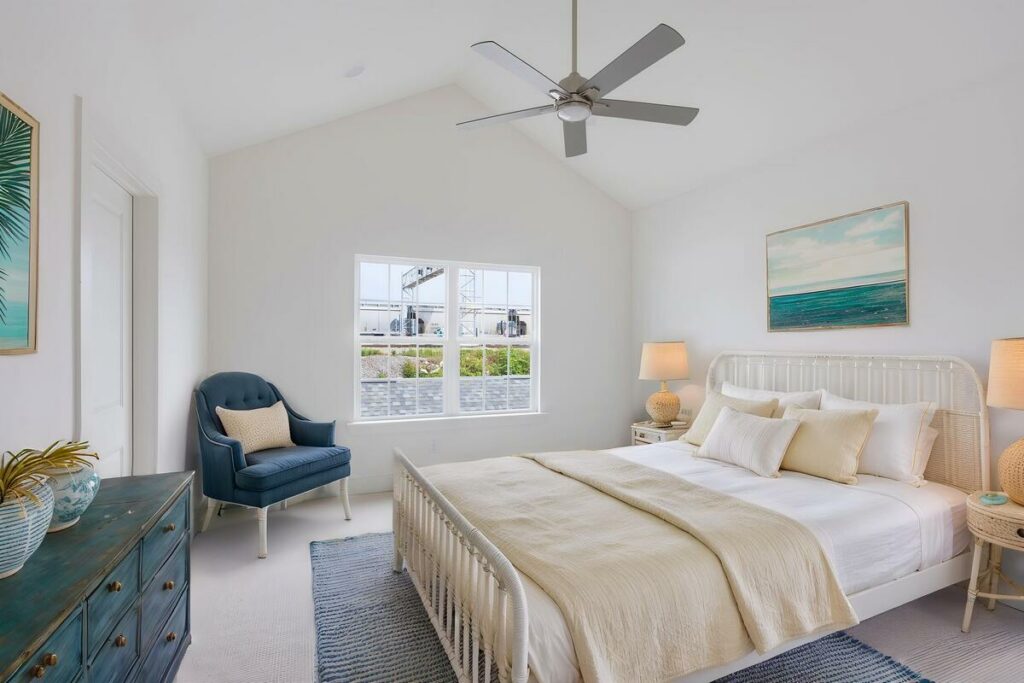
AI virtual staging for real estate uses generative AI to add photorealistic furniture and decor to photos of empty rooms. You upload the shot, choose a furniture style, and the software renders a staged version of the same image.
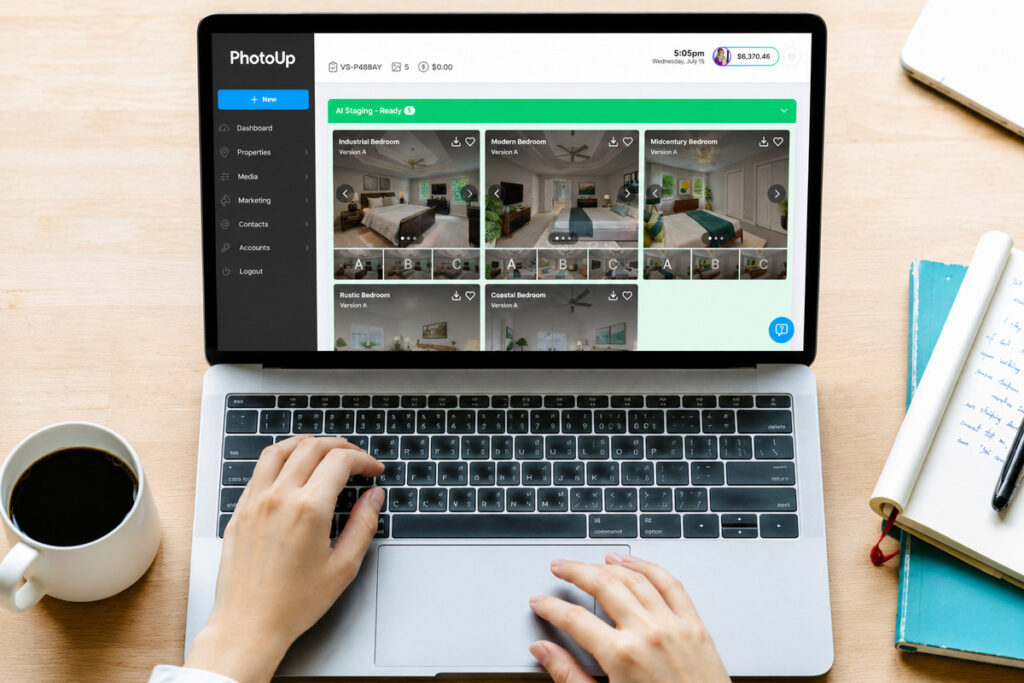
The difference from traditional virtual staging comes down to speed and cost. Manual virtual staging relies on a designer placing 3D furniture models by hand, which typically takes a day or two per batch and carries a per-image fee that adds up fast across a whole listing.
AI staging returns results in minutes and costs a fraction of that, which makes staging every bedroom practical instead of a luxury reserved for the hero shots.
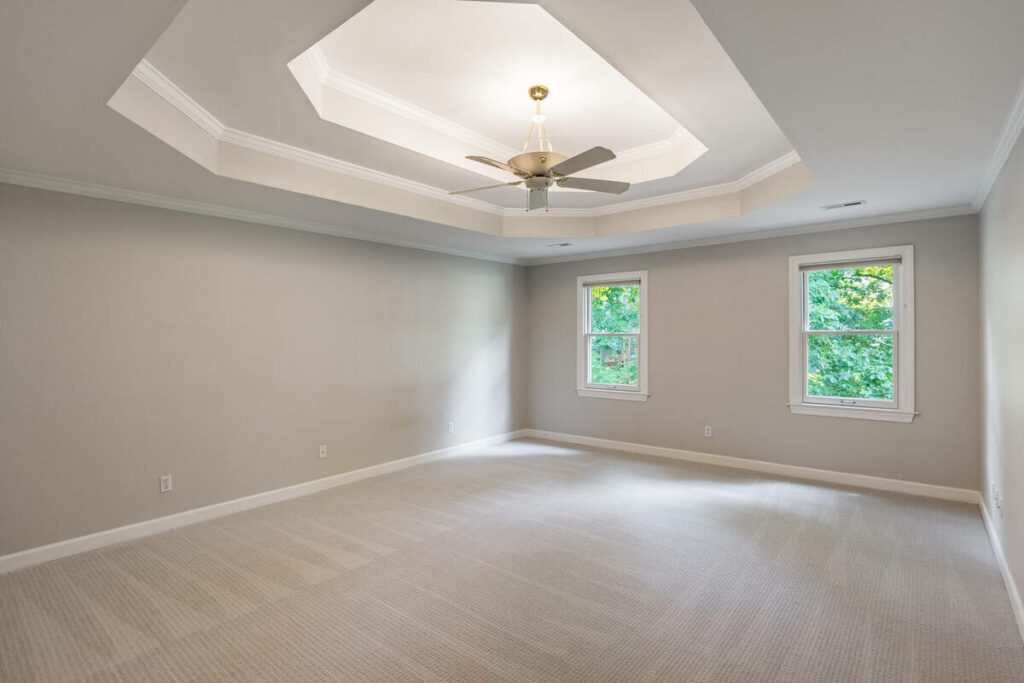
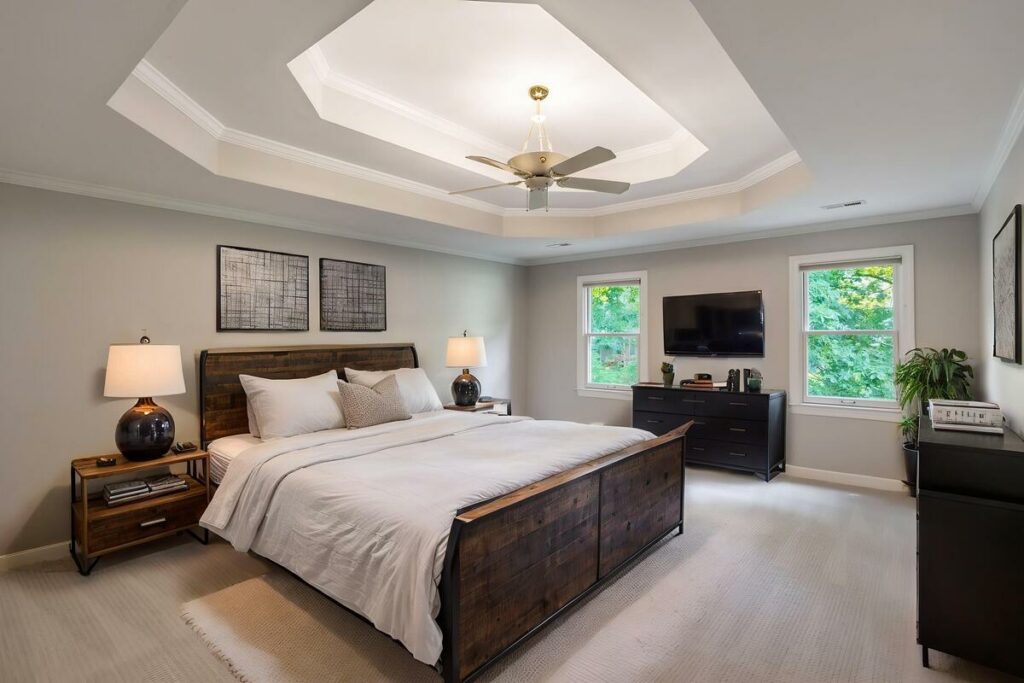
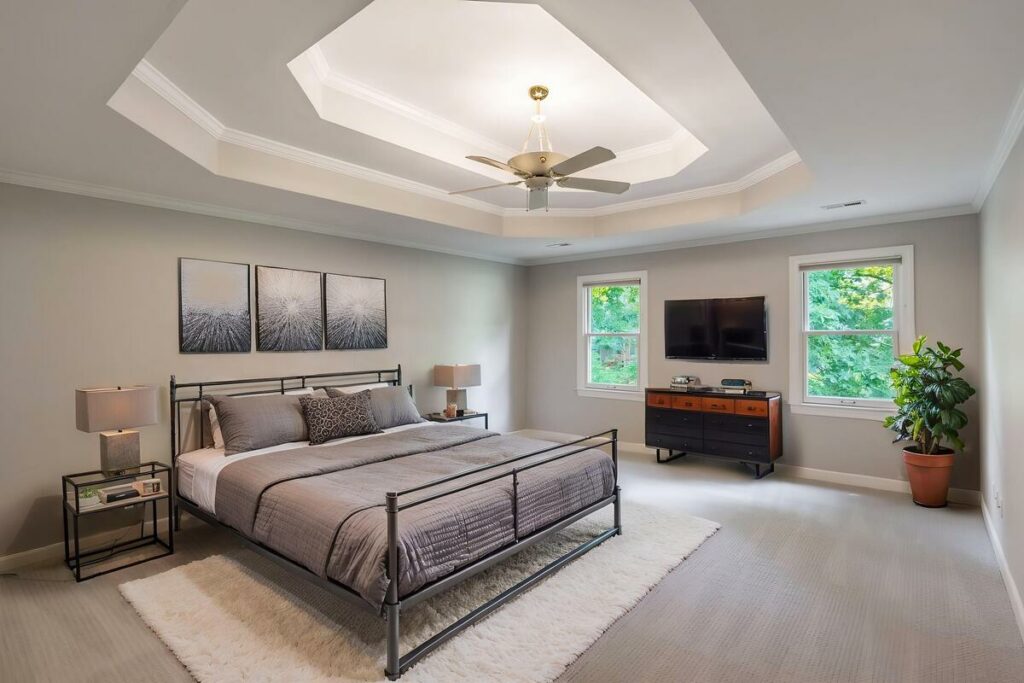
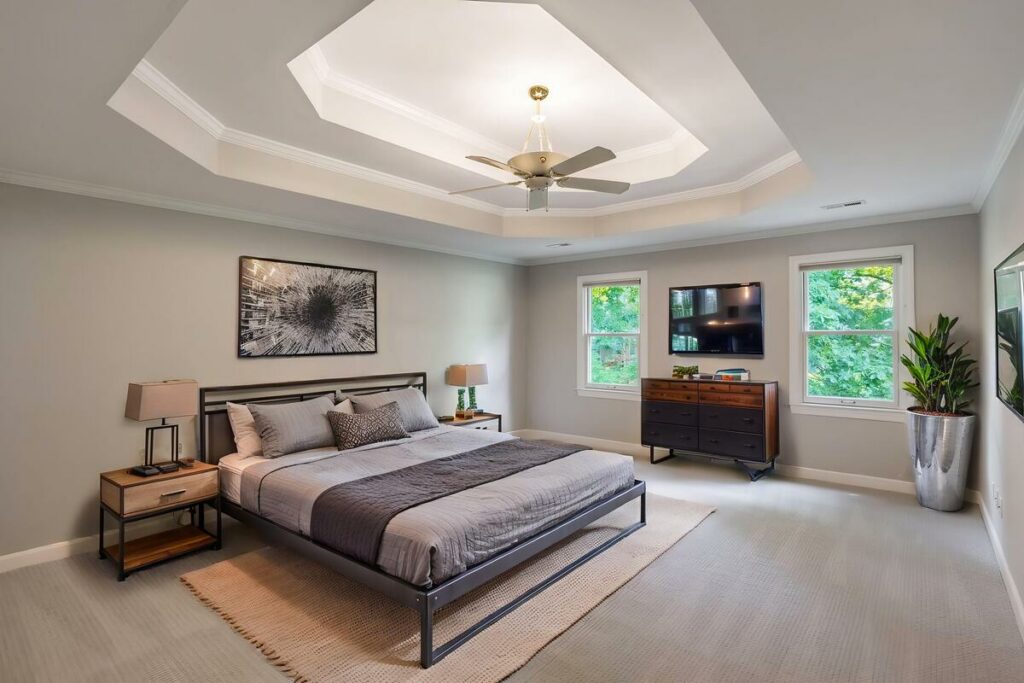
For photographers, that shift matters. Staging stops being a service you refer out to a design vendor and becomes an add-on you can deliver with the rest of the shoot, on the same turnaround time your agents already expect.
How Staged Bedrooms Change Buyer Perception
Buyers scrolling through listings make decisions in seconds, often based on how a room feels in the images. An empty bedroom gives them almost nothing to react to. A staged one answers three questions at a glance.
Scale and Proportion
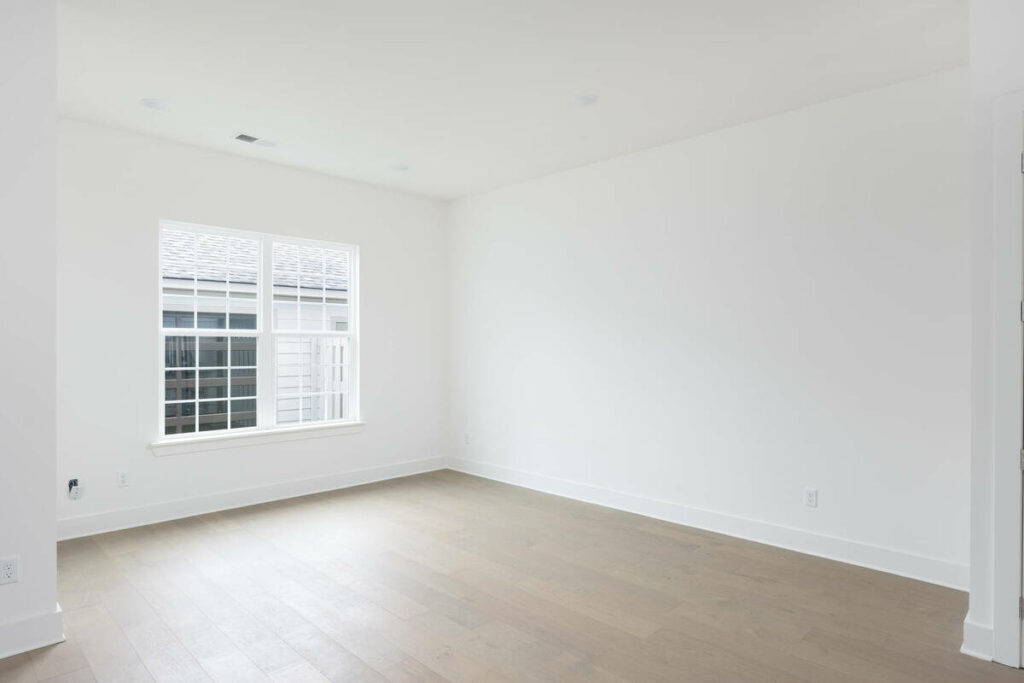
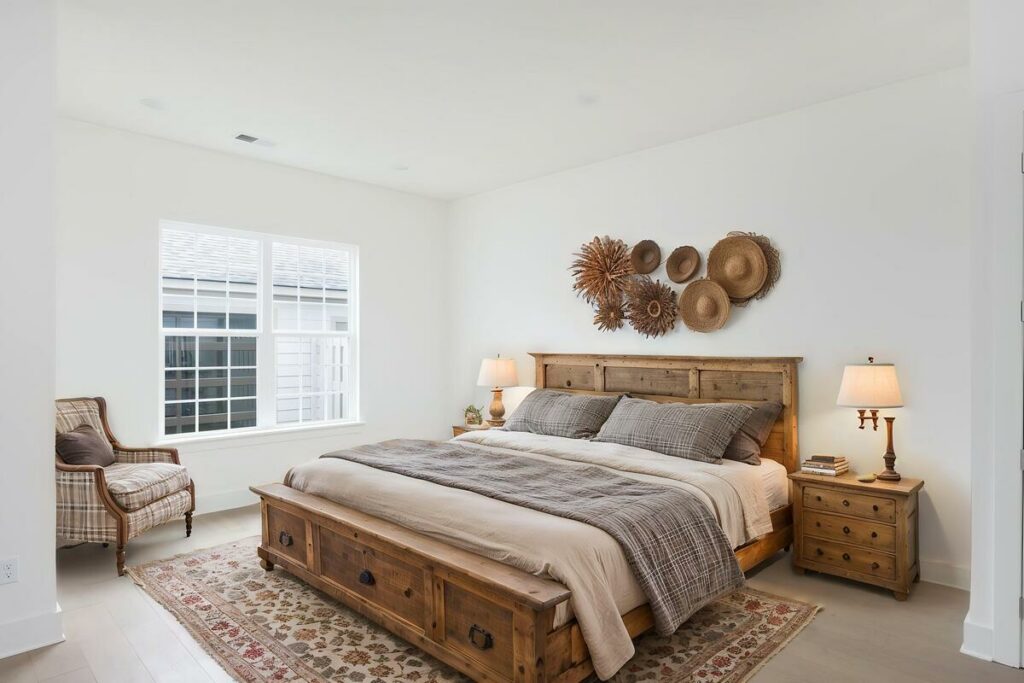
Empty rooms photograph smaller than they are, and buyers have no reference point for size. Will a king bed fit with two nightstands, or is this a queen room at best? A properly scaled bed and dresser answer that question instantly, before the buyer has to guess from the listing’s square footage.
Room Purpose
Small third bedrooms are the most ambiguous rooms in any home. Staged as a nursery, a home office, or a guest room, the same 10×10 space reads as three different lifestyles. Photographers who stage these rooms give agents a way to market to the specific buyer the home suits best.

Warmth Without Misleading
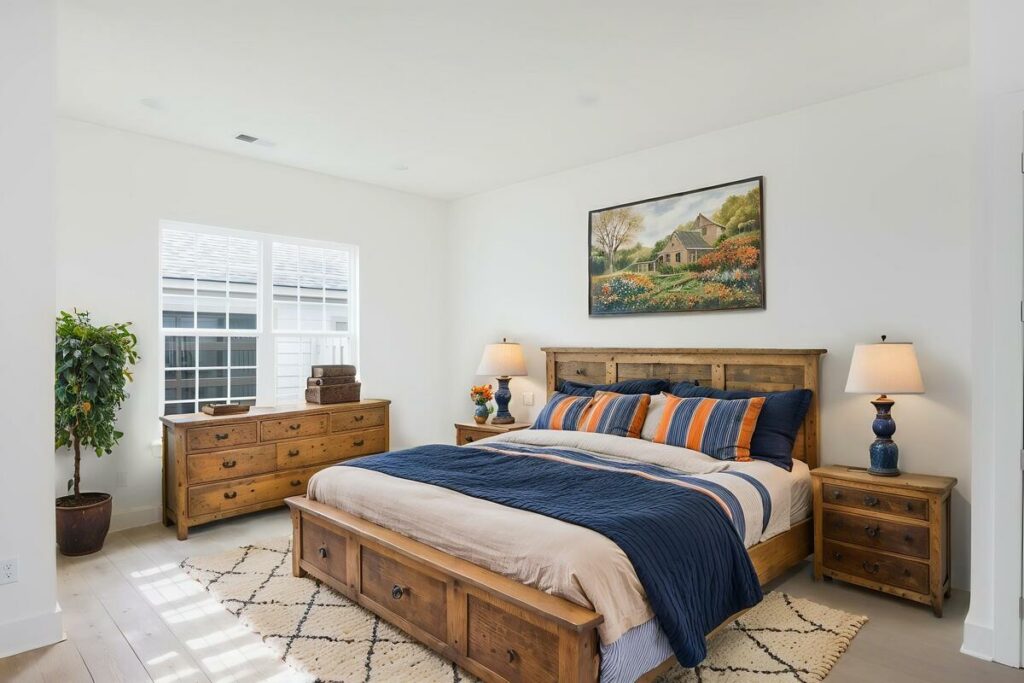
Staging adds furniture, not features. The window placement, flooring, and dimensions in the photo stay exactly as shot, so the buyer’s emotional response is anchored to the real room. That distinction matters for disclosure, which we’ll come back to in the workflow section.
The takeaway is that staged bedrooms convert attention into showings because they remove guesswork. Next, let’s look at why “every bedroom” is the standard worth aiming for.
Quick & Easy
AI Virtual Staging
Interiors. Landscapes. Commercial. Virtually transform any space.

Staging Every Bedroom, Not Just the Primary
Most listings that stage at all stop at the primary suite. That leaves half the home unread, and each remaining bedroom type answers a different buyer question.
The Primary Bedroom
This is the room buyers weigh most heavily after the living room, and it carries the highest expectations for a polished, natural-looking result. Style choices should match the home’s price point: a coastal-modern set in a craftsman bungalow undermines trust in the whole gallery.
Kids’ Rooms
Families shopping for three- and four-bedroom homes are buying bedrooms two and three, not just the primary. A simple staged kids’ room, with a twin bed and a small desk, tells parents the room fits a child without requiring a tape measure.
Flex and Guest Rooms
The smallest bedroom often decides the sale for buyers who work from home. Staging it as an office, or delivering both an office and guest-room version of the same shot, lets the agent test which framing pulls more interest.
What AI Virtual Staging Handles Well, and Where It Needs Your Eye
Honesty about the technology protects your reputation with agents, so name the specifics in both directions.
AI virtual staging for real estate performs reliably on:
- Standard rectangular bedrooms shot at conventional heights
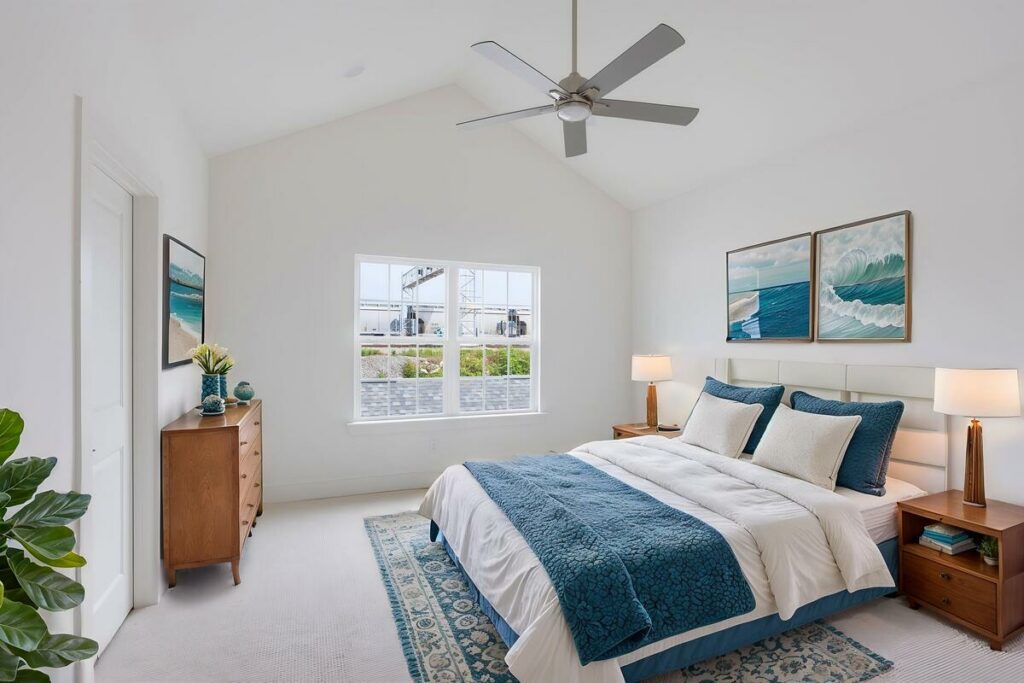
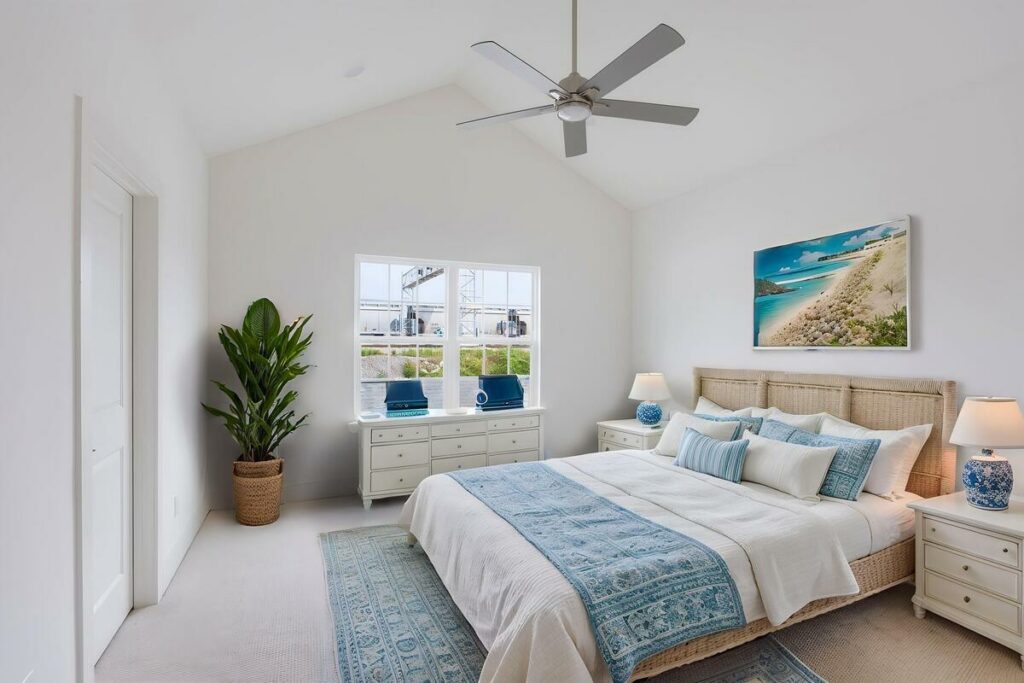
- Consistent furniture style across all bedrooms in a listing set
- Fast, scalable turnaround when a listing needs six rooms staged by morning
- Multiple style variants of the same room for agent review
It still needs human review on:
- Furniture scale in wide-angle shots, where beds can render too large or too small
- Rooms with sloped ceilings, dormers, or unusual angles
- Floor and wall boundaries, where objects occasionally blur or bend
- Luxury listings where clients expect refined, exacting results
The practical model is the same one that works for AI photo editing: AI handles the foundational work that’s consistent from listing to listing, and a human reviews for the judgment calls and client-specific standards. Every serious AI staging workflow includes that review gate before anything reaches the agent.
One more requirement sits outside the software entirely. Most MLSs require virtually staged photos to be disclosed as such, and many agents pair each staged image with the original empty shot. Build both into your delivery.
Adding Virtual Staging to Your Service Menu
For photographers, the business case is simple: staging is a high-margin add-on that uses photos you’ve already shot. No extra time on site, no extra gear.
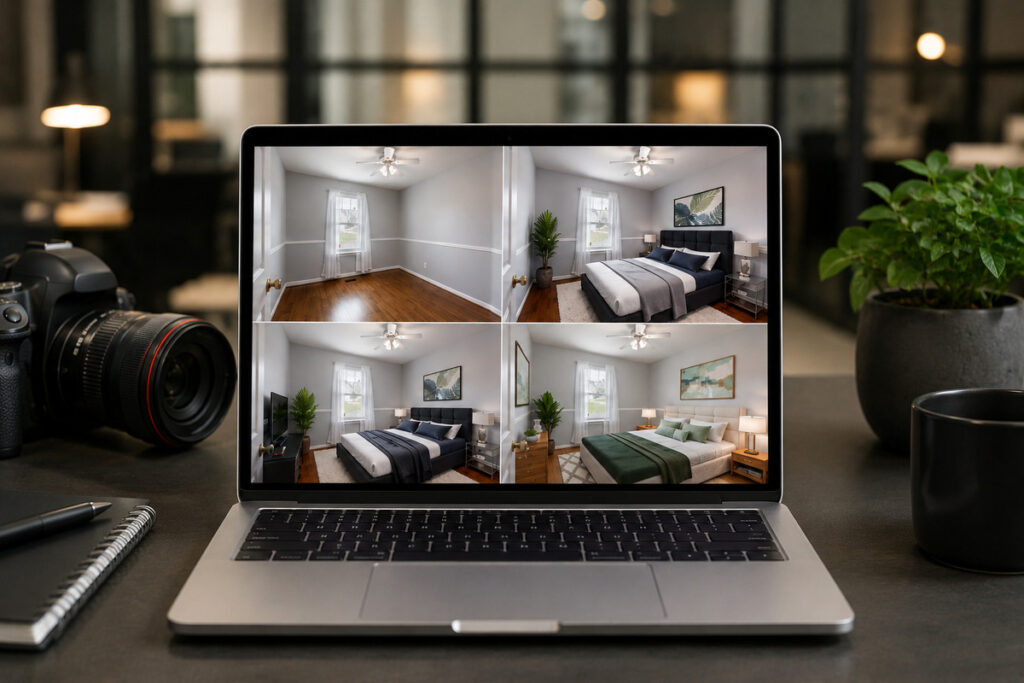
A workable approach is to price staging per image, present it to agents as a per-listing package covering every bedroom, and deliver staged and unstaged versions together with disclosure labels ready for the MLS. Agents get a fuller gallery, and you get recurring add-on revenue from work that’s already in your catalog.
The photographers seeing the best results treat AI staging as a quality workflow, not a button. The software does the rendering. Your eye for scale and style match is what makes the result market-ready.
Stage Every Bedroom in Your Next Listing with PhotoUp
That’s where PhotoUp comes in. PhotoUp combines AI virtual staging with professional human editors, so every staged bedroom gets a review before it reaches your client.
Quick & Easy
AI Virtual Staging
Interiors. Landscapes. Commercial. Virtually transform any space.
PhotoUp’s services for real estate photographers include:
- AI virtual staging with human quality review
- Professional real estate photo editing
- Day-to-dusk and twilight conversions
- Single-property websites and virtual tours
PhotoUp combines AI efficiency with professional editing to ensure realistic, consistent virtual staging across every listing. Standard orders are delivered within 12 to 24 hours, with both the original and staged images included for easy MLS disclosure.
How to Get Started:
- Sign up for a free PhotoUp account
- Upload your empty bedroom photos
- Choose a furniture style for the listing
- Review your staged images when they’re delivered
- Deliver both versions to your agent, disclosure-ready
Try a test order — free. Upload one listing’s bedrooms, get staged images back, and compare them against your empties on your own shoot.
Related Articles:
- What to Look for in AI Virtual Home Staging Services
- AI Virtual Home Staging Software Checklist: 7 Things to Evaluate Before Choosing a Platform
- 7 Editing Details That Separate Amateur and Professional Property Photos
- AI Virtual Staging Mistakes That Can Hurt Your Listing
- Can AI Real Estate Photo Editing Services Match the Eye of a Professional Editor?
References: