Table of Contents
- What Is a Window Pull in Real Estate Photography?
- Where AI Handles a Window Pull Well
- Why Window Pulls Look Fake, and What Needs a Person
- How to Review a Window Pull Before Delivery
- Get Natural-Looking Windows With Human QA Built In
The room looks great, but where the window should show a view, there’s a white rectangle. Buyers notice it, even if they can’t say why the room feels off.
A window pull fixes that. Done badly, it’s worse than the blown window.
Here’s what a window pull is, where AI handles it well, and what still needs a person.
What Is a Window Pull in Real Estate Photography?
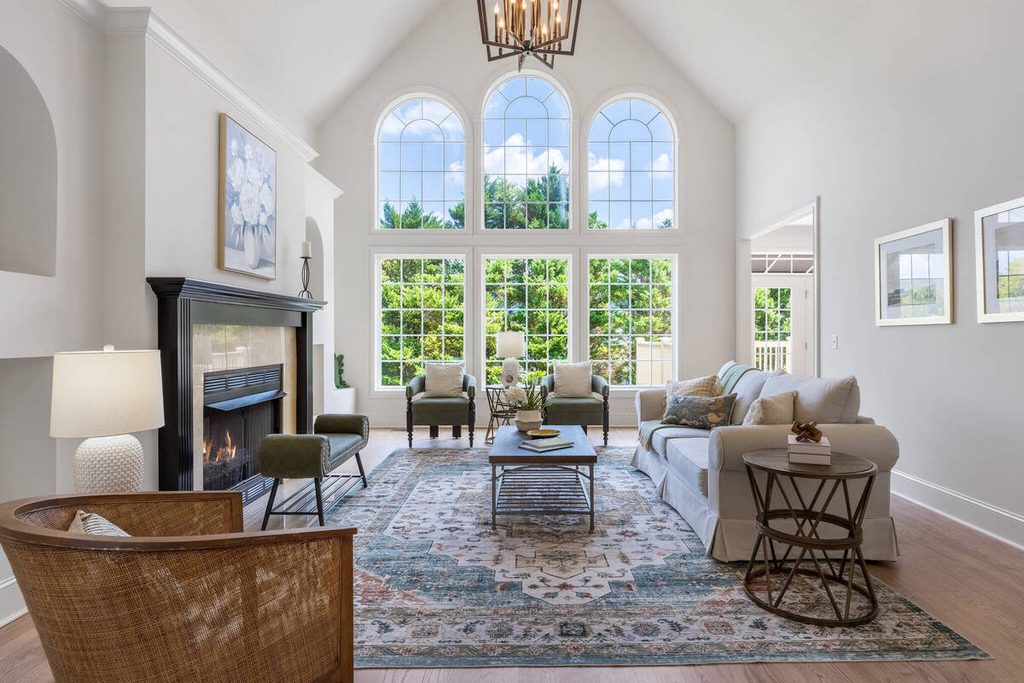
A window pull blends a darker exposure of the view outside into a properly exposed interior, so the window shows the scene instead of a bright glare. The goal is an image that looks like what a visitor would see standing in the room.
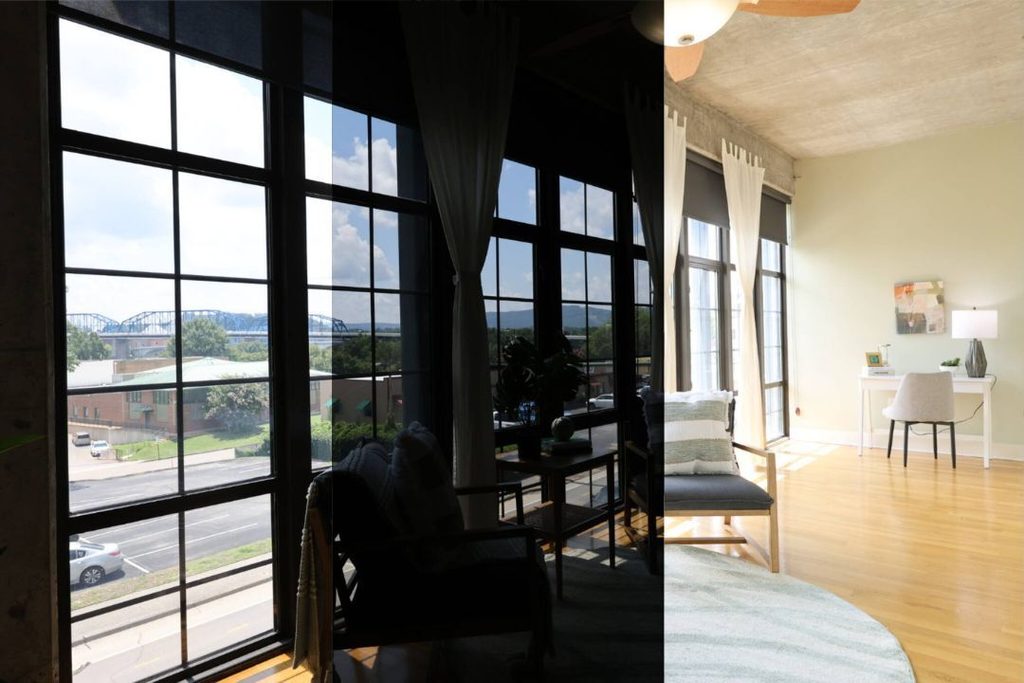
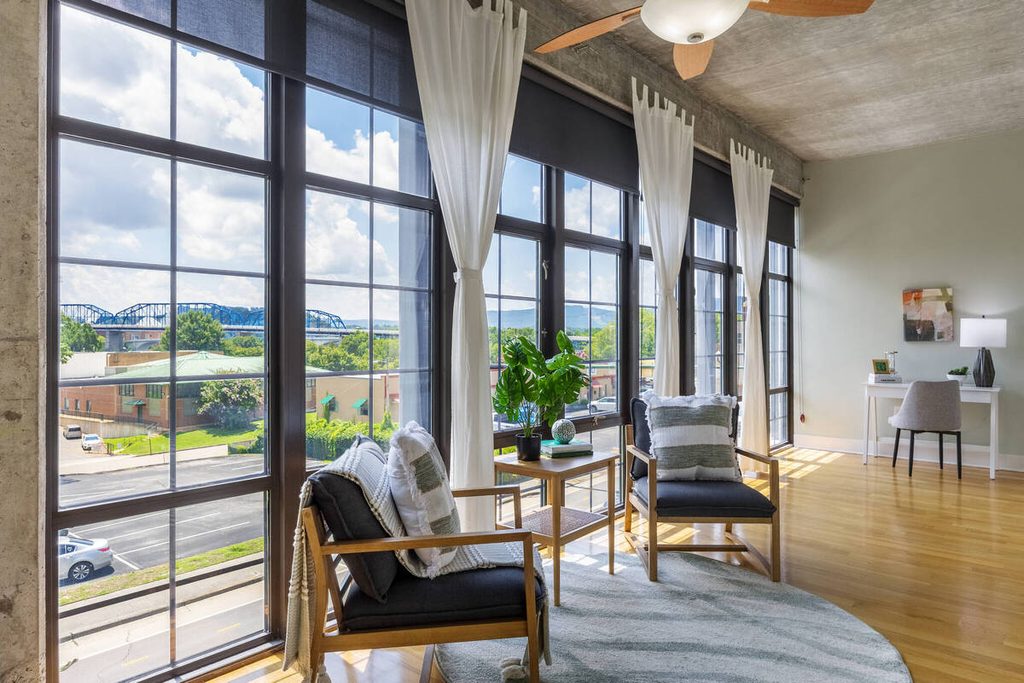
The technique is similar to HDR and relies on bracketed exposures. Fotober’s guide describes the manual version in five steps: capture the brackets, stack and align the darker frame over the properly exposed one, mask the top layer so only the window shows through, paint the frame and sill back to their original color, then flatten.1 Some photographers use flash instead of a second ambient frame, as Larry Lohrman describes at PFRE.2
Why a Window Pull Matters for Listing Photos
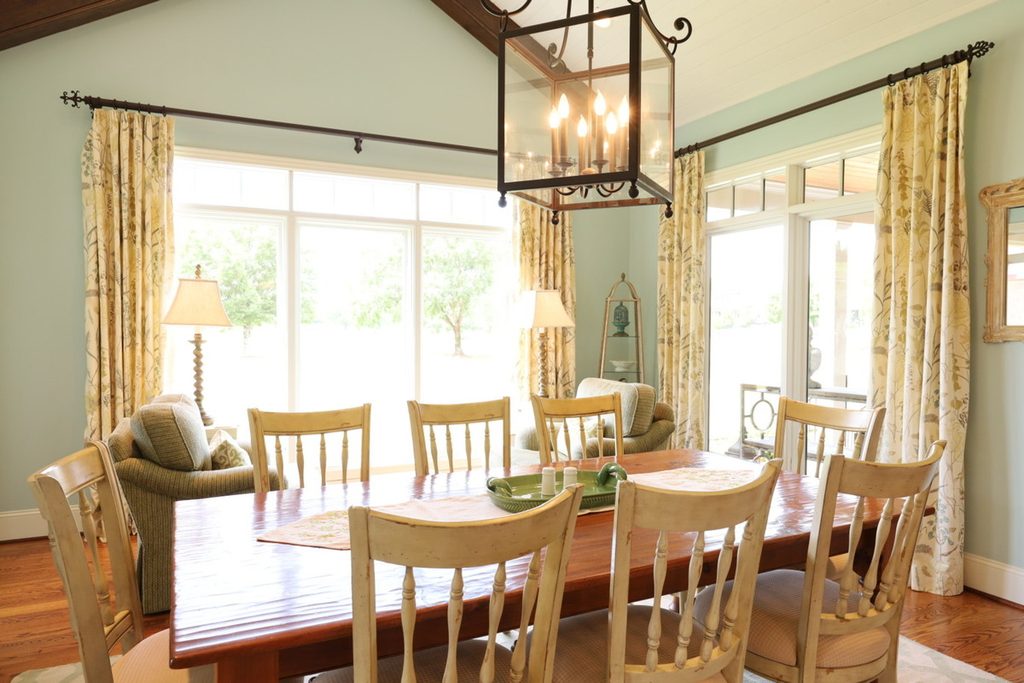
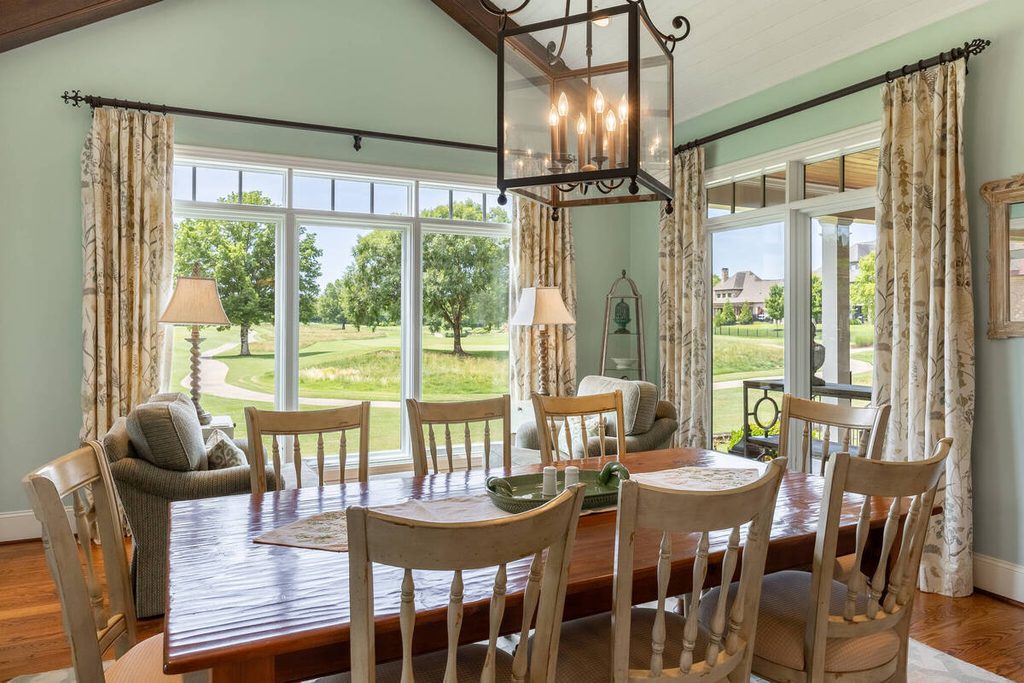
A blown-out window hides what a buyer may care about most. A lake, a skyline, or a garden is part of what the property offers, and a white rectangle gives none of it.
It’s also the same problem covered in our guide to AI exposure and white balance correction: the room and the window are lit very differently, and one exposure can’t serve both. A window pull is how the view gets recovered without making the room too dark.
Where AI Handles a Window Pull Well
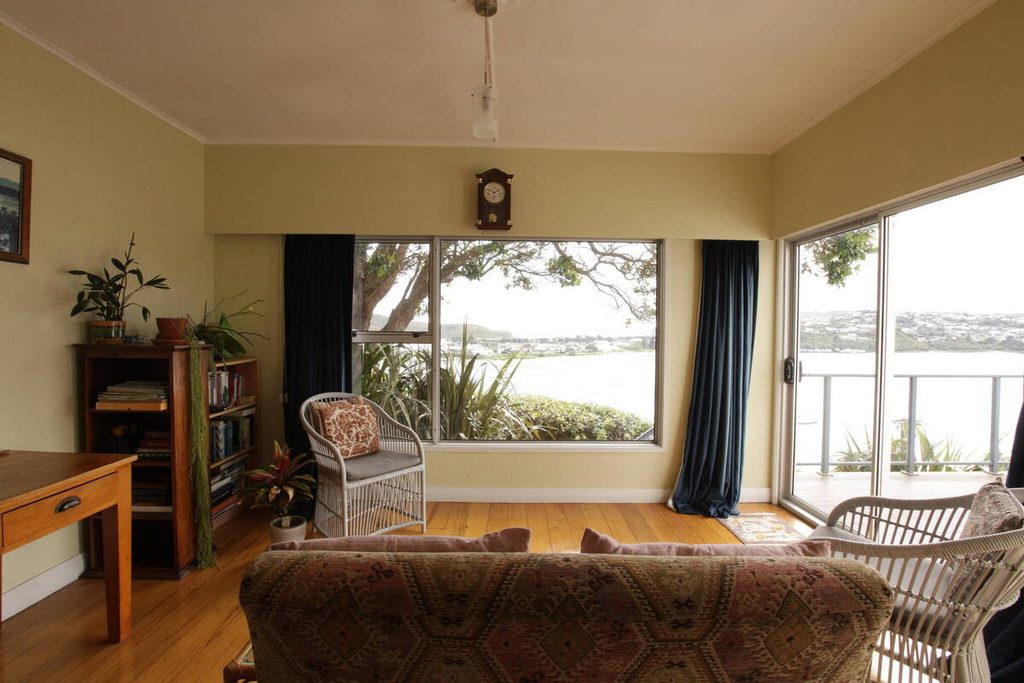
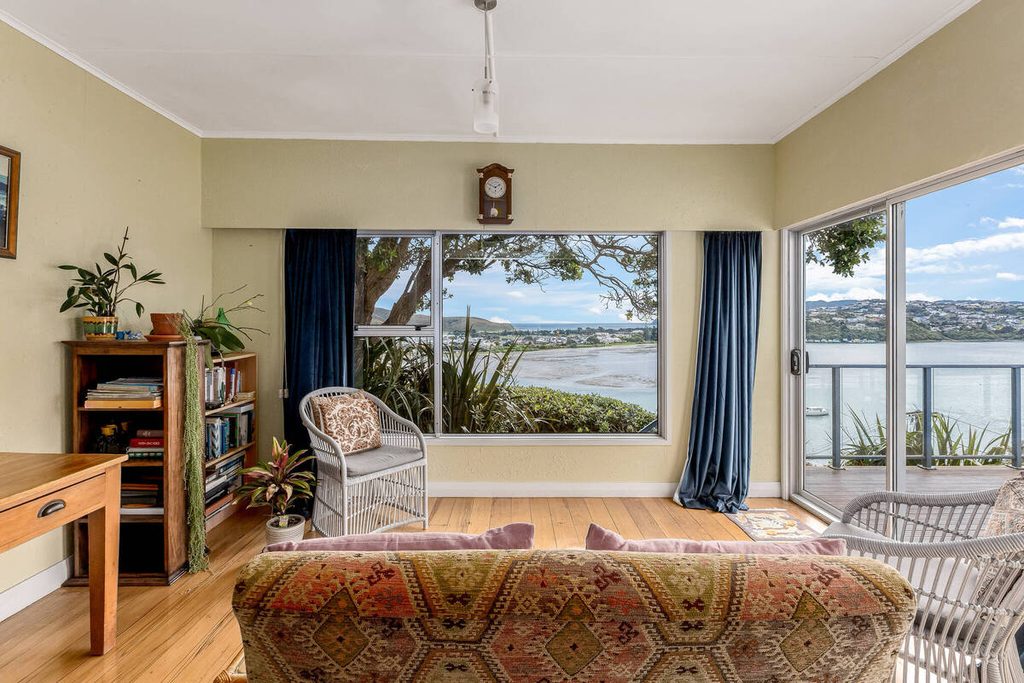
A window pull is a repeatable blend, and repeatable work is where AI helps most. Here’s where it earns its time:
| Clean, aligned brackets: When the frames line up, the blend has clean material to work with. |
| Standard rectangular windows: Simple shapes are easier to detect and blend than arched, divided, or partly covered ones. |
| Gallery-wide consistency: The same treatment across every room keeps the windows looking like they belong to one shoot. |
| High-volume galleries: Doing this by hand for every window in every room is slow, which is why it’s worth automating the simple cases. |
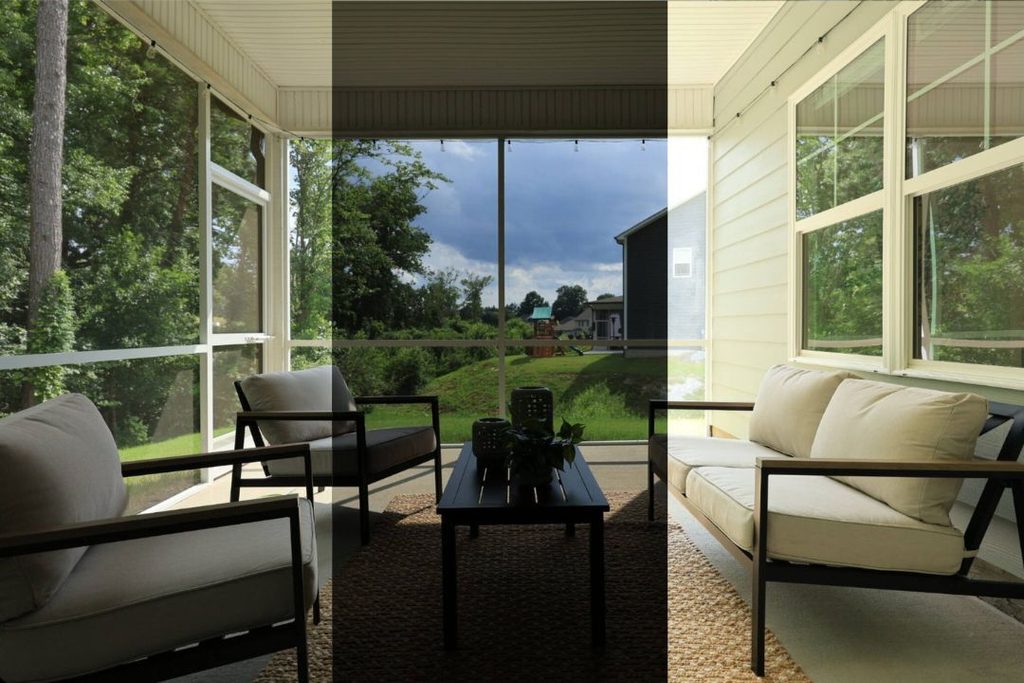
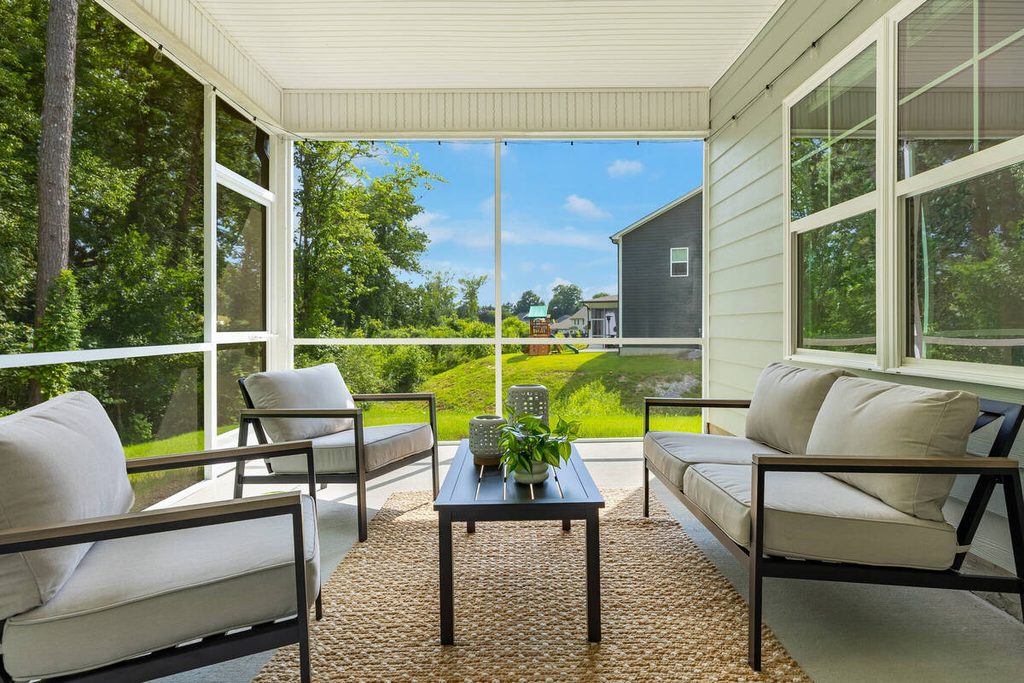
This follows PhotoUp’s approach to AI editing: exposure balancing across bracketed sets and HDR blending on clean shots are tasks AI handles well. The takeaway is that AI gets most windows to a solid first pass, and a person finishes the rest.
Why Window Pulls Look Fake, and What Needs a Person
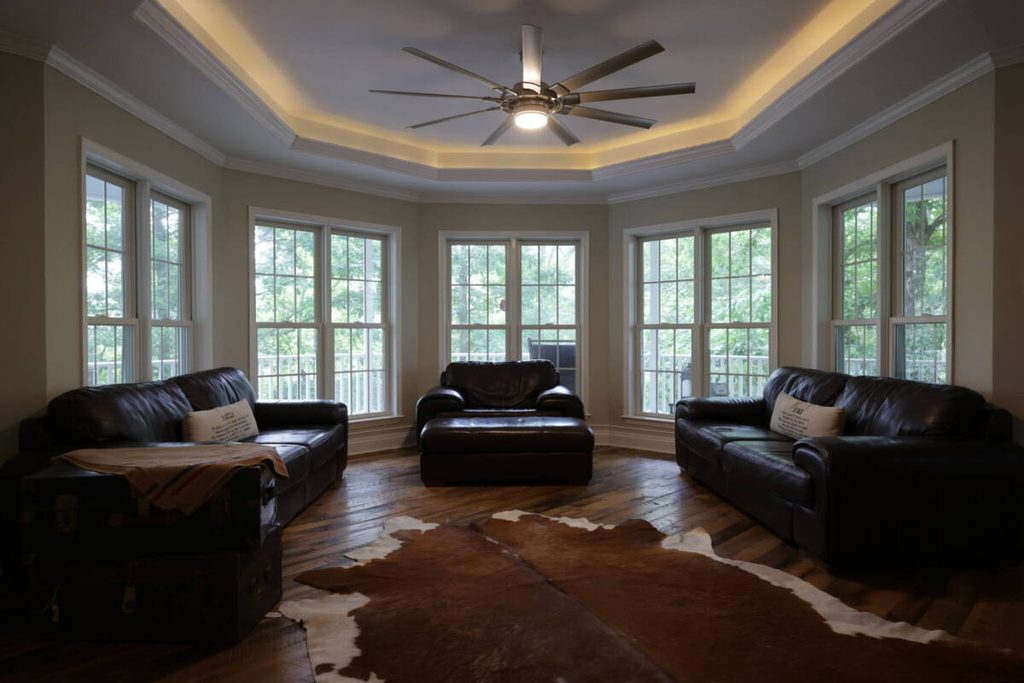
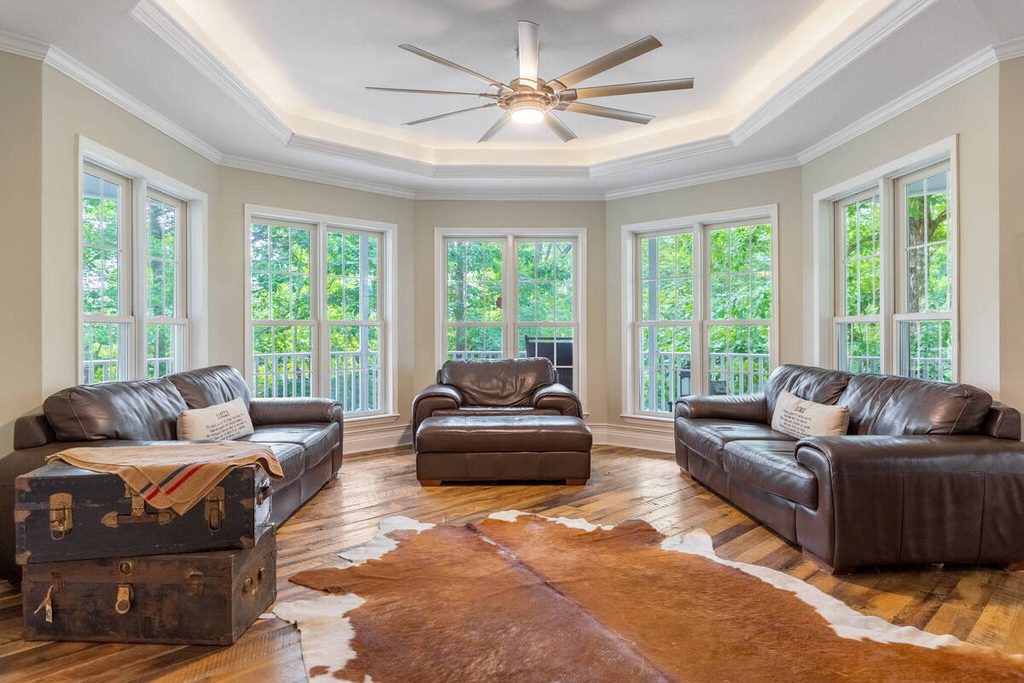
A bad window pull is easy to spot. Fstoppers,3 summarizing a walkthrough by photographer Nathan Cool, points to a handful of causes:
| Cut-out edges: Cool is emphatic that you should never cut out a window, because cutting produces the telltale fake look. Frames, blinds, and mullions are better handled with softer blending. |
| Overflashed windows: Too much flash creates haze and odd reflections on the glass that darkening can’t fully fix. |
| Brightness mismatch: If one window has a screen and another doesn’t, the exposure difference will show. |
| Color temperature mismatch: A pull shot at the wrong color temperature looks overly cool and reads as composited. The article’s rule of thumb is that interior flash shots are often around 4,500 K, while a pull should sit closer to 5,000 to 6,000 K to match daylight. |
| Reflections: In the PFRE comments, one photographer calls reflections in glass the hardest step. |
Each of these is a judgment call. Software can blend the exposures, but it can’t tell whether the result looks natural to a person standing in the room, which is why a human reviews it.
Focus on Photography
We'll Handle the Rest
Save time with a dedicated PhotoUp Coordinator.

How Bright Should the View Be?
There isn’t one right answer. Lohrman writes that it’s more natural to let the window view be brighter than the interior. In the PFRE comments, one photographer recommends making the outside about 1.5 stops brighter than the room so it doesn’t look like a poster. That’s one photographer’s rule, not a standard.
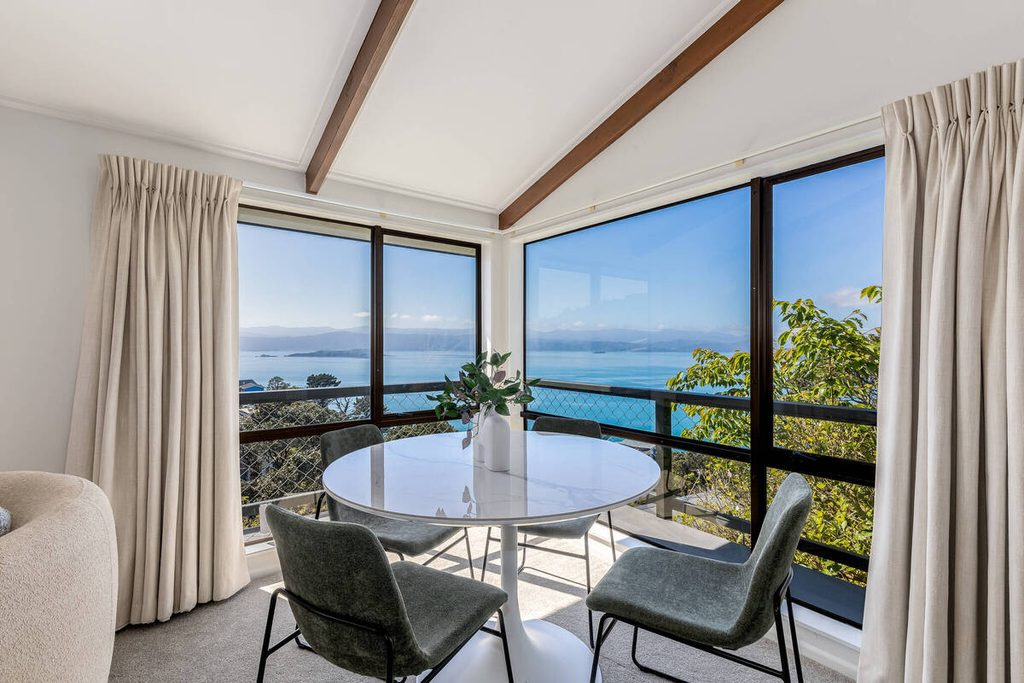
Fstoppers adds a practical point: give selling views, like a lake, a more careful treatment than minor windows, like a small bathroom window. How far to push a window depends on the view, the client, and the look of the rest of the gallery.
How to Review a Window Pull Before Delivery
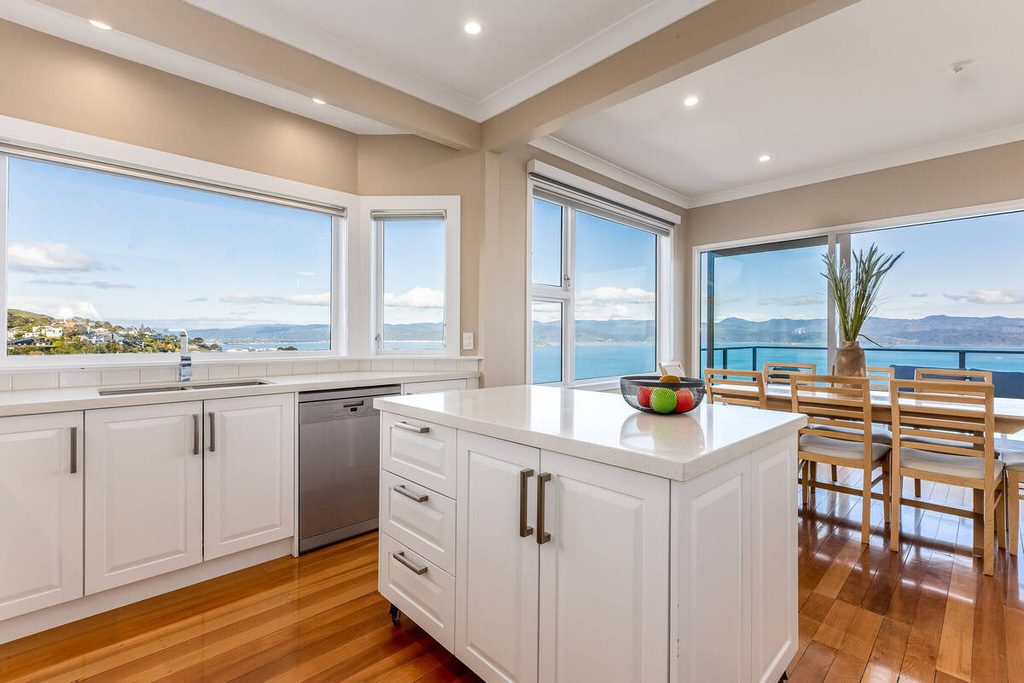
A short review catches most problems. Here’s the routine:
- Check the edges at 100%: Look for halos, hard cut lines, or a glowing outline around the frame.
- Compare windows on the same wall: Brightness should match, including windows with and without screens.
- Check frames, blinds, and screens: They should look like part of the room, not pasted on.
- Compare the view’s color to the interior: The outside should feel like daylight, not cooler or warmer than the room.
- Look for reflections: Check the glass, nearby doors, and appliances for stray reflections or haze.
- Confirm it’s the real view: The window should show the actual scene, not a better one.
That last step matters. Fotober’s guide warns against swapping the real view for a more appealing one, such as a beach in place of a backyard pool, and stresses that accuracy matters when showing a property.
Where Window Pulls Fit in an AI-Plus-Human Workflow
A window pull sits in the middle of the pipeline. Culling chooses the right brackets, AI blends them, and a review step catches what the software can’t judge. Exteriors get the same treatment, as covered in our guide to AI sky replacement.
Browse Top Dedicated
Real Estate Photo Editors
Ready-to-hire editors for real estate photo editing, and more.
A Production Coordinator owns that review. The Coordinator checks the windows, compares them room to room, and decides when one needs manual work. It’s the same checkpoint described in how human QA catches what AI misses, applied to windows.
Get Natural-Looking Windows With Human QA Built In
If window pulls and revisions keep eating your editing time, a Production Coordinator can run the process end to end. A Coordinator owns:
| The AI editing workflow, set up and run with a human checkpoint at each stage |
| Quality control on windows, exposure, and color before any gallery goes out |
| Order tracking and delivery, so turnaround holds during busy stretches |
| Logistics communication, including status updates and revision requests |
Why work with a PhotoUp Coordinator? Every Coordinator is trained specifically on real estate photography workflows. You get AI implemented with human oversight, so the repeatable work moves fast and a person owns every judgment call.
Focus on Photography
We'll Handle the Rest
Save time with a dedicated PhotoUp Coordinator.
How to get started
- Walk through how your interior galleries move from shoot to delivery today
- Get matched with a Production Coordinator trained on real estate photography workflows
- Have an AI-plus-human workflow with QA built in running within the first two weeks
Get natural-looking windows with AI editing and human quality control.
Related Articles:
- What Does a Production Coordinator Do for Photographers?
- How Human QA Catches What AI Photo Editing Misses in Real Estate Photos
- AI Sky Replacement for Real Estate Photos: Where It Works and Where It Needs a Human
- AI Photo Culling for Real Estate Photographers: What It Handles and What You Still Review
- AI Exposure and White Balance Correction for Interior Photos: Kitchens, Bedrooms, and Living Rooms
References: