Table of Contents
- What Is AI Sky Replacement?
- Where AI Sky Replacement Works Well
- Where AI Sky Replacement Needs a Human
- Where AI Sky Replacement Fits in an AI-Plus-Human Workflow
- Run AI Sky Replacement With a Human Checkpoint Built In
A flat gray sky can sink an exterior shot that’s otherwise fine, and the weather on delivery day isn’t something you can reschedule.
AI sky replacement fixes that in seconds. Usually.
Here’s where AI sky replacement works on real estate photos, where it still needs a person, and how to check the result before it ships.
What Is AI Sky Replacement?
AI sky replacement finds the sky in a photo, masks it, swaps in a new one, and adjusts the lighting and color to create a natural match. It’s built into several editing tools, including Photoshop, Luminar Neo, and ON1 Photo RAW.
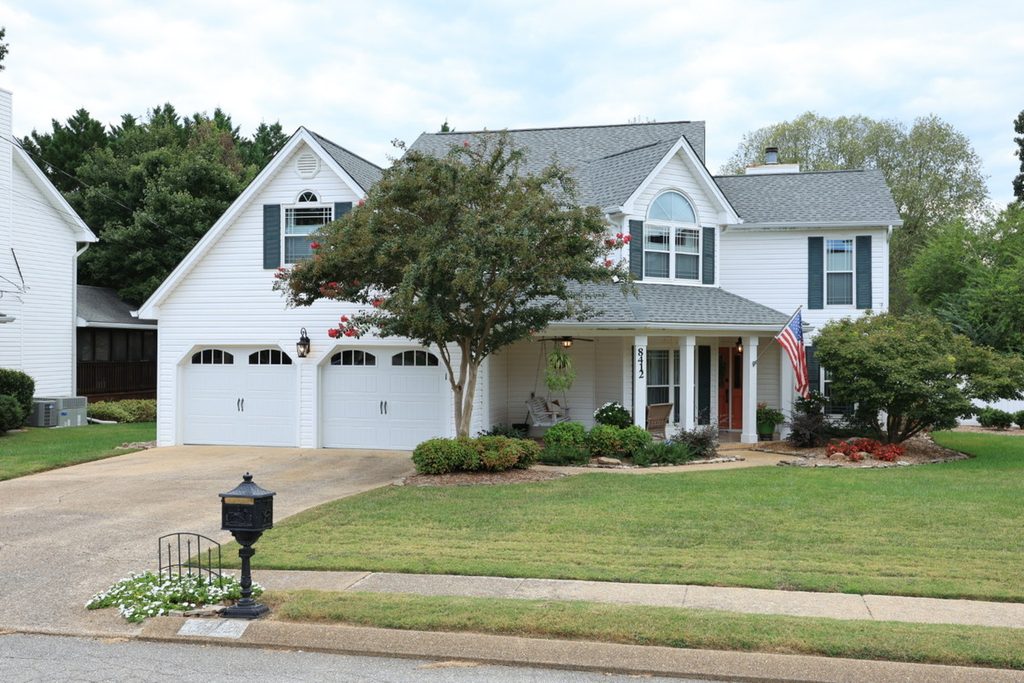
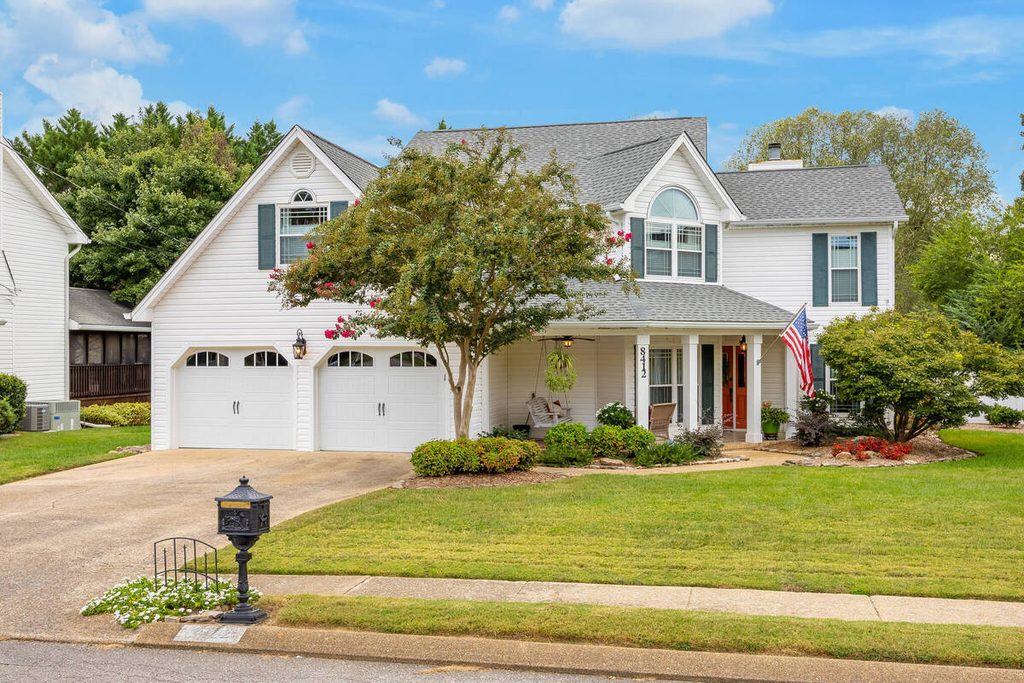
The “AI” part is the detection. Older methods required manually selecting the sky, which took time and varied by editor. Now AI handles the first pass, while a person reviews the result.
Why AI Sky Replacement Matters for Real Estate Photos
The exterior is usually the lead image, and the weather on shoot day is outside your control. A listing shot under a dull sky looks flat even when the house is well photographed. Our guide on how sky replacement can save a bad shoot covers the situations where it matters most.
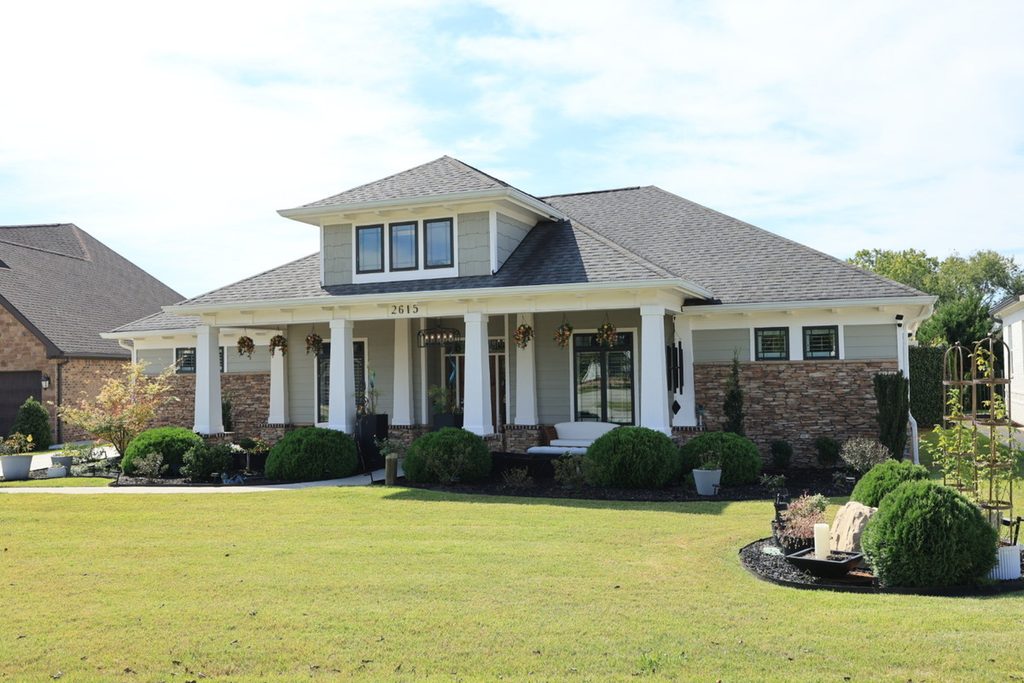
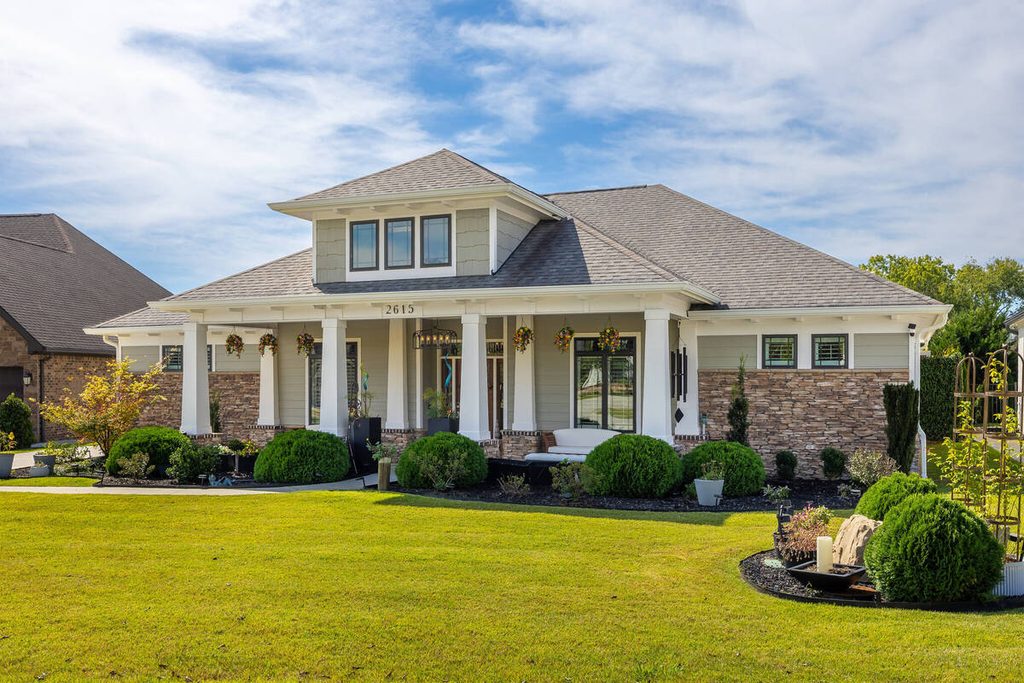
The goal isn’t a dramatic sky. It’s an exterior that looks the way the property looks on a good day, without drawing attention to the edit.
Where AI Sky Replacement Works Well
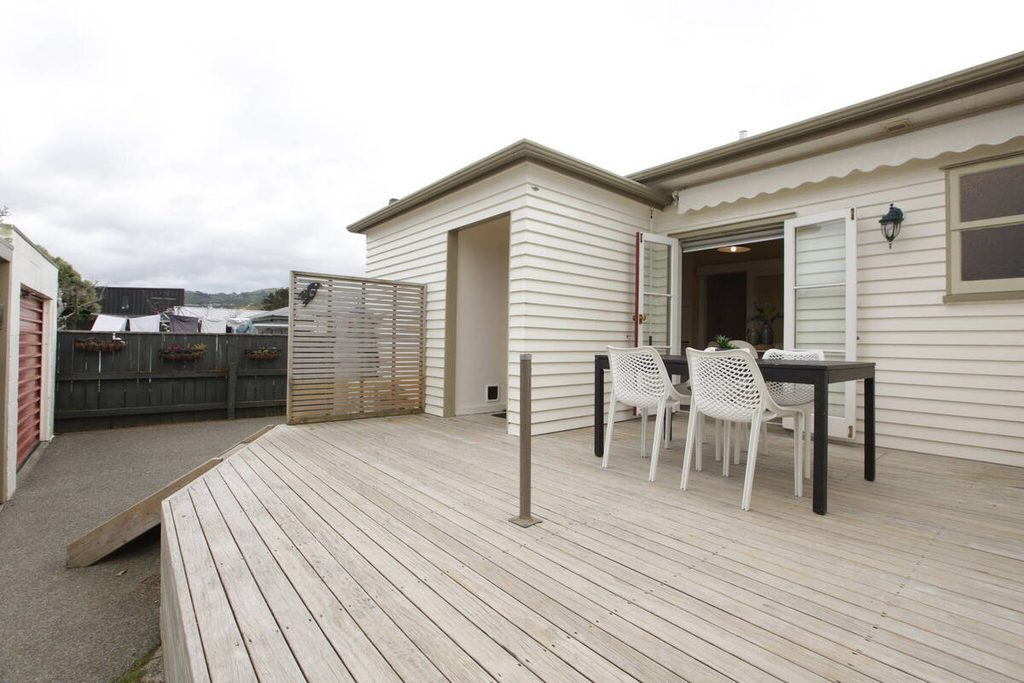
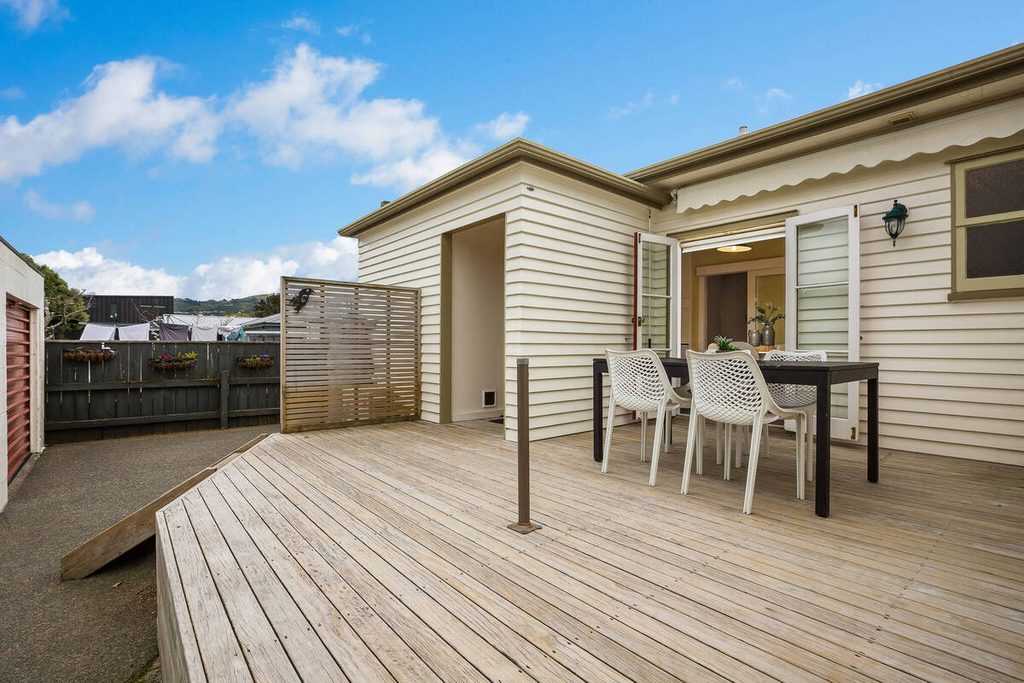
AI sky replacement is at its best on simple exteriors. Here’s where it earns its time:
| Clean rooflines against open sky: A clear boundary between the building and sky makes masking easier for AI. |
| Flat overcast days: A uniform gray sky is the simplest to replace, since there’s no detail to protect. |
| Gallery consistency: The same sky style across every exterior keeps a gallery looking like one shoot. |
| Windows that show sky: In Popular Photography’s 2022 test of three tools, Photoshop replaced the sky “including in the windows where the sky shows through,” with clean edges around tree branches.1 |
The takeaway is that AI sky replacement handles the repeatable swap well, and that’s the repeatable part of the job.
Focus on Photography
We'll Handle the Rest
Save time with a dedicated PhotoUp Coordinator.

Where AI Sky Replacement Needs a Human
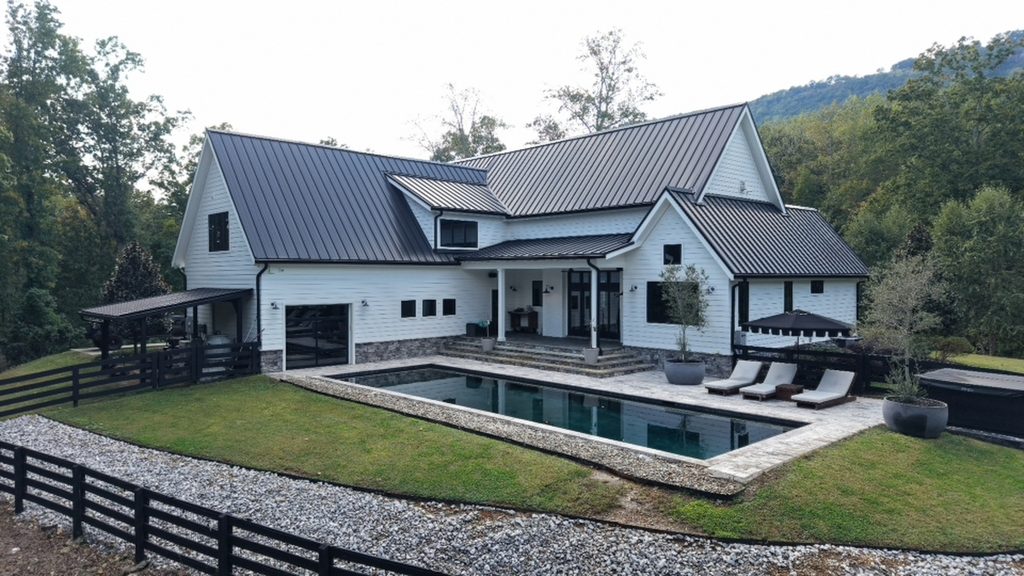
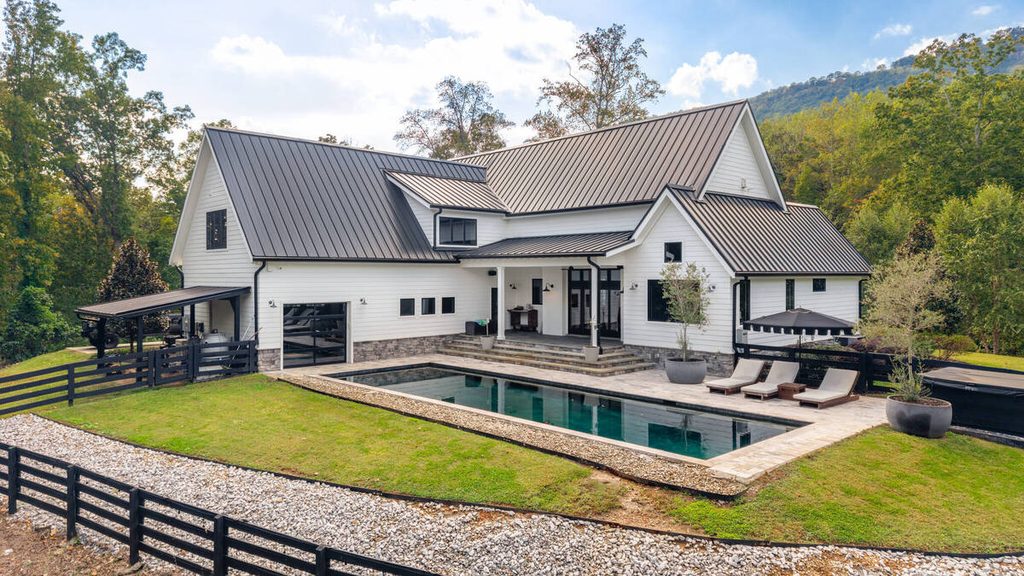
The same test highlights where AI sky replacement can fall short. Although the comparison is from 2022 and AI tools have since evolved, these are still potential issues to watch for during human review:
| Tree lines: Fine branches can leave a halo or patches of the original gray sky. In the test, Luminar Neo showed this on branches before the mask was refined. |
| Rooflines and building edges: ON1 produced “obvious haloing around the top edges of the building,” which was reduced but still noticeable after adjustment. |
| Window openings: One tool’s sky detection excluded the lower window openings, and fixing them took manual painting. |
| Reflections: Photoshop changed the sky but left the lake reflecting the original one. A pool, pond, or glass facade can do the same thing. |
| Light and shadow: A new sunset sky over a house lit by midday sun looks wrong, even if the mask is perfect. |
| A sky that doesn’t fit the property: The season, the region, and the direction the house faces all need to make sense. |
Each of these is a judgment call. None of them shows up as an error message, which is why they slip through when no one reviews the image.
How to Check an AI Sky Replacement Before You Deliver It
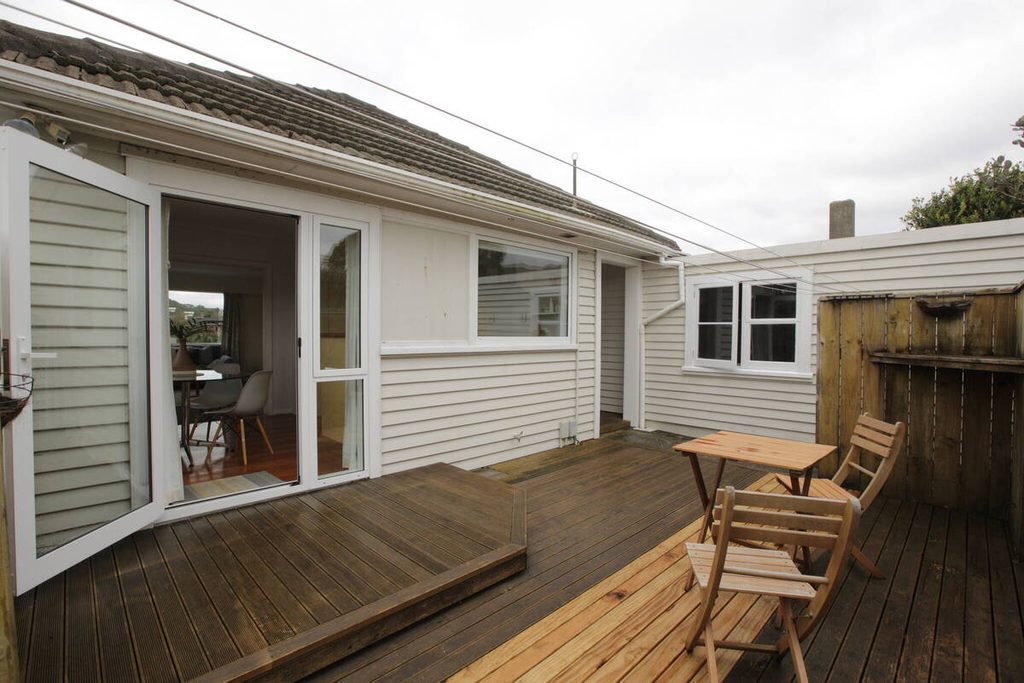
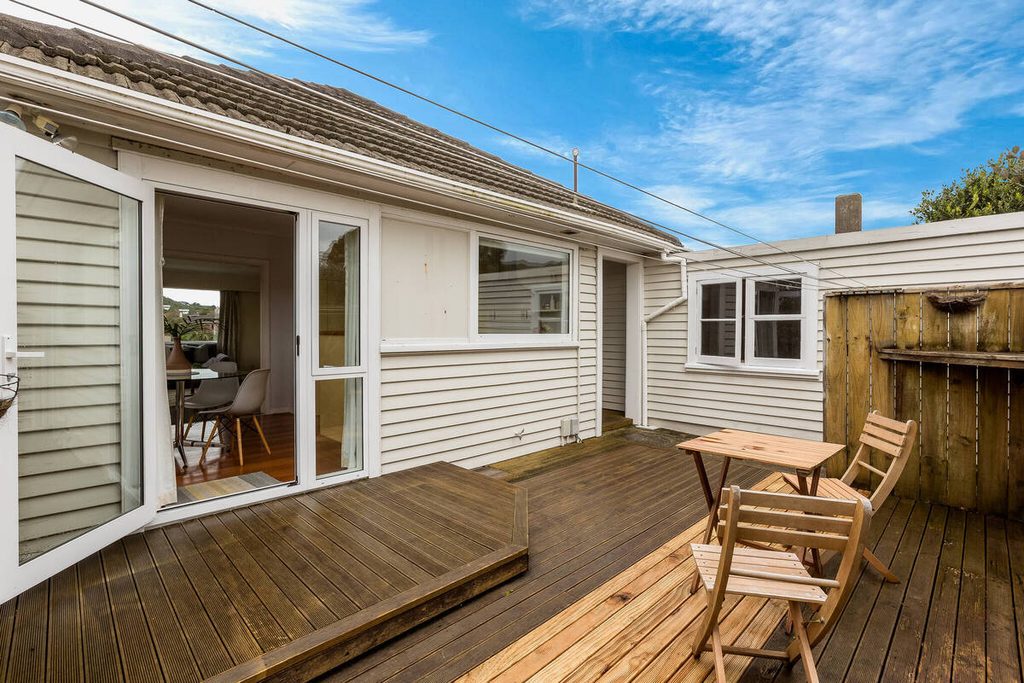
A short review catches most problems. Here’s the routine:
| 1. Zoom to 100% on edges: Check tree lines and rooflines for halos, leftover gray, and soft or jagged outlines. |
| 2. Check every window and opening: Confirm the new sky shows through where it should, and nowhere else. |
| 3. Look at water and glass: Pools, ponds, and glass facades should reflect the new sky, not the old one. |
| 4. Compare light and shadow: The direction and warmth of the sky should match the shadows on the house and lawn. |
| 5. Pick a sky that fits: Match the season and region, and avoid a sunset that suggests the wrong orientation. |
| 6. Keep the original: Compare the two side by side, and make sure the edit doesn’t suggest a view or feature the property doesn’t have. |
It’s about a minute per exterior once it becomes routine, and it’s the difference between a sky that reads as natural and one that reads as edited.
Where AI Sky Replacement Fits in an AI-Plus-Human Workflow
The AI handles the swap and a person handles the exceptions. That split works best when someone owns it.
Browse Top Dedicated
Real Estate Photo Editors
Ready-to-hire editors for real estate photo editing, and more.
That’s where a Production Coordinator fits. The Coordinator runs the AI sky replacement step, applies the checks above, and decides when an image needs manual work. It’s the same checkpoint described in how human QA catches what AI misses, applied to skies.
Doing it inside a defined AI editing workflow also keeps the skies consistent from one listing to the next, which is hard to maintain when each one is handled differently.
Run AI Sky Replacement With a Human Checkpoint Built In
If exteriors, skies, and the rest of the edit are taking time you’d rather spend shooting, a Production Coordinator can run the process end to end. A Coordinator owns:
| The AI editing workflow, set up and run with a human checkpoint at each stage |
| Quality control on every image before it goes out, skies included |
| Order tracking and delivery, so turnaround holds during busy stretches |
| Logistics communication, including status updates and revision requests |
Why work with a PhotoUp Coordinator? Every Coordinator is trained specifically on real estate photography workflows. You get AI implemented with human oversight, so the repeatable work moves fast and a person owns every judgment call.
Focus on Photography
We'll Handle the Rest
Save time with a dedicated PhotoUp Coordinator.
How to get started
- Walk through how your exteriors and galleries move from shoot to delivery today
- Get matched with a Production Coordinator trained on real estate photography workflows
- Have an AI-plus-human workflow with QA built in running within the first two weeks
Focus on shooting while PhotoUp handles the rest.
Related Articles:
- What Does a Production Coordinator Do for Photographers?
- What Can a Photography Coordinator Take Off Your Plate?
- How to Build an AI Photo Editing Workflow for Real Estate Photography
- How Human QA Catches What AI Photo Editing Misses in Real Estate Photos
- How Sky Replacement Can Save a Bad Shoot – Real Estate Photo Editing 101
References: