Table of Contents
- Why Staging a Dining Room Matters
- How Virtual Staging Handles a Dining Room
- Where Dining Room Staging Fits in an AI-Plus-Human Workflow
- Add Virtual Staging to an AI Workflow With Human QA Built In
A dining room gets judged on scale. Buyers look at the photo and ask one question: does my table fit? An empty room gives them nothing to measure against, and a dated set gives them the wrong answer.
That’s the job staging a dining room does.
Here’s what virtual staging handles in a dining room, where it still needs a person, and how to order it so the result looks right.
Why Staging a Dining Room Matters
NAR’s 2025 Profile of Home Staging lists the living room (91%), primary bedroom (83%), and dining room (69%) as the most commonly staged rooms.1 The same report found that more than four in five buyers’ agents (83%) said staging made it easier for a buyer to visualize the property as a future home.
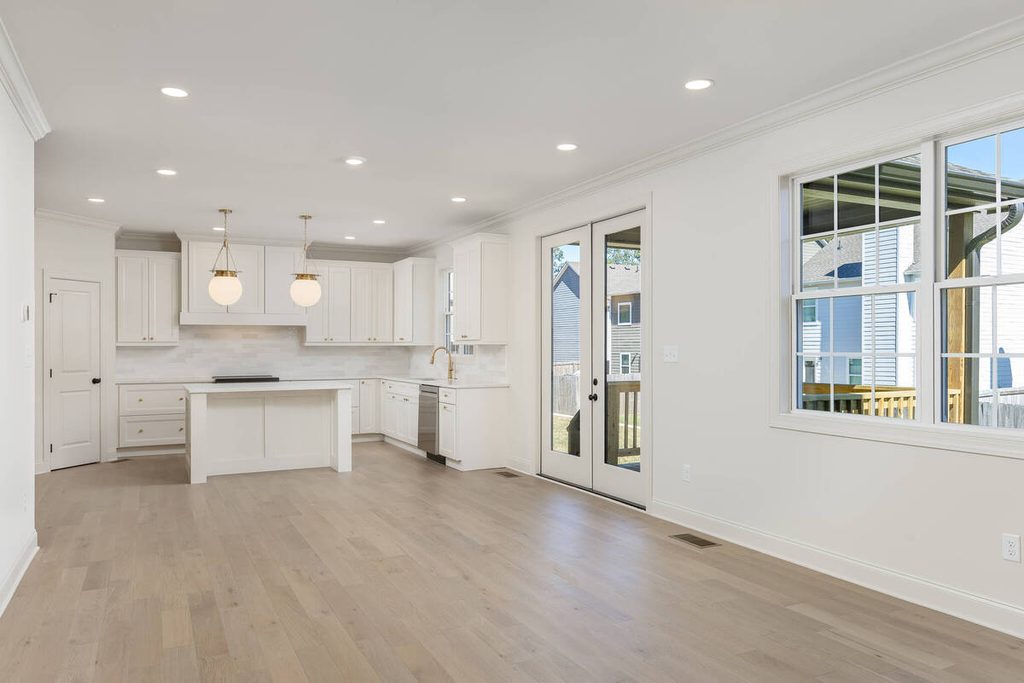
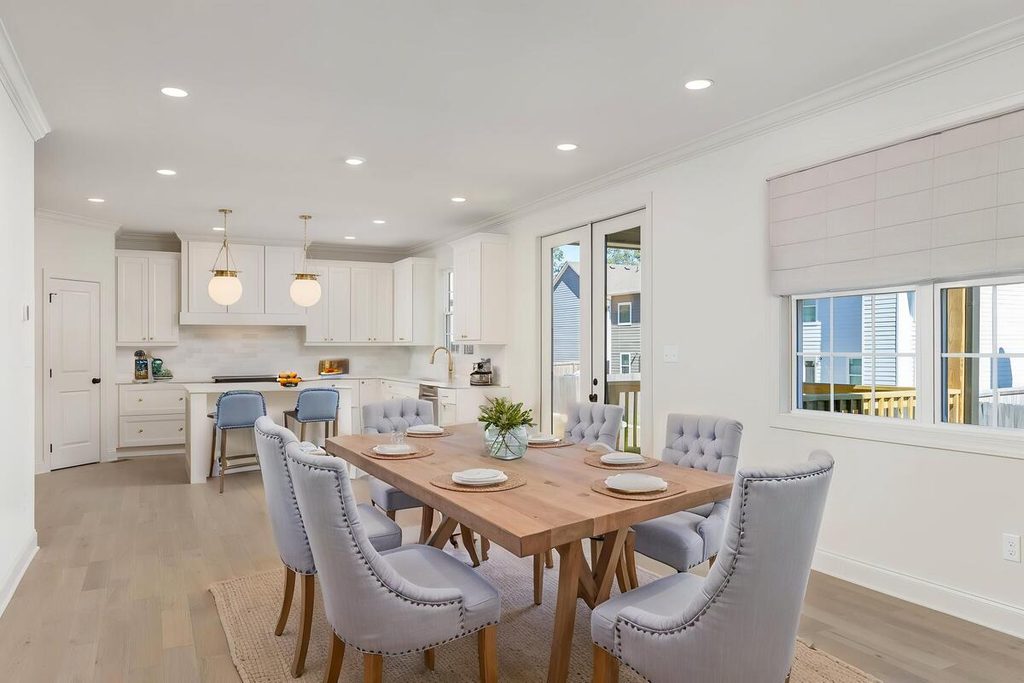
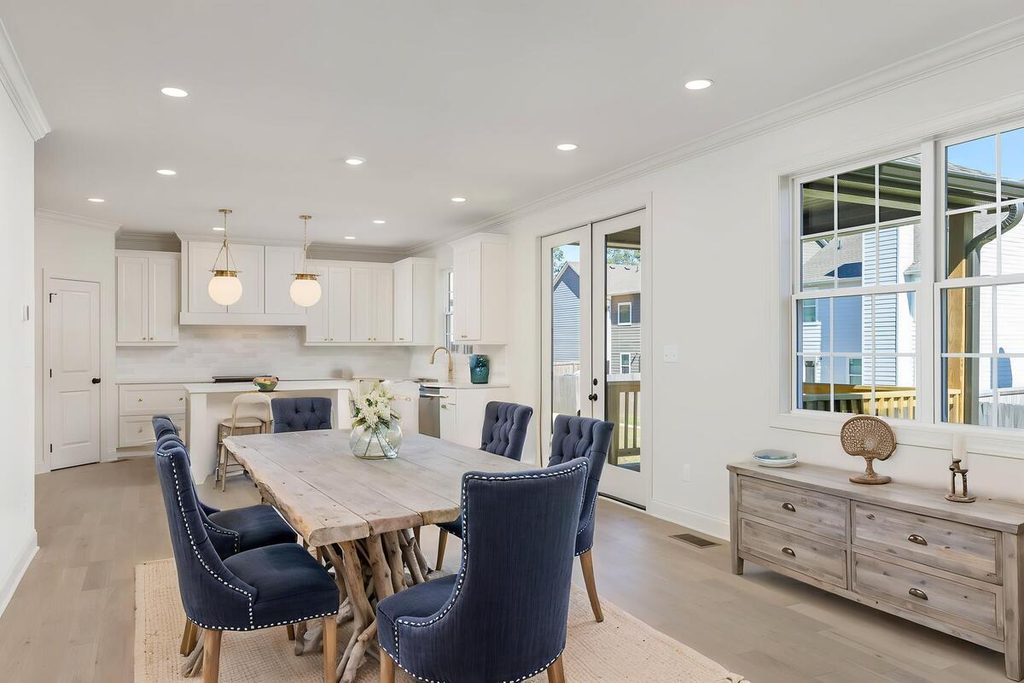
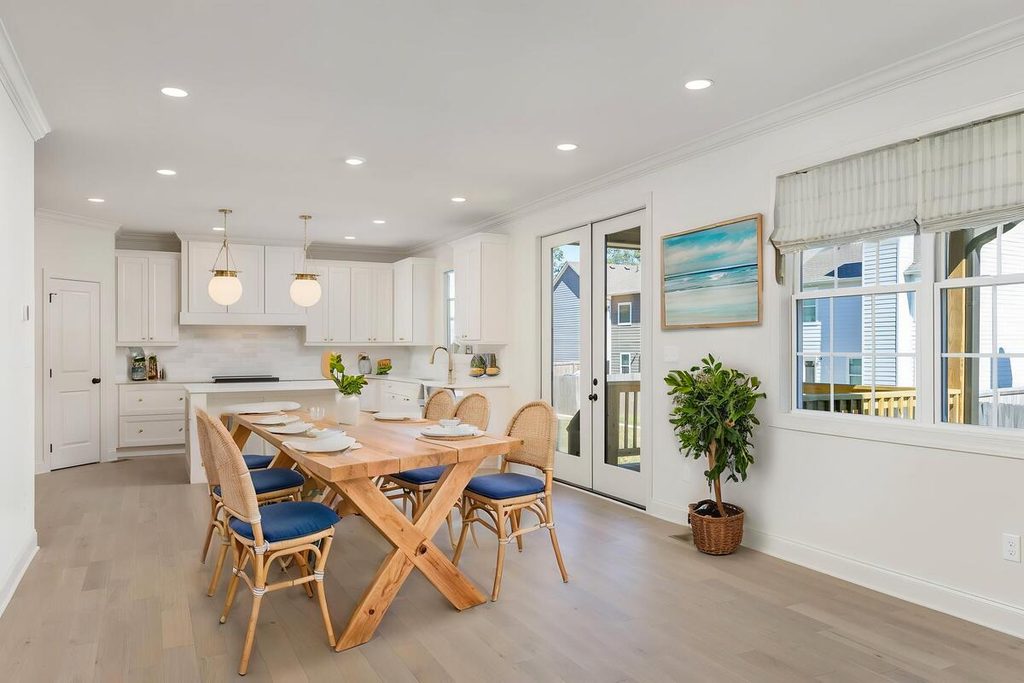
The dining room is where that visualizing gets specific. Buyers aren’t only picturing a room. They’re picturing a table with people around it, and the photo has to show the space can hold one.
The takeaway: staging a dining room is less about decoration and more about proving the room works.
What Staging a Dining Room Involves
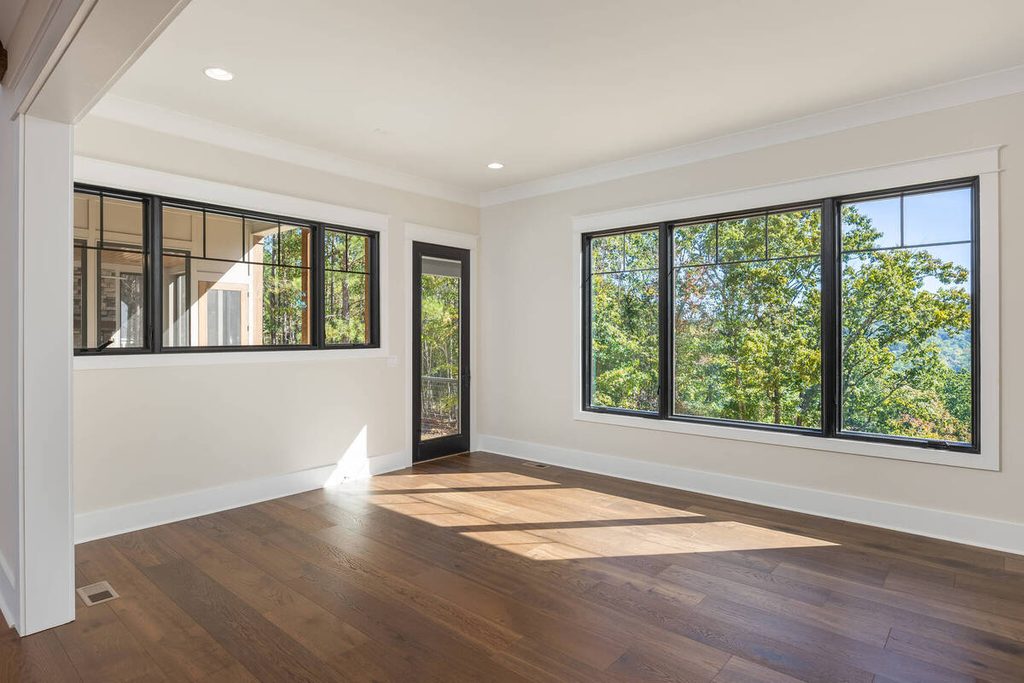
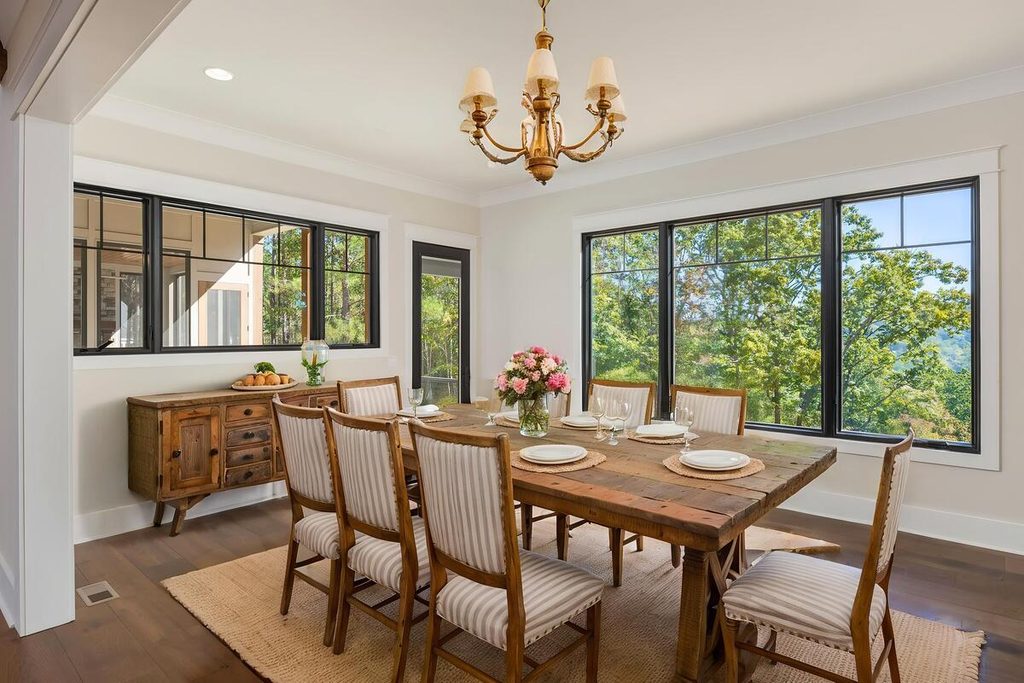
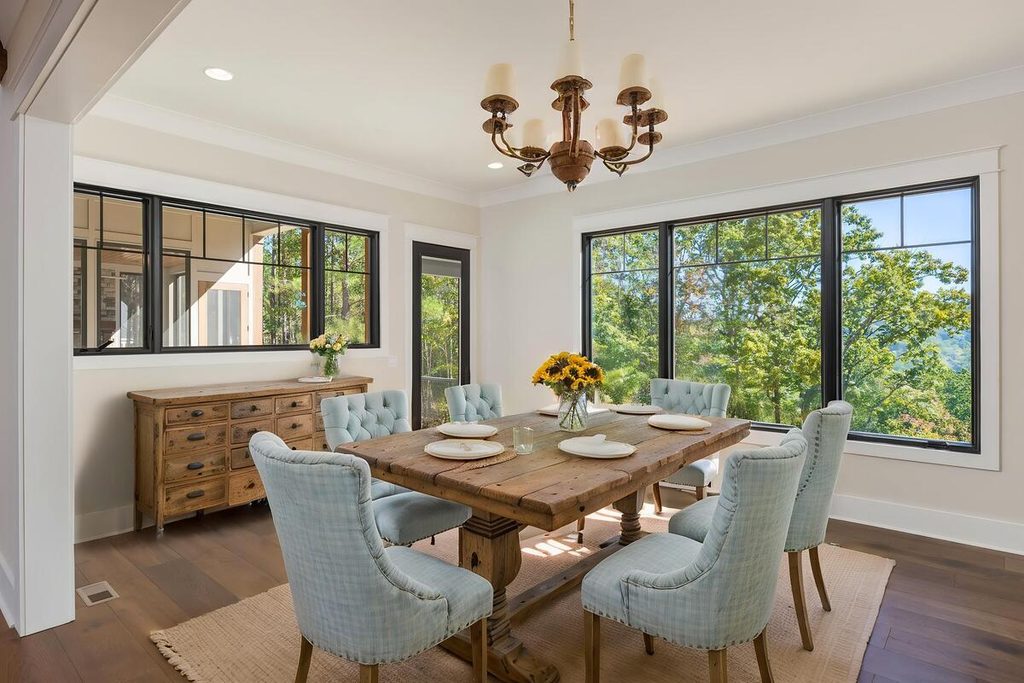
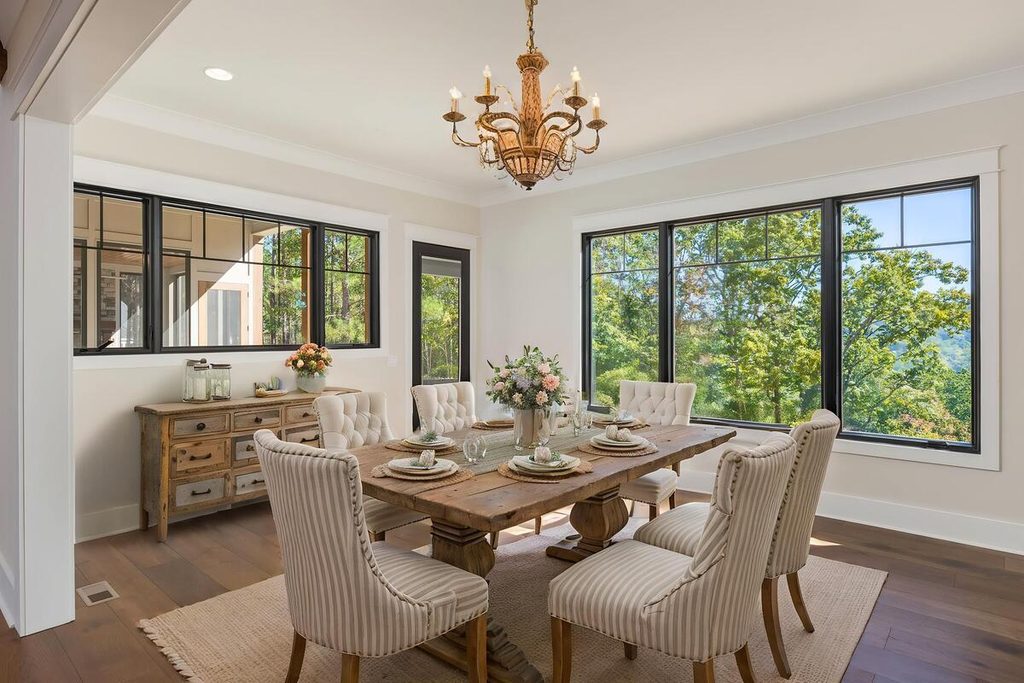
The same decisions apply whether the staging is physical or virtual. Here are the ones that matter most:
| Table size: In proportion to the room. HomeLight warns that an oversized table makes buyers wonder whether their own furniture will fit.2 |
| Chair count: Fewer than the table can seat. HomeLight suggests two to six place settings, even on tables that seat eight to twelve. |
| Clearance: About 48 inches between the table edge and walls or other furniture where people walk, according to Dummies.3 |
| Lighting: A fixture hung roughly 30 to 36 inches above the tabletop, per HomeLight. |
| Tablescape: A runner and a simple centerpiece, not a full place setting with glassware and serving dishes. |
None of this is complicated on its own. The skill is getting all of it right in one frame, which is where scale tends to slip.
How Virtual Staging Handles a Dining Room
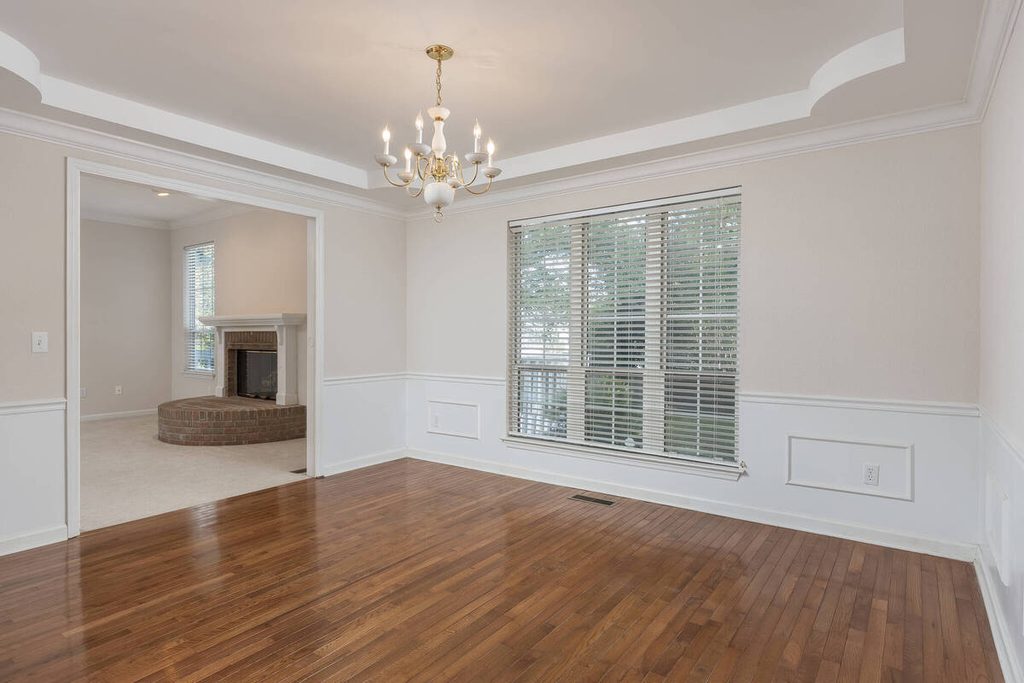
Staging a dining room virtually means adding the furniture digitally, so there’s nothing to rent, deliver, or move. That usually means a table and chairs sized to the space, a rug, a light fixture, and a simple centerpiece, styled to match the home.
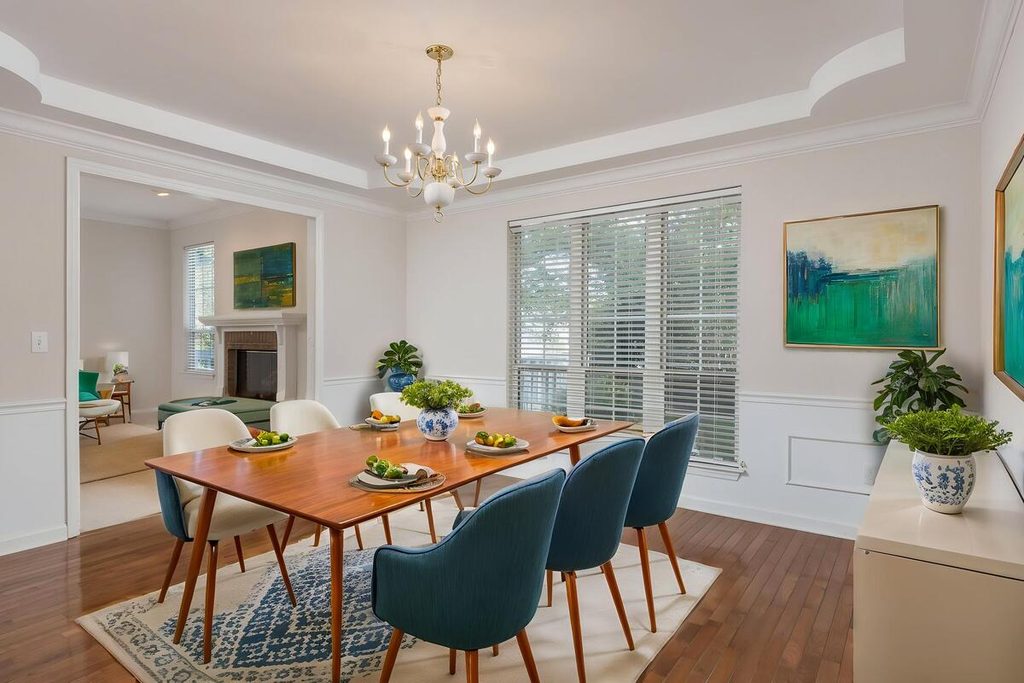
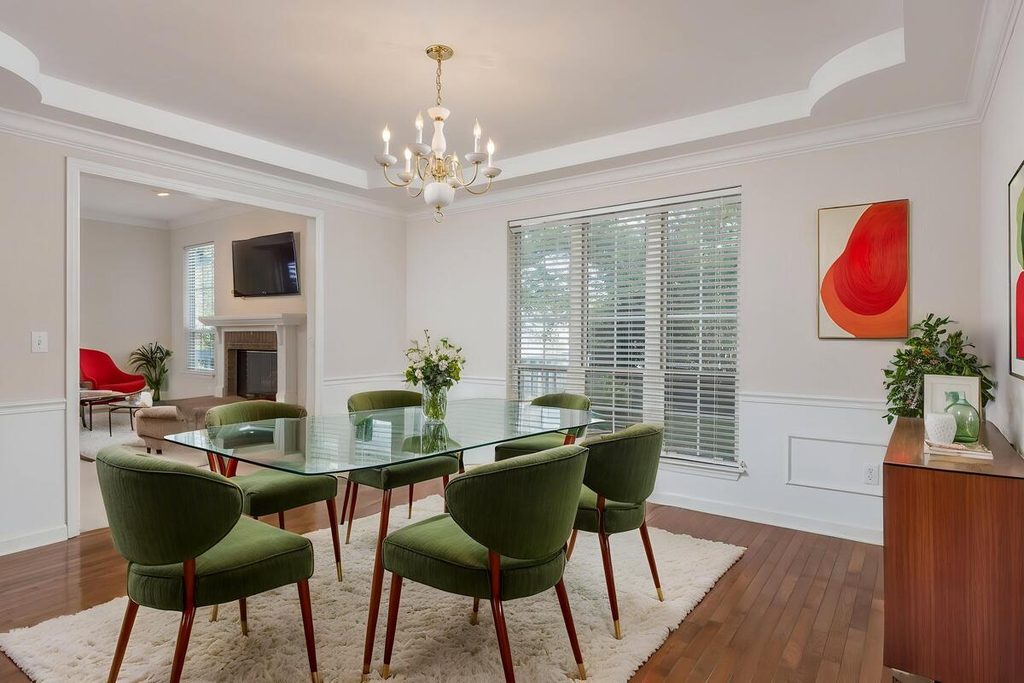
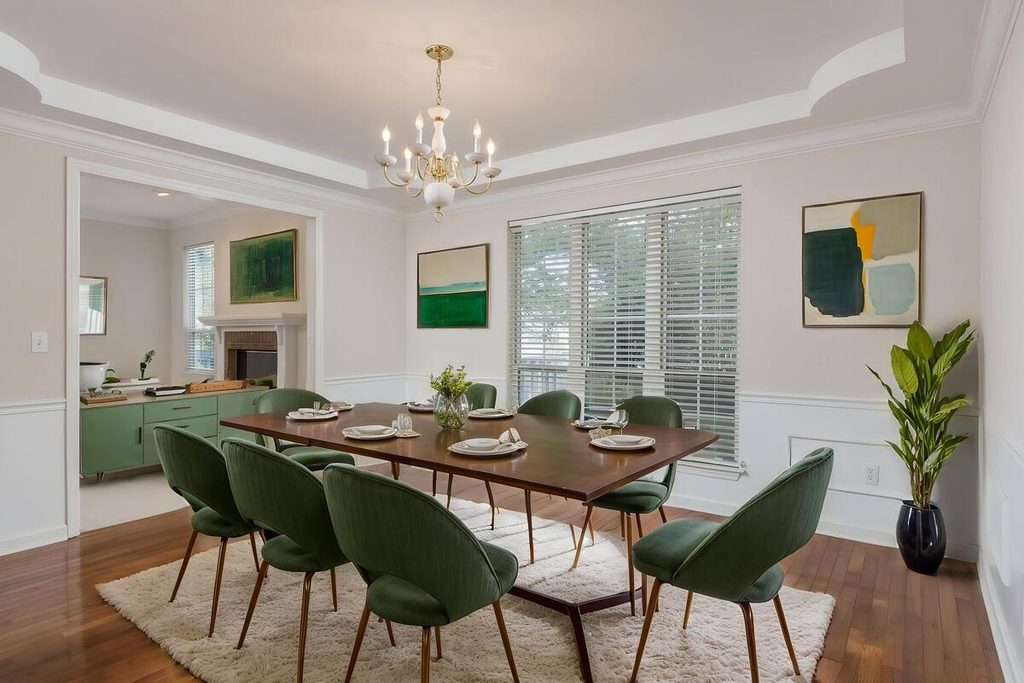
It works in two situations:
- Empty rooms: The photo shows bare floor and walls, so buyers can’t judge how the room works. Furniture gives the space a purpose and a scale.
- Dated rooms: An old set or heavy drapes can pull a listing down. Replacing them lets buyers see the room itself.
It’s especially useful in open floor plans, where the dining area has no walls to define it. A table and rug mark where the dining space starts and how large it is.
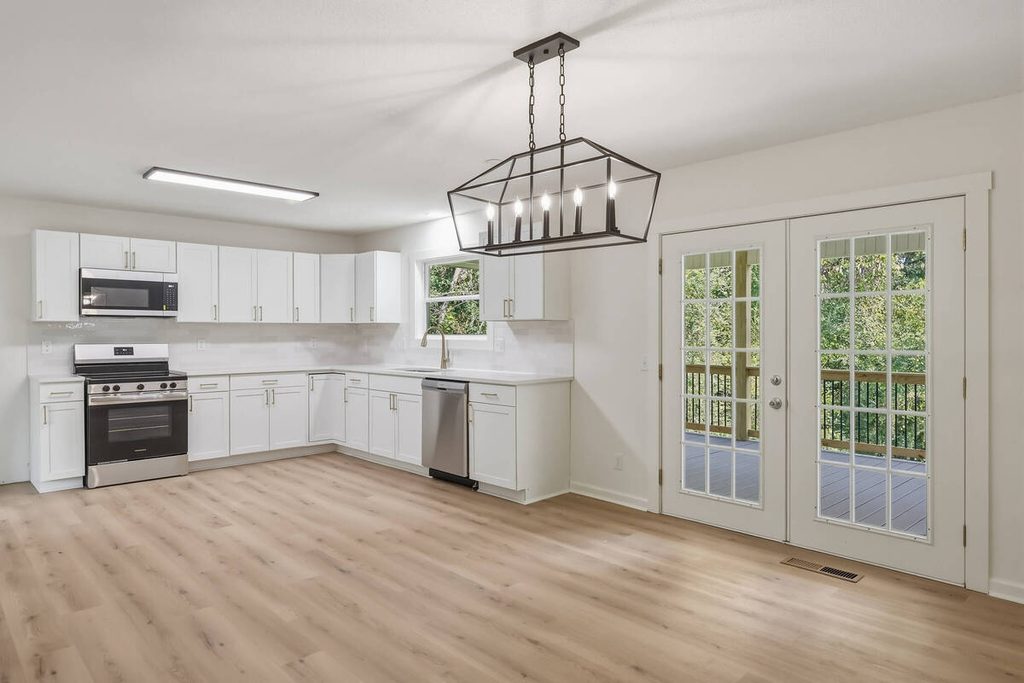
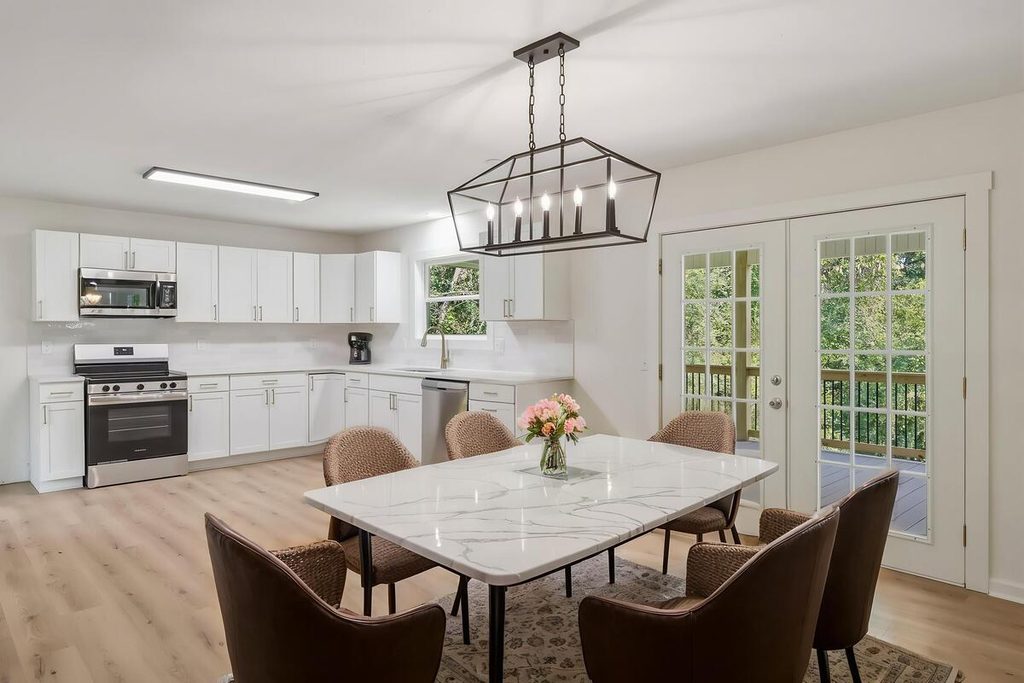
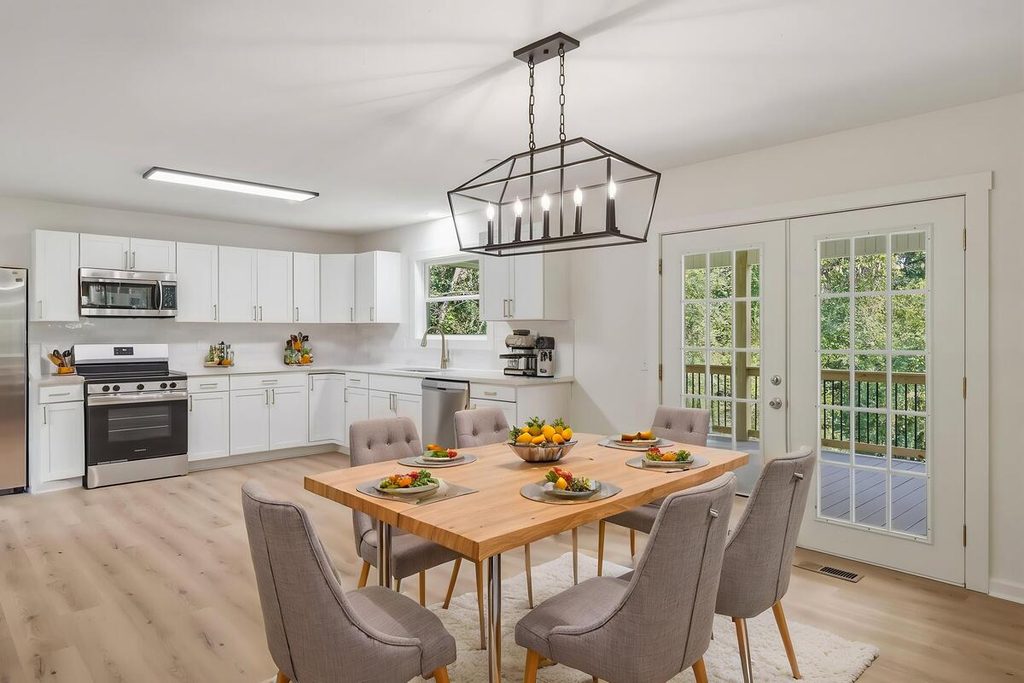
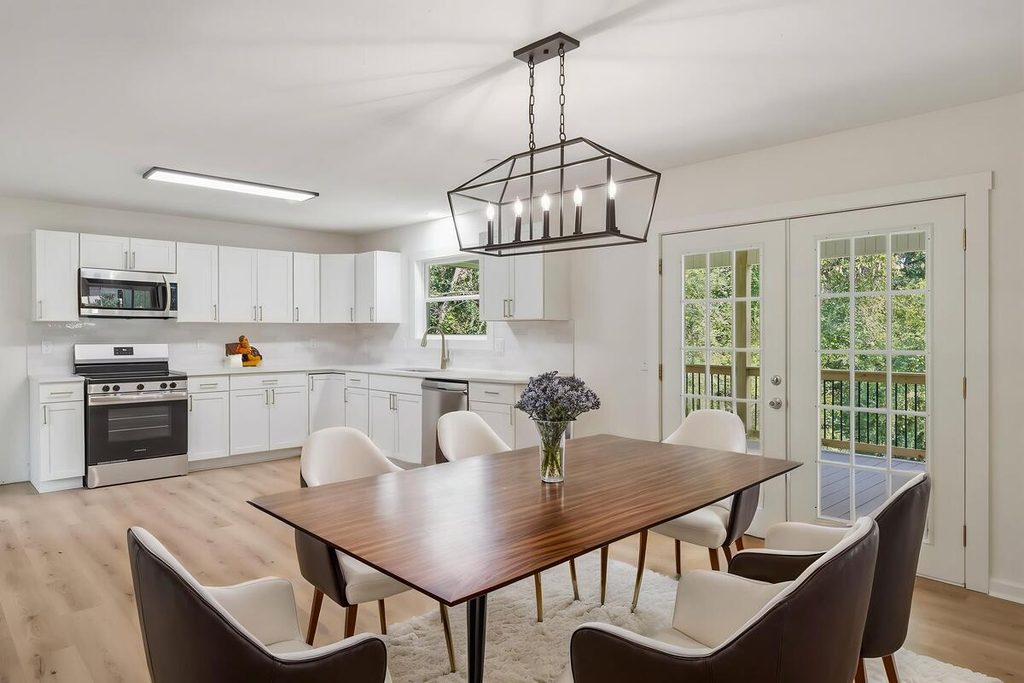
PhotoUp’s virtual staging dining room library shows the range of styles available.
Quick & Easy
AI Virtual Staging
Interiors. Landscapes. Commercial. Virtually transform any space.

Where Virtual Staging a Dining Room Goes Wrong
AI staging is fast and consistent, but staging a dining room exposes its weak points quickly. Here’s what to watch for:
| ❌ Scale: AI tools don’t work from real room measurements, so a table can end up too large or too small for the space. PhotoUp’s guide to virtual staging mistakes covers this in detail. |
| ❌ Overcrowding: Too many chairs, a sideboard, and a rug all competing in a small room. One focal grouping reads better. |
| ❌ Lighting and shadows: Shadows that don’t match the real light from the windows are the clearest sign a room has been staged digitally. |
| ❌ Blocked features: Furniture covering a window, a built-in, or a doorway. |
| ❌ Style mismatch: A sleek modern set in a traditional room, or the reverse. |
Every item on that list is a judgment call, and none of them show up in a file-quality check. They need someone who looks at the staged image and compares it to the real room.
Where Dining Room Staging Fits in an AI-Plus-Human Workflow
Staging a dining room virtually is one step in the pipeline, and it needs the same human checkpoint as editing. A Production Coordinator reviews each staged image for scale, shadows, style, and blocked features before it reaches the client. That’s the same checkpoint described in how human QA catches what AI misses, applied to staging.
Browse Top Dedicated
Real Estate Photo Editors
Ready-to-hire editors for real estate photo editing, and more.
It also keeps the process predictable. When staging runs through an AI editing workflow with a review step, a table that’s too big gets fixed before the agent sees it, not after.
Add Virtual Staging to an AI Workflow With Human QA Built In
If staging, editing, and delivery are all landing on your desk, a Production Coordinator can run the process end to end. A Coordinator owns:
| The AI editing and staging workflow, set up and run with a human checkpoint at each stage |
| Quality control on every image before it goes out |
| Order tracking and delivery, so turnaround holds during busy stretches |
| Logistics communication, including status updates and revision requests |
Why work with a PhotoUp Coordinator? Every Coordinator is trained specifically on real estate photography workflows. You get AI implemented with human oversight, so the repeatable work moves fast and a person owns every judgment call.
Quick & Easy
AI Virtual Staging
Interiors. Landscapes. Commercial. Virtually transform any space.
How to get started
- Walk through how your galleries and staging orders move from shoot to delivery today
- Get matched with a Production Coordinator trained on real estate photography workflows
- Have an AI-plus-human workflow with QA built in running within the first two weeks
Simplify virtual staging and editing with an AI-powered workflow.
Related Articles:
- What Can a Photography Coordinator Take Off Your Plate?
- What Does a Production Coordinator Do for Photographers?
- How to Build an AI Photo Editing Workflow for Real Estate Photography
- How Human QA Catches What AI Photo Editing Misses in Real Estate Photos
- AI Virtual Staging Mistakes That Can Hurt Your Listing
References: