Table of Contents
- Why Declutter Listing Images Is Crucial to Sell Homes
- Decluttered & Staged Photos Help Homes Sell Faster
- What Is Virtual Decluttering in Real Estate Photo Editing?
- How to Virtually Declutter and Stage Interiors (2 Methods)
- How to Remove Objects in Lightroom (Video Tutorial)
- Decluttering vs Virtual Staging: When to Use Each
- Declutter and Stage Your Images Without Breaking the Bank
In today’s fast-moving real estate market, buyers form opinions in seconds—and cluttered interior photos can instantly turn them away. Even well-designed homes can feel cramped, dark, or distracting when personal items and excess furniture steal attention from the space itself.
That’s why virtual decluttering and staging have become essential tools in modern real estate photo editing.
In this guide, we’ll show you how to virtually declutter and stage interiors to present clean, inviting spaces that help buyers focus on layout, lifestyle, and potential using some effective editing techniques.
Let’s begin by taking a look at why decluttering your images is crucial for real estate sales.
Why Declutter Listing Images Is Crucial to Sell Homes🛋️
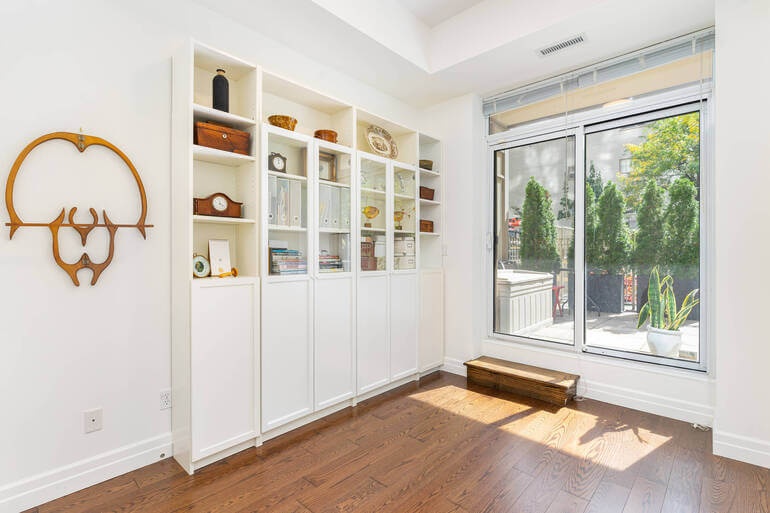
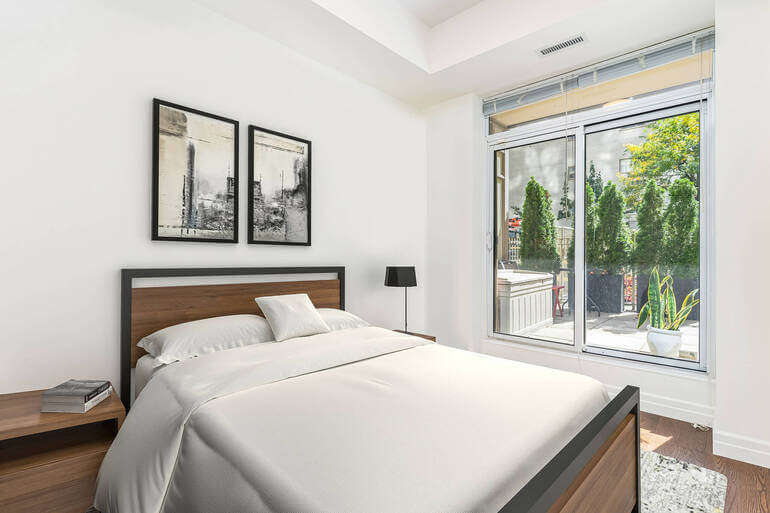
In today’s scroll-fast real estate market, first impressions are everything since 100% of buyers search for their new home online.
Buyers decide whether to click, save, or skip a listing in seconds—and cluttered interiors are one of the fastest ways to lose their attention. According to NAR, 85% of homebuyers consider photos the most critical factor when evaluating a property online.
Even beautiful homes can feel smaller, darker, or overwhelming when personal items, excess furniture, or visual distractions dominate the frame.
Real estate photographers play a crucial role in shaping how a property is perceived.
While you can’t always control how a homeowner prepares a space, you can control how that space is presented visually.
To recap, virtual decluttering and staging allow photographers to transform messy or dated interiors into clean, aspirational environments that buyers can emotionally connect with.
Decluttering through real estate photo editing doesn’t misrepresent a property—it refines it. The goal is to help buyers imagine their life in the space, free from distractions that pull attention away from layout, flow, and potential.
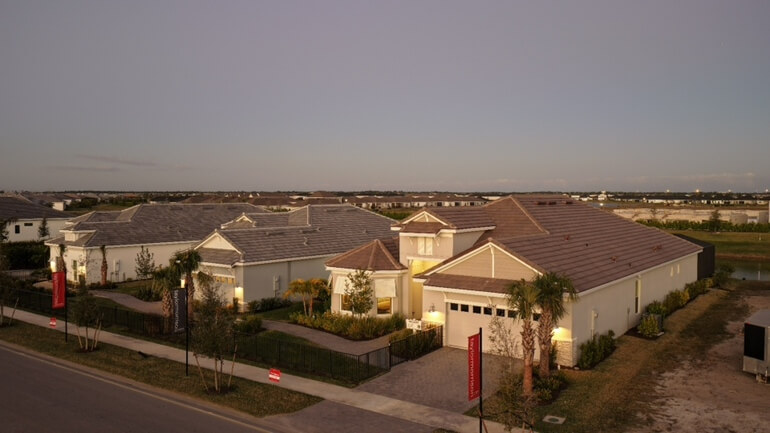

This sets the foundation for stronger engagement, longer listing views, and ultimately, faster sales.
Smoothly transitioning from capture to post-production, virtual decluttering has become an essential skill in modern real estate photo editing workflows.
Decluttered & Staged Photos Help Homes Sell Faster
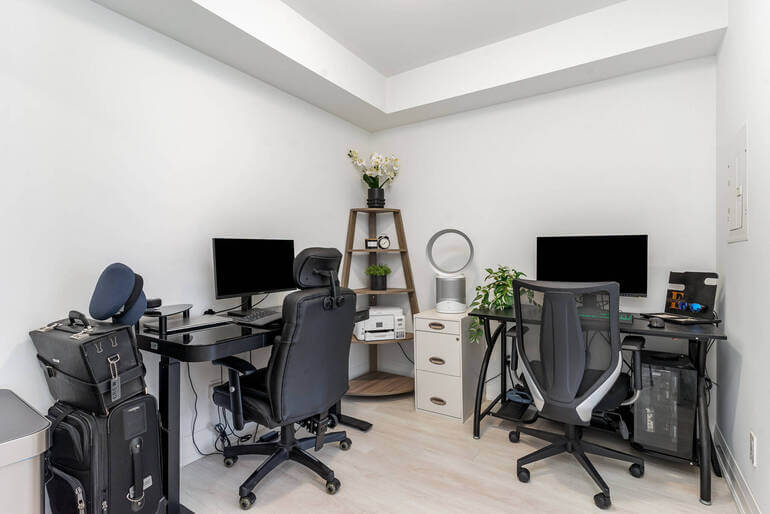
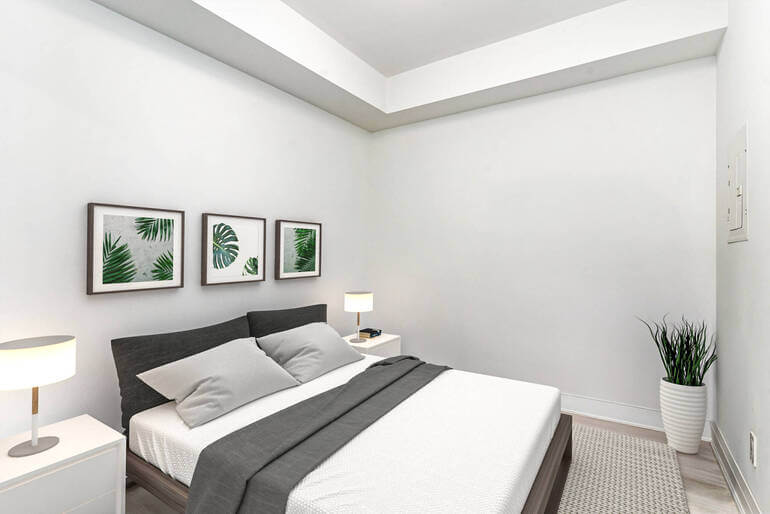
According to recent studies, 32% of homes with high-quality photographs sell faster 🚀 than those without visuals.
Clean, staged interiors consistently outperform cluttered ones online. Listings with decluttered and virtually staged photos tend to receive:
- Increased online views – high-quality listing images receive 118% more online views
- Higher click-through rates
- Longer viewing times
- Stronger emotional engagement
- More in-person showings
- And it can even lead to offers unseen
Buyers aren’t just shopping for square footage—they’re shopping for possibility.
Decluttered visuals reduce cognitive load, while staged interiors spark imagination. Together, they help buyers move from interest to action more quickly.
For real estate photographers, offering these services also increases perceived value. You’re no longer just delivering photos—you’re delivering market-ready visual solutions.
Quick & Easy
AI Virtual Staging
Interiors. Landscapes. Commercial. Virtually transform any space.

What Is Virtual Decluttering in Real Estate Photo Editing?🪑
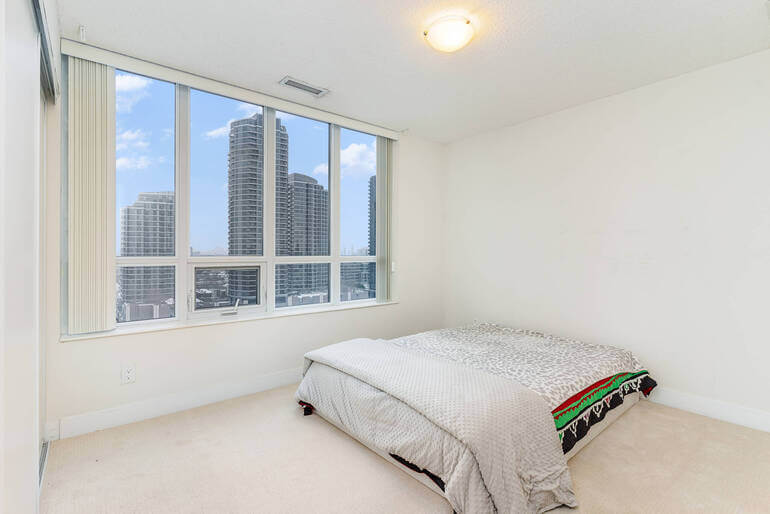
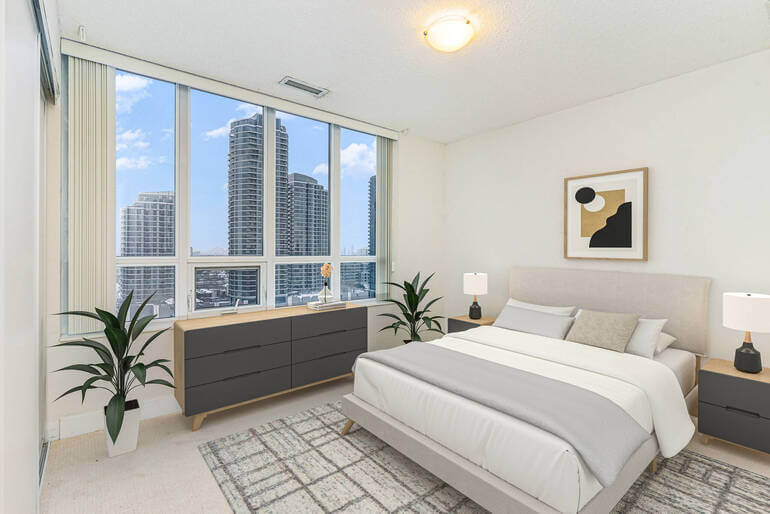
Virtual decluttering is the process of digitally removing unnecessary or distracting items from interior photos after the shoot.
This includes things like:
- Excess furniture
- Cables and cords
- Countertop clutter
- Toys and pet items
- Personal photos
- Or, mismatched décor
Unlike physical decluttering—which requires homeowner cooperation, time, and sometimes resistance—virtual decluttering is efficient and scalable.
It allows photographers to deliver polished, listing-ready images even when the property wasn’t perfectly staged on shoot day.
Virtual decluttering works best when it’s subtle. The space should feel natural, clean, and believable—not empty or over-edited.
When done correctly, buyers don’t notice what’s missing—they simply feel more at ease viewing the space.
How to Virtually Declutter and Stage Interiors (2 Methods)
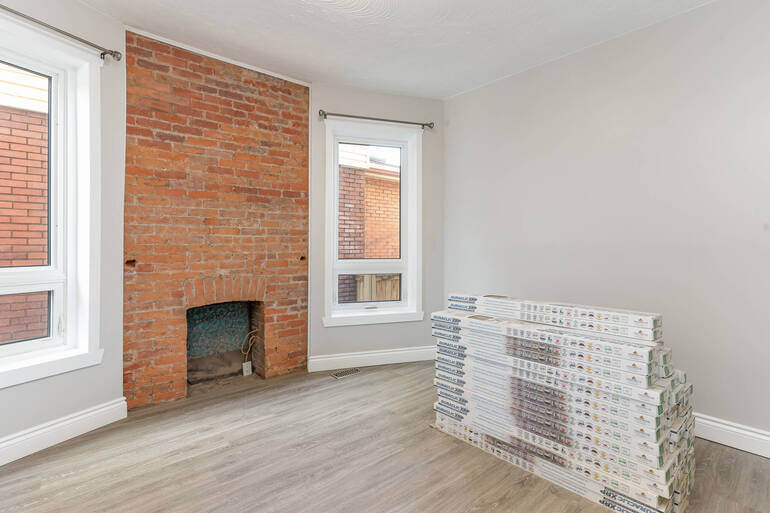
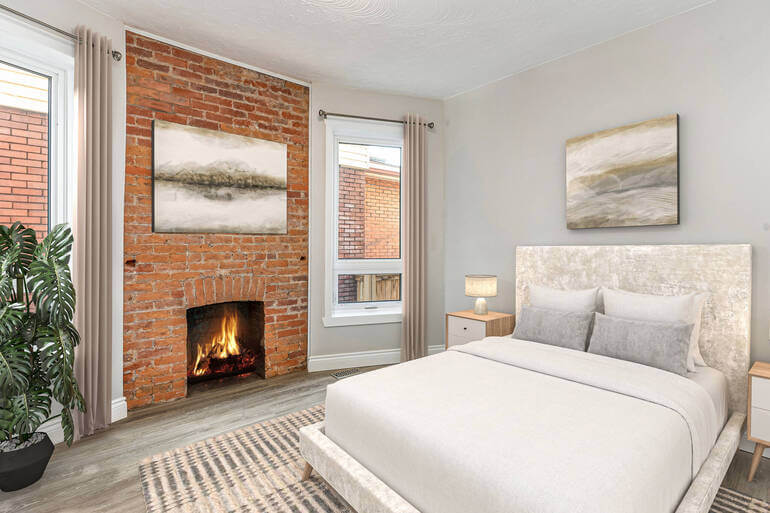
This naturally leads us to one of the most powerful tools for virtual decluttering: object removal in Lightroom and virtual staging.
Let’s show you how to declutter your real estate photos using these two methods, starting with object removal in Lightroom.
Method 1. Object Removal Editing in Lightroom: A Decluttering Power Tool🖌️
Object removal is one of the most effective and widely used virtual decluttering techniques in real estate photo editing.
Using tools like Content-Aware Fill, Clone Stamp, and Healing Brush, editors can remove unwanted items while preserving textures, lighting, and realism.
Common items removed through object removal editing are:
- Cables, cords, and power strips
- Trash cans and cleaning supplies
- Personal photos and wall art
- Excess chairs or small furniture
- Countertop clutter in kitchens and bathrooms


The key to professional object removal is precision. Floors, walls, shadows, and reflections must remain consistent to avoid obvious editing artifacts.
Poorly executed removals can break buyer trust, which is why skilled editing is essential.
When used thoughtfully, object removal simplifies a space without stripping it of character—creating a smooth visual flow that naturally guides the viewer’s eye through the room.
With this in mind, let’s take a look at how this is done.
How to Remove Objects in Lightroom (Video Tutorial)
To learn how to declutter your images, you can watch our video tutorial on how to remove objects in Lightroom:
Once a space is clean, the next step is making it compelling—and that’s where virtual staging comes in.
Method 2. Virtual Staging: From Empty or Dated to Aspirational🛋️
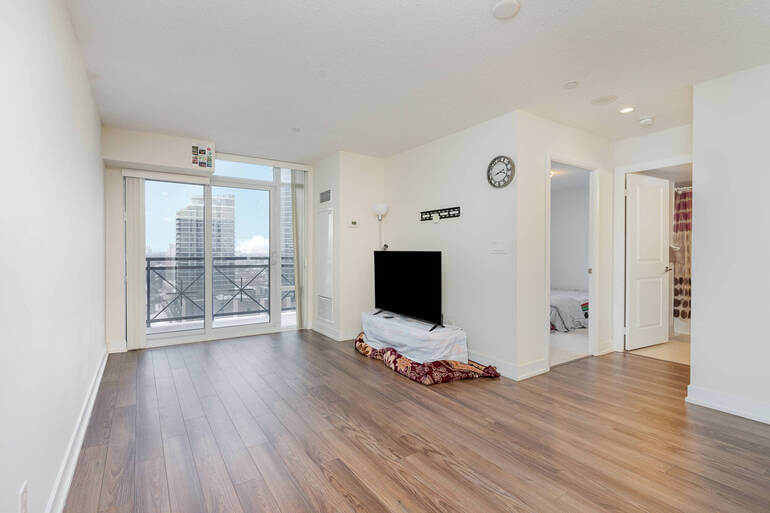
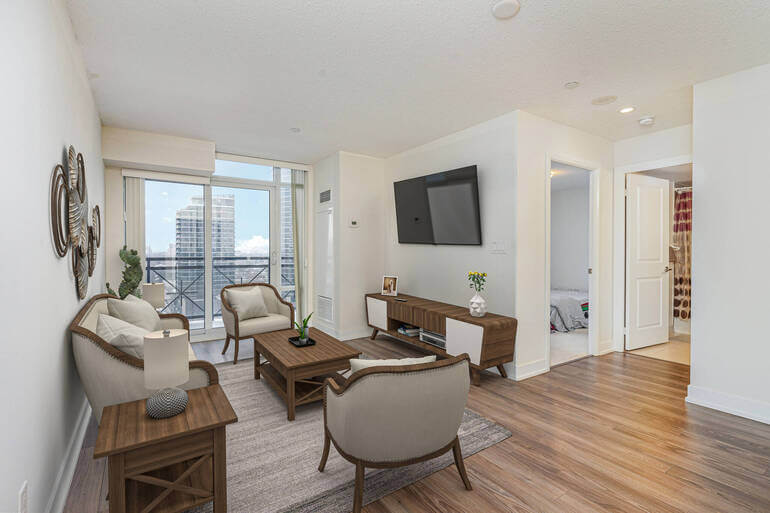
Virtual staging takes decluttered interiors a step further by digitally adding furniture, décor, and design elements to enhance appeal.
This is especially effective for vacant homes, new construction, or properties with outdated or sparse interiors.
In summary, virtual staging helps buyers:
- Understand room scale and layout
- Visualize furniture placement
- Emotionally connect with the space
- And imagine a lifestyle, not just a floor plan
From a photographer’s perspective, virtual staging adds value without requiring additional shoot time.
Instead of reshooting empty rooms or waiting on physical staging, you can deliver multiple design styles digitally—modern, luxury, cozy, or minimalist—based on the target buyer.
The most effective virtual staging feels intentional and market-appropriate. Furniture should match the home’s architecture, price point, and location.
However, over-staging or trendy mismatches can feel unrealistic, so balance is critical. PhotoUp’s AI virtual staging will help you ensure photorealistic staging of your real estate photos.
Decluttering vs Virtual Staging: When to Use Each🤔
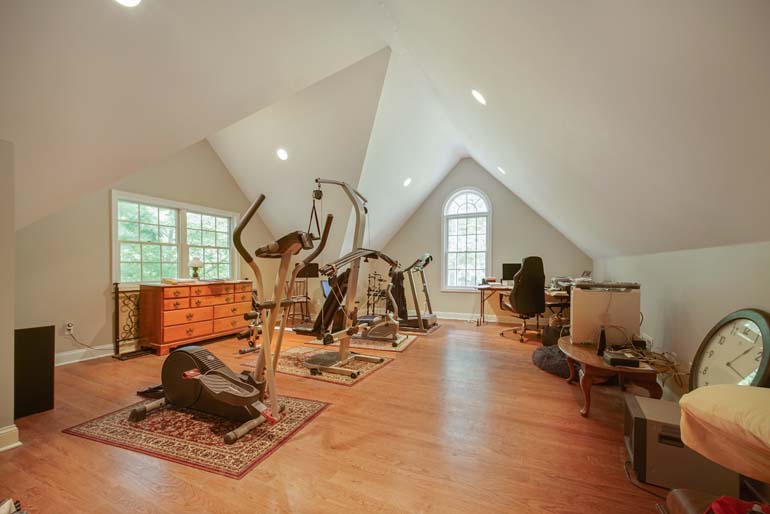
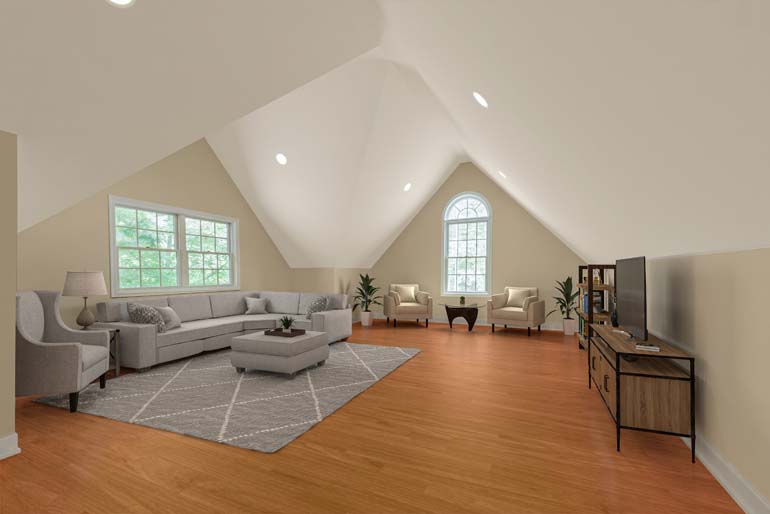
While decluttering and virtual staging often work together, they serve different purposes.
Knowing when to use each technique ensures your edits support the listing strategy instead of overpowering it.
| Use Virtual Decluttering When: | Furniture exists, but it distracts the home’s appearance |
| The home is occupied but messy | The home is vacant |
| The layout is already clear | Existing furniture are outdated |
| Furniture exists, but it distracts from the home’s appearance | Or, the home is under construction and needs virtual repairs |
| Goal: Overall, the goal is realism and cleanliness. | Goal: The goal with virtual staging is inspiration and lifestyle. It should help potential buyers to imagine themselves living in the space. |
In many cases, the strongest results come from combining both. First, remove distractions. Then, selectively stage to enhance flow and function.
This layered approach creates images that feel polished, intentional, and buyer-focused.
Best Practices for Realistic Virtual Decluttering and Staging🛏️
To ensure your edits remain ethical, effective, and visually compelling, it’s important to follow best practices that protect both your reputation and your clients’ trust:
| Keep It Believable: Avoid removing permanent features like windows, columns, or structural elements. Decluttering should enhance—not alter—the property’s reality. |
| Respect Lighting and Perspective: Added or removed objects must match existing light direction, shadows, and camera angle to feel natural. |
| Match the Market: Luxury staging for entry-level homes—or minimal staging for high-end properties—can feel disconnected. Tailor edits to the target buyer. |
| Stay Consistent Across the Gallery: A mix of staged and unstaged rooms can feel jarring. Consistency helps the listing feel cohesive and professional. |
When these principles are followed, virtual decluttering and staging become powerful storytelling tools rather than obvious digital tricks.
Final Thoughts
Virtual decluttering and staging are no longer optional extras in real estate photo editing—they’re essential tools for standing out in a competitive market.
By removing distractions and enhancing interiors digitally, photographers help listings tell clearer, more compelling stories that buyers respond to.
When paired with a reliable editing partner like PhotoUp, you can offer these high-impact services efficiently, affordably, and at scale—giving both you and your clients a clear edge in today’s visual-first real estate landscape.
Let’s show you how next.
Quick & Easy
AI Virtual Staging
Interiors. Landscapes. Commercial. Virtually transform any space.
Declutter and Stage Your Images Without Breaking the Bank💸
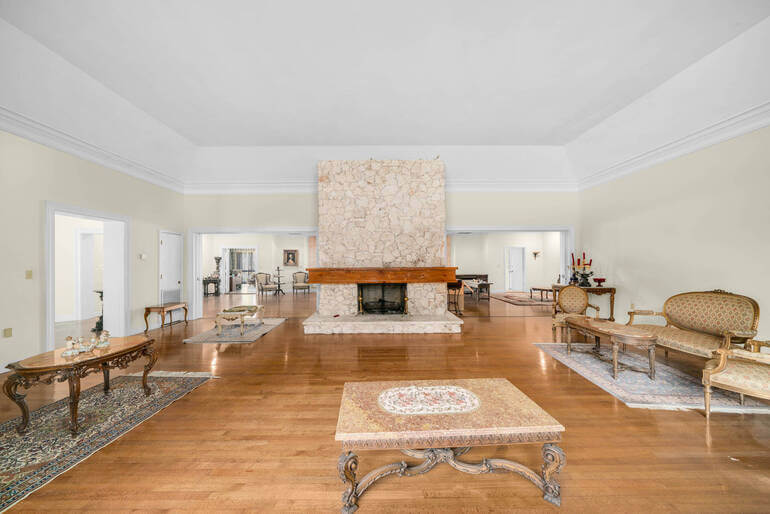
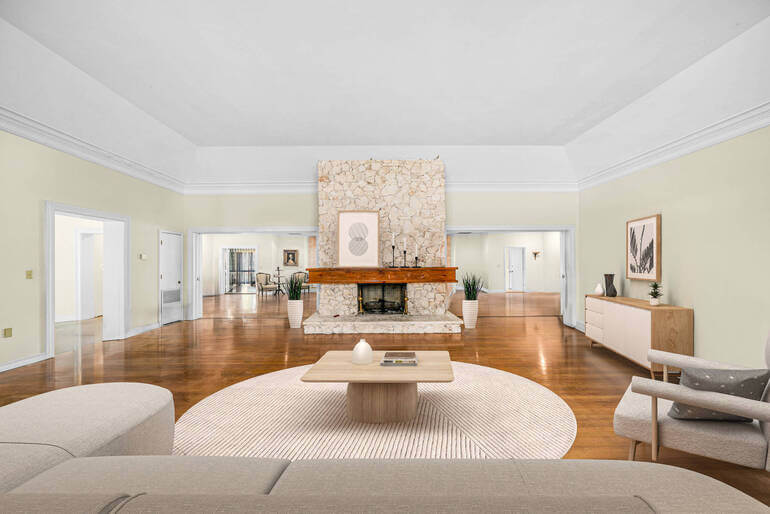
Virtual decluttering and staging require time, skill, and consistency—especially at scale. That’s where PhotoUp comes in.
We provide professional real estate photo editing services that include precise object removal, realistic AI virtual staging, and style-matched enhancements designed specifically for real estate marketing.
Instead of spending hours in Lightroom and Photoshop or hiring expensive in-house editors, you can outsource your editing and focus your time where it matters – shooting more properties.
Browse Top Dedicated
Real Estate Photo Editors
Ready-to-hire editors for real estate photo editing, and more.
Why PhotoUp?
Here are some benefits of using PhotoUp’s editing service to help you create stunning images:
| High-Quality, Realistic Editing: Professional-level enhancements that create seamless and natural-looking real estate photos. |
| Fast Turnaround Time: Receive beautifully edited images in as little as 12-24 hours, ensuring quick updates to listings. |
| Affordable Pricing: Get premium editing services at budget-friendly rates, starting at $1.50 per image (for on-demand editing), making it an excellent investment for real estate professionals. |
| User-Friendly Platform: Easily upload, manage, and receive edited photos through PhotoUp’s intuitive online system. |
| Customizable Edits: Request specific adjustments, such as sky styles, light intensities, and color grading, to match your vision. |
And there’s more…
More Than Photo Editing and Virtual Staging
PhotoUp offers so much more than just real estate photo editing and virtual staging! We are a complete real estate marketing partner and also offer powerful marketing tools such as:
With fast turnaround times of 12-24 hours and only minutes for AI virtual staging, PhotoUp helps you deliver clean, staged, listing-ready images without sacrificing quality—or your profit margins.
Sign up for a free PhotoUp account today, and we’ll help you virtually declutter and stage your real estate photos without breaking the bank!
Plus, for a limited time, we even offer 10 free credits when signing up for an account that you can use for any of our services.
We hope this guide helped you learn how to virtually declutter and stage interior images in real estate photo editing. Before you go, you may also want to check out the following resources:
- How to Use Virtual Landscaping to Upgrade Your Backyard
- How to Create Stunning Twilight Photos Without an Evening Shoot
- Eco-Friendly Real-Estate Photo Editing: Green Aesthetics to Boost Sales
- 10 Real Estate Photo Editing Tips for Outdoor Amenities
- How to Build & Manage Your Offshore Editing Workflow for 24-Hour Turnaround