Table of Contents
- Why Do Kitchen Photos Matter So Much in a Listing?
- What Can AI Photo Editing Real Estate Fix in Kitchen Photos?
- Where Does AI Photo Editing Still Fall Short in Kitchens?
- How Do You Combine AI Photo Editing and Human Editing in a Real Estate Workflow?
- Get Market-Ready Kitchen Photos With PhotoUp
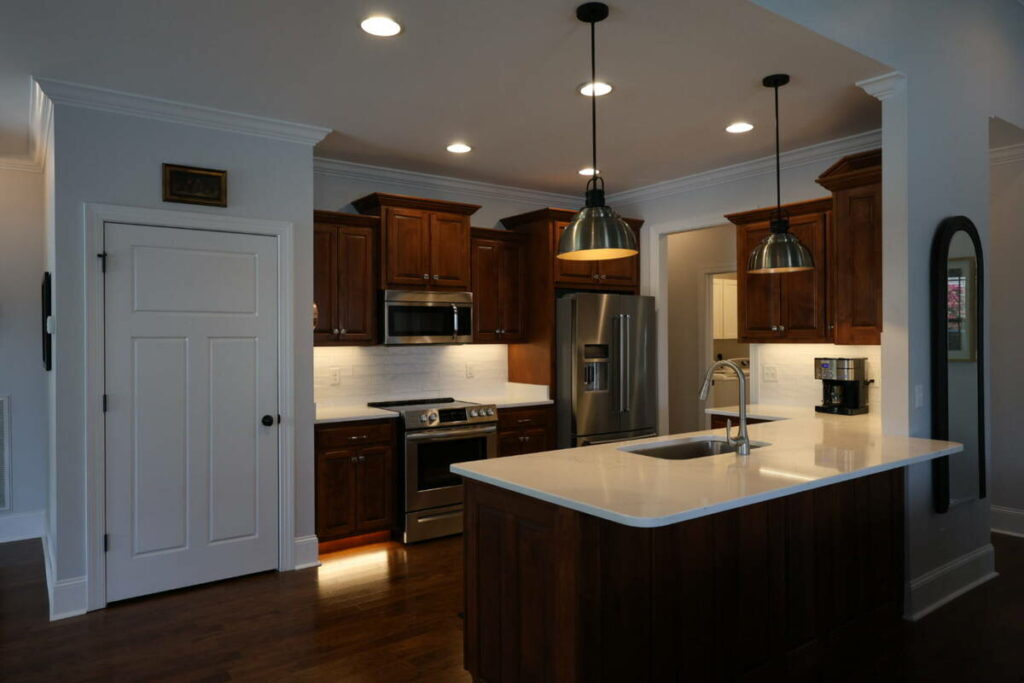
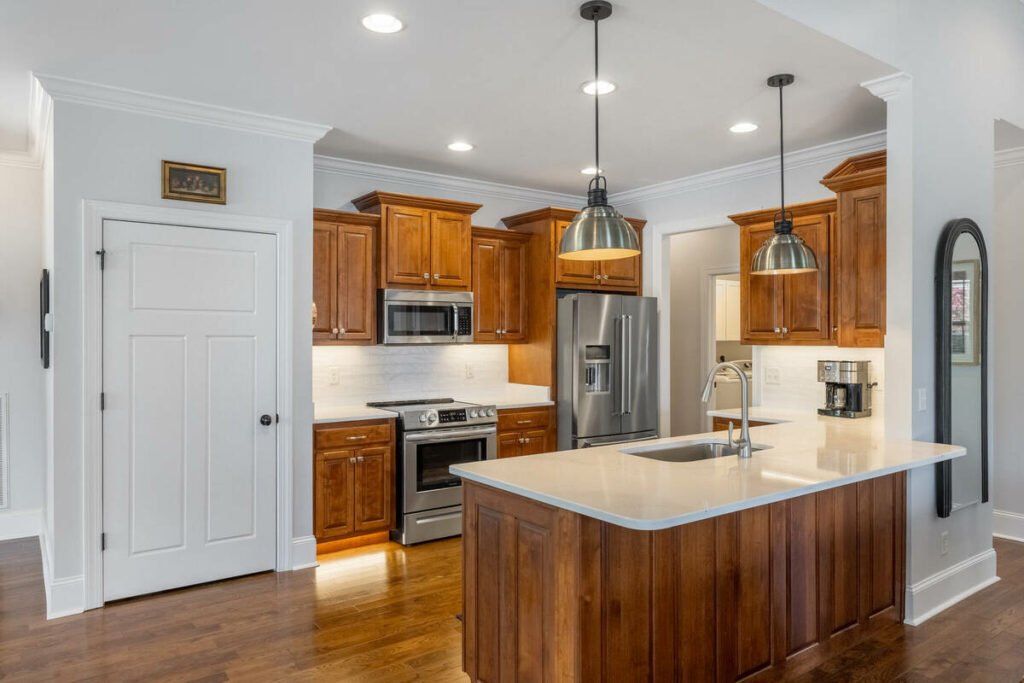
Kitchens are the hardest room in a listing to photograph well. Warm under-cabinet lighting fights the daylight coming through the windows, stainless steel appliances catch every reflection in the room, and one bad white balance decision turns the whole set orange.
They’re also the room buyers study the longest, which means the editing has to hold up under a closer look than any other shot in the set.
AI photo editing real estate has gotten good at solving several of these problems automatically. It hasn’t solved all of them. This article walks through what AI handles well in kitchen photos, where it still falls short, and how photographers are combining AI with human editing to deliver consistent, market-ready kitchen images without spending their evenings in Lightroom.
Why Do Kitchen Photos Matter So Much in a Listing?
Buyers weigh kitchens more heavily than any other room. In a survey reported by the National Association of Realtors, 55% of consumers said a good kitchen could convince them to buy a home they otherwise wouldn’t.1 Roughly the same share said an ugly kitchen would make them pass entirely.
The kitchen also carries measurable pricing power. Zillow’s analysis of listing features found that homes highlighting premium kitchen details, like soapstone countertops, sold for as much as 3.5% more, roughly $12,500 on a typical U.S. home.2
For photographers, this cuts both ways. A kitchen photo that looks bright, accurate, and natural helps the agent win the click. A kitchen photo with muddy color or blown-out windows undercuts the most valuable room in the house.
Now that the stakes are clear, let’s look at what AI can actually do about them.
What Can AI Photo Editing Real Estate Fix in Kitchen Photos?
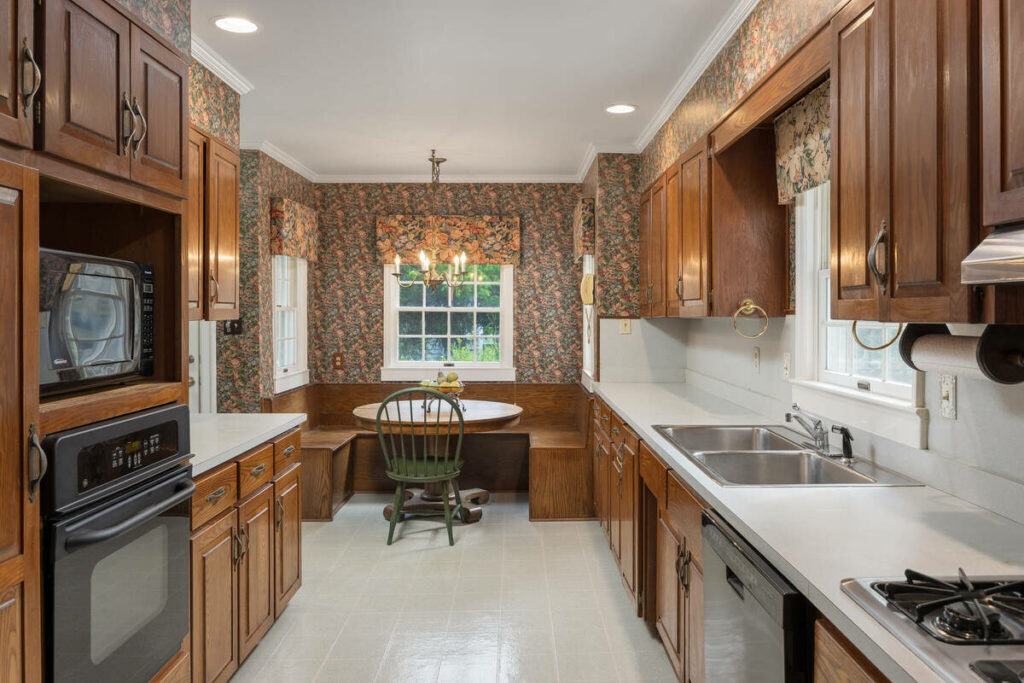
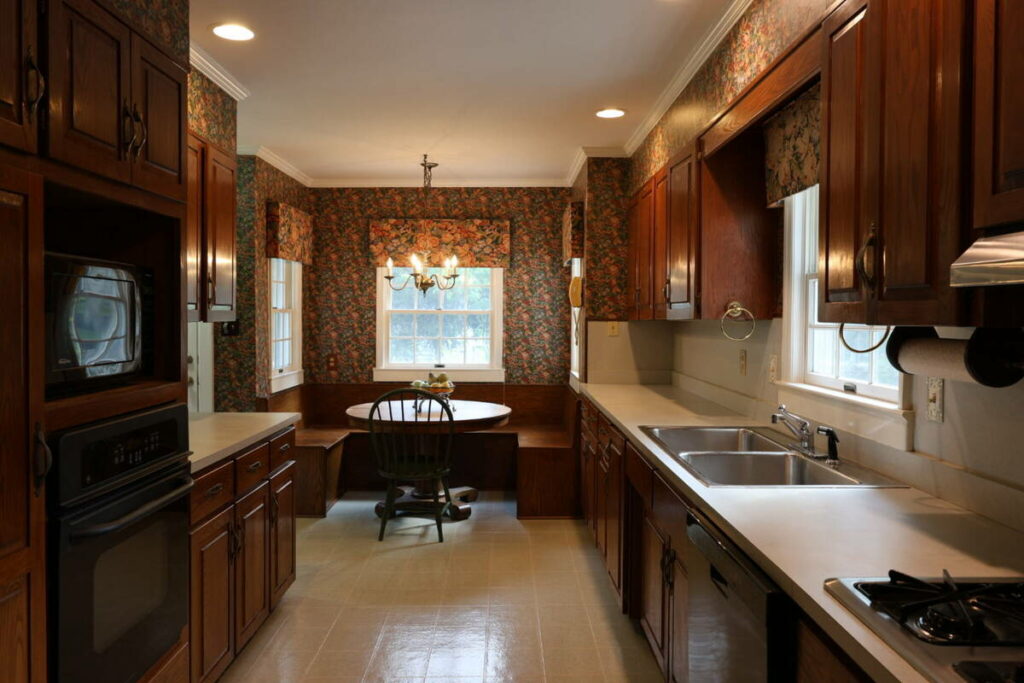
Kitchens concentrate almost every technical problem in interior photography into one room. That’s exactly why AI tools have focused on them. Here’s where AI photo editing real estate performs well:
- Exposure balancing: AI blends bracketed exposures reliably on standard kitchen shots, recovering window views without darkening cabinet faces
- White balance correction: Trained on millions of interiors, AI neutralizes the orange cast from warm under-cabinet and pendant lighting on typical daytime shots
- Color consistency: AI applies the same correction logic across 30 to 80 images from a shoot, so the kitchen matches the living room and the listing feels cohesive
- Perspective correction: Vertical lines on cabinetry and door frames get straightened automatically, which matters in a room full of hard edges
- Basic object removal: Small counter clutter, cords, and minor distractions come out cleanly in most cases
For a photographer shooting three or four listings a week, that adds up to hours back every week. The foundational corrections that used to eat an evening now run in minutes, and the per-image cost is a fraction of manual editing rates.
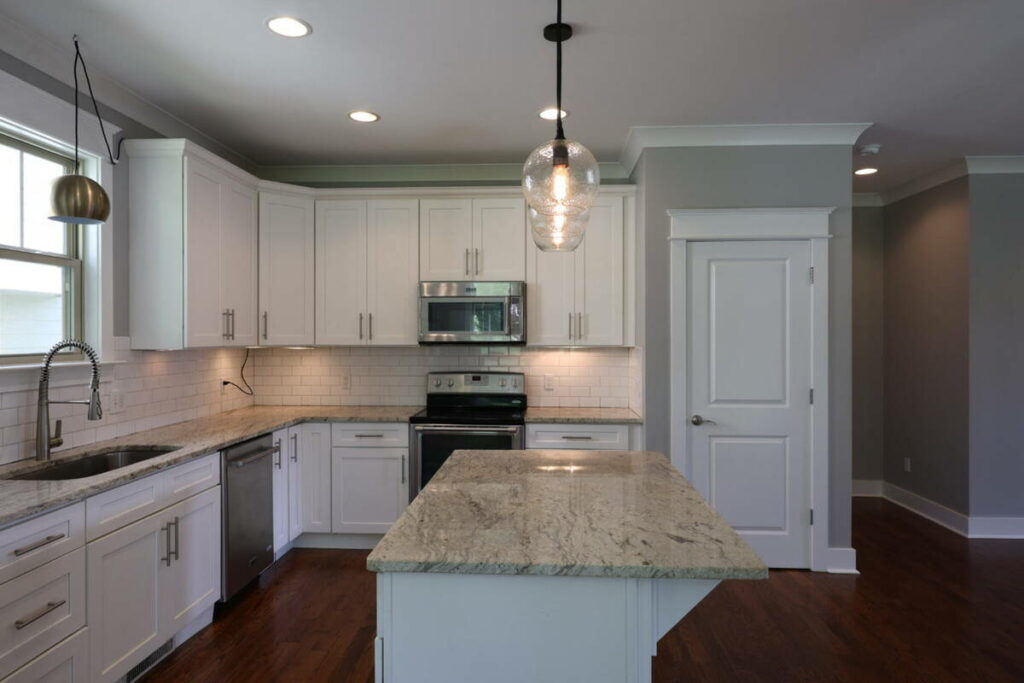
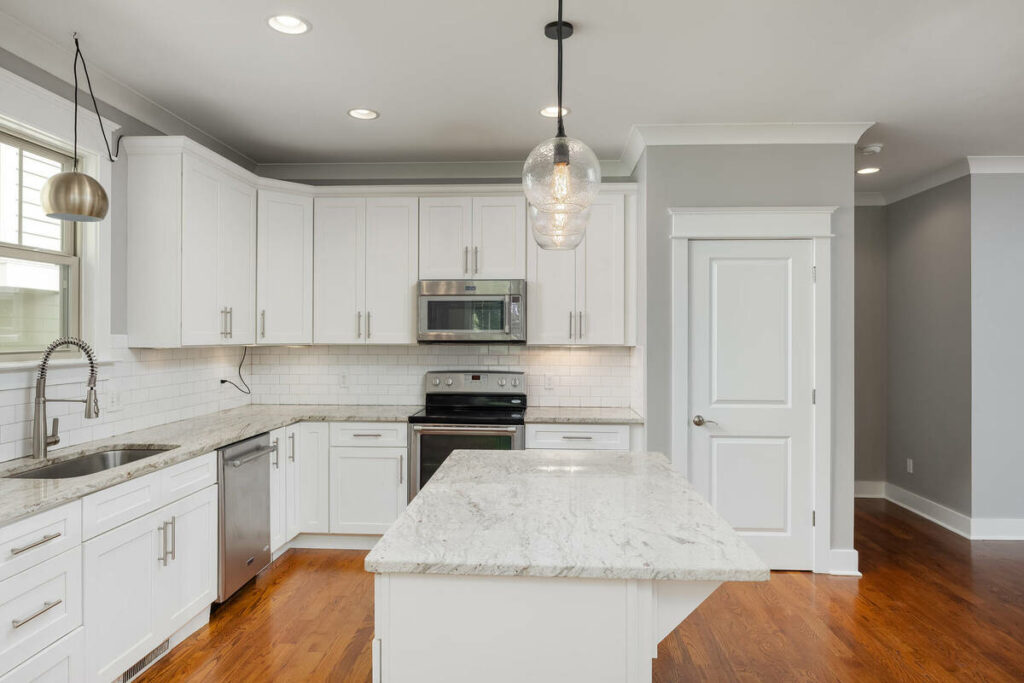
The catch is that “standard daytime kitchen” is doing a lot of work in that list. Let’s look at what happens when the shot isn’t standard.
Where Does AI Photo Editing Still Fall Short in Kitchens?
Kitchens punish automation more than any other room, because so many surfaces reflect, and so many light sources mix. These are the cases where AI output still needs a professional editor’s judgment:
- Reflective surfaces: Stainless steel, glossy tile, and polished stone pick up color casts and tripod reflections that AI either misses or smears
- Mixed-light interiors: A kitchen lit by daylight, warm LEDs, and a range hood bulb needs local adjustments, and AI applies global ones
- Window pulls with detail: Preserving a natural-looking view through the window while keeping interior exposure accurate still trips up automated blending
- Luxury listings: High-end kitchens are where subtlety is the standard, and clients notice a waxy countertop or an over-brightened backsplash immediately
- Client-specific standards: AI can’t learn that one of your agents wants warmer tones and another wants everything cool and editorial
AI + Human Review
Fast Edits. Trusted Results.
AI handles the workload. Humans handle the quality check.

The pattern across all five is the same: AI struggles wherever the correct edit depends on context rather than a rule. A human editor knows the backsplash is supposed to be slightly blue-gray. The model just sees a color cast to neutralize.
That doesn’t argue for skipping AI. It argues for putting a review step behind it.
How Do You Combine AI Photo Editing and Human Editing in a Real Estate Workflow?
The hybrid model is simple: AI handles the 80%, the foundational corrections that are consistent across listings, and a human editor catches the 20% that requires judgment, context, or a client-specific standard.
Browse Top Dedicated
Real Estate Photo Editors
Ready-to-hire editors for real estate photo editing, and more.
In practice, a hybrid kitchen workflow looks like this:
- Shoot brackets as usual. Nothing about capture changes.
- Run AI first. Exposure blending, white balance, lens correction, and batch color consistency happen automatically.
- Route every image through human review. An editor checks reflections, window detail, and color accuracy against the client’s standard.
- Refine the exceptions. The handful of frames with mixed lighting or reflective surfaces get manual local adjustments.
- Deliver one consistent set. The agent never sees which images were AI-only and which were refined by hand.
The review gate is the part that protects your reputation. The real risk with AI isn’t speed or cost. It’s the image that ships looking almost right, and lands in an MLS listing before anyone catches it.
Photographers who use AI photo editing real estate workflows get AI’s speed and cost savings for most of their images while relying on human quality control before every photo reaches a client. That’s the practical approach for kitchen photos today, and it’s exactly how PhotoUp structures its editing service.
Get Market-Ready Kitchen Photos With PhotoUp
PhotoUp combines AI-powered editing tools with professional human editors, so every kitchen photo gets the speed of automation and the judgment of an experienced editor. Alongside editing, PhotoUp offers a full real estate marketing toolkit:
- Real estate photo editing with dedicated editors who learn your style
- AI virtual staging for empty or dated kitchens and living spaces
- Single property websites to market each listing
- Virtual house tours with instant 360° delivery
- Photographer websites to market your own business
AI + Human Review
Fast Edits. Trusted Results.
AI handles the workload. Humans handle the quality check.
Why Choose PhotoUp?
Every image is reviewed by a professional editor before delivery, so AI speed never comes at the cost of accuracy. Dedicated editors learn your preferences and your clients’ standards, which keeps color and style consistent across every shoot. And with an editing turnaround in as little as 12 hours, you can deliver on next-morning MLS deadlines without editing overnight yourself.
How to Get Started
- Sign up for a free PhotoUp account
- Upload a set of kitchen and interior photos from a recent shoot
- Add instructions about your style and your client’s preferences
- Review the delivered edits and request any revisions
- Download your market-ready images and send them to your agent
Try a free test order. Upload one listing, get edits back in as little as 12 hours, and compare AI and human editing side by side on your own shoot.
Related Articles:
- How to Shoot the Flambient Method for Real Estate Photography
- How to Undo in Photoshop – Real Estate Photo Editing
- How to Replace the Sky Using Adobe Lightroom
- How Photo Editing Outsourcing Fits Modern Workflows
- How HDR Photo Editing Fixes Dark Interiors Without Losing Window Views
References: