Table of Contents
- What Product Photo Editing Looks Like Now
- What AI Handles Well in a Product Photo Shoot
- What This Looks Like on an Actual Catalog Shoot
- How to Evaluate Product Photo Editing Services That Use AI
- Get Started With This AI-Assisted Editing Process
A catalog shoot for 200 SKUs used to mean 200 images edited one at a time: background swapped to pure white, color checked against the actual product, cropped to whatever spec the marketplace demands. AI now handles a good chunk of that in a single batch pass.
It doesn’t handle all of it.
Here’s what product photo editing with AI actually speeds up, where a hybrid process still needs a person, and what that means for a catalog shoot running at real volume.
What Product Photo Editing Looks Like Now
Product photo editing used to be almost entirely manual: background removal by hand, color matched frame by frame, and consistency held together by one editor working through the same catalog for hours. AI has changed the speed of that first part without changing why the process exists in the first place.

According to VSCO’s Photographers and AI Industry Research Report, fewer than 5% of surveyed photographers feel threatened by AI, while 49% report positive feelings toward using it.1 While the survey isn’t specific to product photography, it points to a broader shift: AI is becoming a normal part of photographers’ workflows rather than a threat.
That shift means the real question for a product photo editing setup isn’t whether to use AI. It’s which parts of the process it should actually run, and which parts still need someone checking the output before a listing goes live.
What AI Handles Well in a Product Photo Shoot
Background removal and replacement is the clearest win. Isolating a product from its background and dropping in pure white, a lifestyle scene, or a marketplace-required backdrop is fast, consistent, and something AI does reliably across hundreds of images in one pass.

Batch color and exposure consistency matters more at catalog scale than almost anywhere else. Getting the same white balance and exposure across 200 images shot in the same session, so a product looks the same on page one of a listing as it does on page four, is one of the clearest time savings in product photo editing today.
Straightening, cropping to a specific marketplace’s aspect ratio, and resizing for different platforms round out what AI handles without much oversight. Amazon, Shopify, and Etsy each have their own image specs, and applying those specs across a full catalog in one batch is exactly the kind of repetitive task AI is built for.

None of this is in question. It’s the parts of a listing that depend on getting a specific material or color exactly right where AI needs a second look.
Picture a 300-item apparel catalog shot over a weekend. Without AI handling background swaps and color matching first, an editor could still be working on Friday’s shots by Monday’s launch. That’s hours returned to the schedule, not a marketing claim.
Where AI Still Falls Short
Reflective and glass surfaces are the clearest gap. Jewelry, glassware, and anything with a mirror-like finish tend to pick up color casts or odd reflections from an automated background swap that a person catches on sight and a batch process doesn’t.
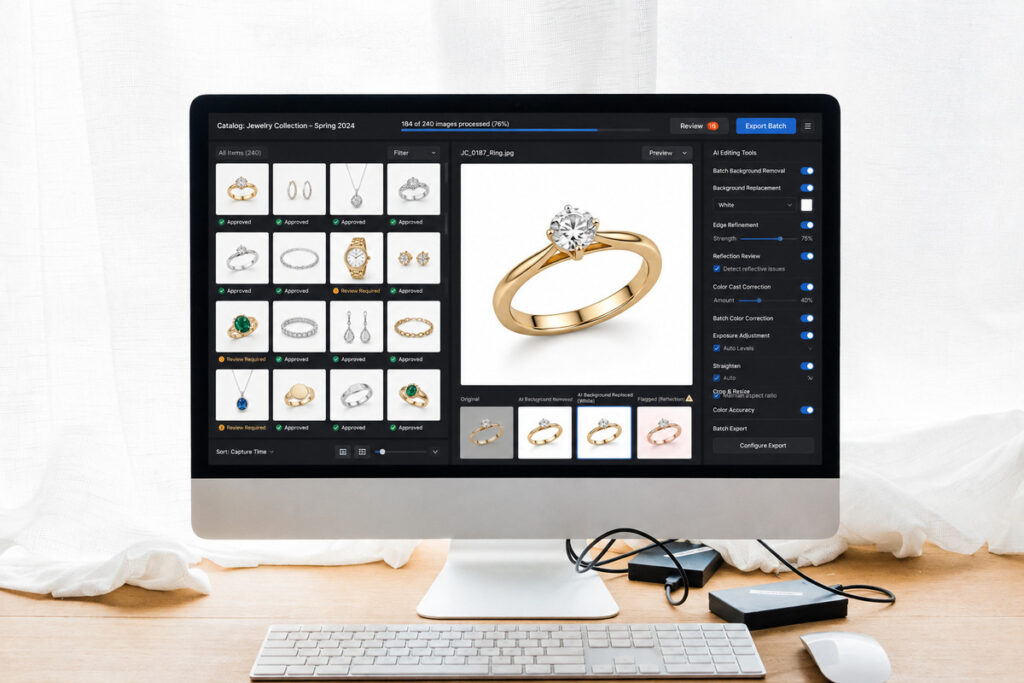
Fabric texture and true color accuracy cause a similar problem. A shirt that’s actually navy can render slightly blue-gray after an automated color pass, and that mismatch is the kind of thing that generates a return once a customer sees the product in person.
Matching one brand’s exact style across hundreds of SKUs is a judgment call, not a setting. A brand with a specific shadow style, a particular crop ratio, or a signature background tone needs someone checking that the automated pass actually held that style consistently, not just that each individual image looks fine on its own.
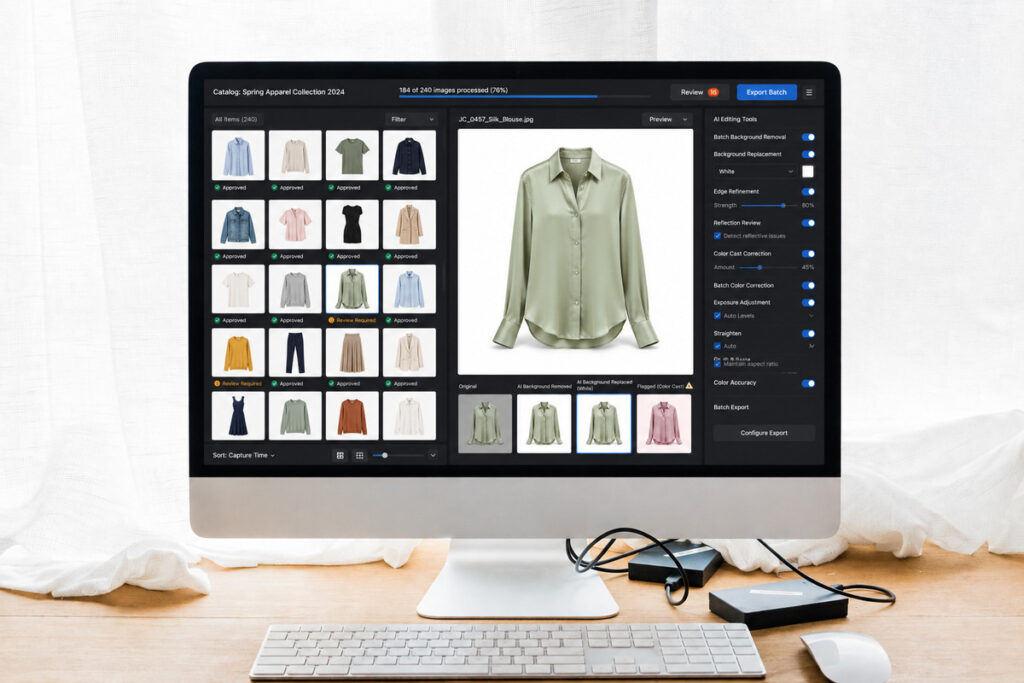
Consider 150 pieces of clothing in different fabrics, colors, and finishes. Batch color correction can flatten subtle differences in tone and texture, making distinct garments look more uniform than they really are. The AI isn’t failing; consistency simply isn’t always the goal. A person who understands the products needs to make that call.
These aren’t rare edge cases either. A typical apparel or home goods catalog usually has some mix of fabric, glass, and metallic finishes in the same shoot, which means most catalogs run into at least one of these categories somewhere in the batch, not as an occasional exception.
Focus on Photography
We'll Handle the Rest
Save time with a dedicated PhotoUp Coordinator.

What This Looks Like on an Actual Catalog Shoot
Take a 200-SKU home goods catalog: ceramics, glassware, and textiles all shot in the same session for a spring launch. Under an AI-only process, every image gets the same kind of automated background swap and color correction, tuned for whatever the tool considers a standard product shot.
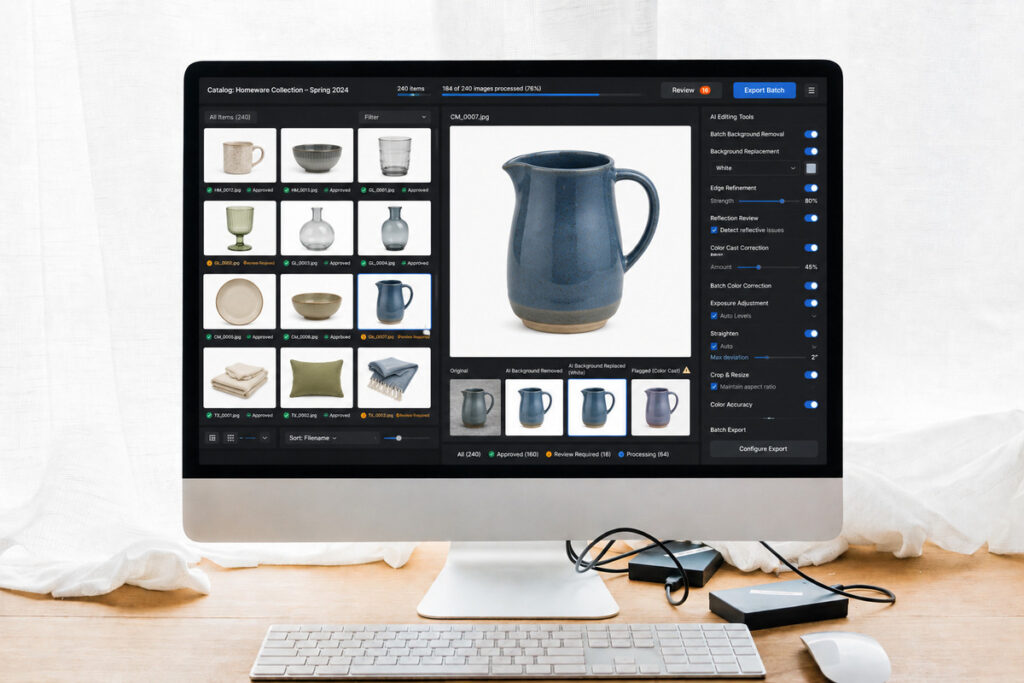
The ceramics and most of the textiles usually come back looking right. The glassware is where it tends to fall apart, since reflective surfaces are the one category automated corrections are least reliable on, and a client’s brand-specific shadow style rarely survives a fully automated pass untouched.
A hybrid process runs the same AI pass across the full 200 SKUs, then routes the glassware and any flagged brand-style mismatches through a review step before the catalog ships. The buyer never sees the difference in process. They see a catalog that looks consistent from the first ceramic mug to the last glass vase.
Batch Editing at Catalog Scale
| Factor | Fully Manual | AI-Only | Hybrid (AI + Human Review) |
|---|---|---|---|
| Turnaround on 200 SKUs | Slow, often a full week | Fast, same-day possible | Fast, with review added |
| Background consistency | Depends on the editor | High on standard shots | High across all categories |
| Reflective and glass surfaces | Handled case by case | Often needs a redo | Flagged and corrected |
| Brand-specific style match | Strong, but slow | Inconsistent at scale | Checked before delivery |
| Cost | Highest | Lowest | Mid-range |
The gap between AI-only and hybrid editing is smaller on a standard catalog shot than it is on anything reflective, textured, or tied to a specific brand style. Most product catalogs have at least some SKUs that fall into one of those categories, which is why the hybrid column tends to be where actual results land.
How to Evaluate Product Photo Editing Services That Use AI
A few questions separate a service actually built around AI and human review from one that’s just running a batch tool and calling it done:
| Is there a human review step, and specifically which categories of product get flagged for it? |
| How is brand-specific style handled, like a signature shadow, crop ratio, or background tone? |
| What’s the turnaround at full catalog volume, not just on a sample batch of twenty SKUs? |
| What happens with reflective, glass, or textured products that need more than a standard background swap? |
A service that answers all four with specifics, rather than a general assurance that “AI handles it,” is more likely to have an actual process behind the pitch.
How PhotoUp Approaches This With AI and Human Oversight
PhotoUp uses the same model for product photo editing. A Coordinator manages AI for background removal, batch color, and cropping, then reviews areas that need human judgment, including reflective surfaces, color accuracy, and brand consistency across the catalog.
Browse Top Dedicated
Real Estate Photo Editors
Ready-to-hire editors for real estate photo editing, and more.
This isn’t AI replacing a product photo editor. It’s AI doing the repeatable volume work reliably, with a person checking the specific places a catalog shoot can’t afford a mistake, especially on a return-generating color error that’s easy to miss at a glance.
Get Started With This AI-Assisted Editing Process
A PhotoUp Coordinator sets up and runs this process for you:
- Implements AI editing for background removal, batch color, and marketplace-spec cropping at full catalog volume
- Runs a human review step on reflective surfaces, fabric color accuracy, and brand style consistency
- Keeps a brand’s specific style consistent across every SKU in a catalog
- Manages turnaround so a full shoot doesn’t wait on a single editor working through it frame by frame
Focus on Photography
We'll Handle the Rest
Save time with a dedicated PhotoUp Coordinator.
Why work with PhotoUp: a dedicated Coordinator who implements and QAs the process, not a black-box batch tool you’re trusting to get glass, fabric, and brand style right on its own, backed by professional photo editing experience since 2011.
How to get started:
- Talk to a PhotoUp Coordinator about your current catalog size and typical product categories
- Get a walkthrough of how the AI pass and human review step would work together for your brand style
- Run one catalog shoot through the process before committing to a full season
Get an AI workflow review from a PhotoUp Coordinator.
Related Articles:
- What Can a Photography Coordinator Take Off Your Plate?
- Photography Virtual Assistant: More Than Just Photo Editing
- What Professional Photo Editing Looks Like in the Age of AI
- Why Photographers Need a Production Coordinator for AI Photo Editing Workflows
- When Should Photographers Outsource Photo Editing?
References: