Table of Contents
- Why Photography Virtual Assistant Gets Reduced to Photo Editing
- What a Photography Virtual Assistant Actually Covers
- The Cost of Scoping a Photography Virtual Assistant for Editing Only
- How to Scope a Photography Virtual Assistant Beyond Editing
- Where a Generalist Photography VA Still Hits a Ceiling
- From Photo Editing Help to Owning the Workflow: The Coordinator Distinction
- Find the Right Support for Your Photography Business
A photographer hires a virtual assistant to clear an editing backlog. A month later, the backlog is gone, but three bookings almost double-booked last week, two agents are still waiting on a reply, and the Instagram grid hasn’t moved since spring. The editing got faster. Nothing else did.
That’s the gap this article is about.
A photography virtual assistant can do a lot more than sit in Lightroom. Here’s what the role actually covers, why photography VA so often gets narrowed down to editing help in the first place, and how to scope the hire so it fixes more than one problem.
Why Photography Virtual Assistant Gets Reduced to Photo Editing
Search “photography virtual assistant” and most of what comes back leans on editing. Photo editing VA services, retouching specialists, and culling assistants dominate the results, often listed as the headline offering with admin work mentioned as an afterthought. For a term meant to describe a broad support role, editing has quietly become the default association.

Part of that comes from how photography businesses actually spend their time. Editing is visible, billable, and easy to describe in a job posting, so it’s the task that gets outsourced first and marketed hardest. Booking a session, following up with a cold lead, or updating a CRM record doesn’t photograph as well as a before-and-after edit, so it doesn’t show up in the marketing.
Photography-specific VA listings reinforce the same idea. Search for help in this space and editing sits at the top of the service list, with booking, CRM work, and marketing tucked further down the page as add-ons rather than the main offer. A photographer scanning those listings has no reason to expect anything different.

But the data on how virtual assistants are actually used tells a different story. Across Wishup’s 2026 Virtual Assistant Industry Report, administrative and marketing work together account for more than 62% of everything VAs handle for the businesses that hire them, based on internal task-distribution data from US business owners.1
Editing is only a small part of what virtual assistants typically handle, but in photography it has become the defining service. That perception overlooks the broader role, so let’s look at what a photography virtual assistant can actually do when scoped correctly.
What a Photography Virtual Assistant Actually Covers
A well-scoped photography virtual assistant works across four areas. Most photographers only delegate one or two of them at first, usually editing and scheduling, and leave the rest sitting in their own inbox.
Photo Editing Support (the Entry Point)
This is where most photographers start, and for good reason. It’s the easiest task to hand off with clear standards.
- Culling: narrowing a shoot to the selects based on your composition and coverage criteria
- Basic retouching and color correction: consistent, repeatable edits following a documented style
- File organization: exports in the right formats, folder structures that don’t require you to think
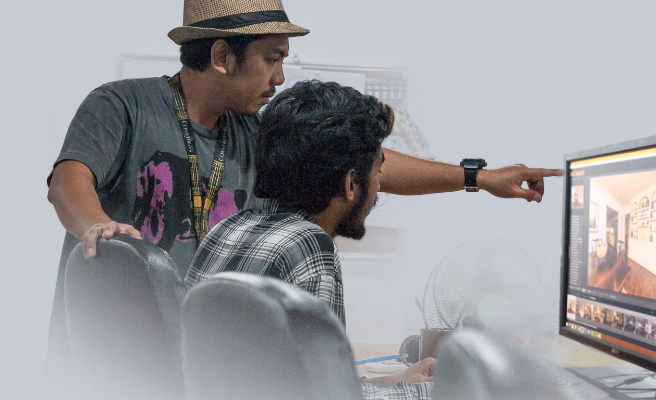
Editing support is valuable. It’s also the smallest piece of what a photography virtual assistant can own.
Operational Tasks
This is the part of the business that runs whether or not a camera is involved, and it’s where most of the hidden hours live.
- Scheduling and booking: appointments, confirmations, reminders, and the reschedule shuffle when weather or sellers get in the way
- Order tracking: monitoring jobs from booking to delivery and flagging turnaround issues before a client notices
- Invoicing: sending invoices, tracking payments, and following up on the ones that go quiet
- Gallery delivery: assembling galleries, writing delivery emails, confirming receipt

Client Communication
Photographers tend to hold onto this bucket the longest, which is understandable and often the wrong call for the tasks that don’t require judgment.
- Inquiry response: answering initial questions fast enough that a lead doesn’t book with someone else
- Status updates: keeping clients informed on delivery timing without them having to ask
- Revision handling: logging requests, routing them to the right person, confirming they’re resolved

Growth Tasks
This bucket gets dropped first in the busy season, which is exactly when next season’s pipeline is being built or ignored.
- Social media: scheduling posts and keeping recent work visible during heavy shooting weeks
- CRM upkeep: logging leads and keeping client records current instead of scattered across email threads
- Lead follow-up: nudging prospects who went quiet before they forget who you are
- Review requests: asking happy clients for reviews while the shoot is still fresh in their mind

A photography virtual assistant who only handles editing is covering just one part of the role. The biggest time savings often come from handing off operational, client communication, and growth tasks that keep the business running between shoots.
Most photographers start by outsourcing editing, then gradually delegate scheduling, booking coordination, and other operational work as their calendars fill up. Once trust is established, client communication and growth tasks like social media, CRM updates, and lead follow-ups are added, creating more time to serve existing clients while attracting new ones.
Focus on Photography
We'll Handle the Rest
Save time with a dedicated PhotoUp Coordinator.

The Cost of Scoping a Photography Virtual Assistant for Editing Only
The math is easy to overlook. Administrative and marketing work accounts for more than 62% of typical virtual assistant workloads. So when a photographer hires a photography virtual assistant for editing alone, they’re solving only part of the workload that fills their week. Dedicated editing support is valuable, but it isn’t the entire operational picture.
PhotoUp built its reputation on dedicated photo editing, and faster, more consistent turnaround helps photographers deliver galleries sooner and take on more shoots. But editing addresses the production bottleneck, not the business bottleneck.

Bookings still need confirming, agents still expect updates, leads need timely follow-ups, and marketing often gets pushed aside during busy seasons. A solo photographer handling 15 to 20 listings a week may cut editing turnaround from three days to one, yet still spend evenings answering calls, coordinating schedules, and catching up on administrative work.
That’s why many growing studios outsource more than editing alone. Alongside dedicated editing, they also delegate the operational and growth tasks that keep the business moving. Editing removes one major bottleneck, but sustainable growth comes from reducing the workload across the entire business, not just post-production.
How to Scope a Photography Virtual Assistant Beyond Editing
Don’t start by writing a job post. Start by tracking where your hours actually go.
| Audit one full week | Write down everything that isn’t shooting or editing: every email, every invoice, every social post, every reschedule. Most photographers find 10 to 15 hours they’d mentally filed under “just part of the job.” |
| Separate the editing hand-off from the business operations | If you already outsource editing, don’t assume that hire also covers bookings or client follow-up. Those are different skill sets and often different people. |
| Rank tasks by three questions | Is it repeatable? Can you document it? Does it require your judgment? Booking confirmations and gallery delivery usually clear all three immediately. Complex client conversations should stay with you longer. |
| Document before you delegate | A written process, even a rough one, is what makes a task transferable. Without it, you’re not delegating the task, you’re delegating the guesswork. |
| Decide which bucket to hand off first | Operational tasks tend to have the clearest immediate payoff. Growth tasks compound over months, which makes them easy to deprioritize and expensive to skip. |
Do this audit whether or not you ever hire anyone. It’s the fastest way to see exactly where a business is losing time, and to what.
Where a Generalist Photography VA Still Hits a Ceiling
A photography virtual assistant who covers all four buckets is a meaningful upgrade over one scoped to editing alone. It still has limits.
Attention is split. Many freelance VAs work with several clients at once, so your Tuesday deadline is competing with someone else’s.

Ownership stops at the task list. A VA executes what you assign. Nobody is watching the full booking-to-delivery pipeline and catching the problem you didn’t think to write down.
Context has to be rebuilt from scratch, too. A general VA doesn’t automatically know why a real estate gallery needs to go out before the MLS listing does, or what a rush turnaround means on a Friday afternoon. You’re the one who teaches it.
None of this argues against delegating. It argues for matching the support model to how much of the business you actually want handled, which for a growing studio is usually more than task completion.
From Photo Editing Help to Owning the Workflow: The Coordinator Distinction
A Coordinator is trained across a connected set of skills built around one full side of the business, not a rotating batch of assignments.
Browse Top Dedicated
Real Estate Photo Editors
Ready-to-hire editors for real estate photo editing, and more.
The shift from task-based help to a Coordinator usually shows up as a specific moment: a double-booked Saturday, a lead who went cold because nobody followed up for two weeks, or a slow month that traces back to three months of a dark social feed.
That’s the point where task-based support stops being enough, because no single item on a to-do list explains the full pattern. Someone has to own the whole thing.
At PhotoUp, that comes in two forms:
| Production Coordinator | Growth Coordinator | |
|---|---|---|
| Owns | Booking to delivery | Lead to repeat client |
| Scheduling and booking | Appointments, confirmations, rescheduling | — |
| Order management | Job tracking, editing team coordination, turnaround monitoring | — |
| Client communication | Status updates, delivery logistics, revision handling | Inquiry response, lead nurturing, follow-up |
| Marketing and CRM | — | Social media, content scheduling, pipeline management |
| AI workflow management | Runs the AI tools in editing and delivery | Runs the AI tools in marketing and CRM automation |
Editing was the starting point for how most photographers came to know PhotoUp. A Coordinator picks up everything editing sits inside of: the booking that gets the job on the calendar, the communication that keeps the client informed, and the marketing that brings the next client in behind it.
The takeaway: if you need a few hours of task support a week, a photography virtual assistant fits. If you want someone accountable for a whole side of the business while you’re behind the camera, that’s a Coordinator.
Find the Right Support for Your Photography Business
That’s where PhotoUp comes in. PhotoUp has been the editing team behind thousands of real estate photographers, and Coordinators extend that same support to everything editing sits inside of: bookings, communication, delivery, and marketing.
Depending on where your hours are going, you can bring on:
- A Production Coordinator to own scheduling, order management, client logistics, and your editing workflow from booking to delivery
- A Growth Coordinator to own your CRM, marketing, social presence, and lead follow-up
- Both together as an operations and growth team, so you can focus on the work only you can do
Focus on Photography
We'll Handle the Rest
Save time with a dedicated PhotoUp Coordinator.
PhotoUp gives you dedicated support built specifically for real estate photography. Your Coordinator works as an extension of your business, understands agent communication and delivery workflows from day one, and is trained to use the latest AI tools to streamline editing, marketing, and daily operations.
How to Get Started
- Tell us where your hours are going and where the work is slipping
- We’ll recommend a Production Coordinator, Growth Coordinator, or both
- Your Coordinator onboards into your workflow and starts taking work off your plate
Discover which Coordinator fits your studio and put your hours back behind the camera.
Related Articles:
- Dedicated Real Estate Photo Editor for Consistent, High-Quality Edits
- When Should a Real Estate Photographer Hire a Virtual Assistant?
- Virtual Assistant vs. Employee for Photographers: Which Is Better?
- Why Real Estate Photography Businesses Need a Virtual Assistant
- What Does a Virtual Assistant for Photographers Do?
References: