Table of Contents
- What Does Editing a Wedding Gallery Actually Involve?
- Essential Techniques for a Polished Wedding Gallery
- Streamlining Wedding Post-Production, Not Just Editing
- How Production Coordinators Keep Wedding Workflows Moving
- How Growth Coordinators Help Wedding Studios Book More Clients
- When to Consider Outsourcing Editing (or More of the Workflow)
- Build a Wedding Photography Business
A full wedding shoot produces thousands of raw files that need to become one consistent, polished gallery before it reaches the couple. That transformation is wedding photo editing, and it covers more ground than the word “editing” suggests.
It’s not one skill. It’s a production process, and how well you run that process shows up in every gallery you deliver.
This piece covers what that process actually involves, the techniques that separate a polished gallery from an inconsistent one, and where the real time sinks sit, plus when it makes sense to hand pieces of the work to someone else.
What Does Editing a Wedding Gallery Actually Involve?
Wedding photo editing transforms thousands of raw images into a polished gallery that tells the story of the day. It includes culling, correcting exposure and white balance across different lighting conditions, matching skin tones, removing distractions, and applying a consistent editing style across 400 to 800+ final images.
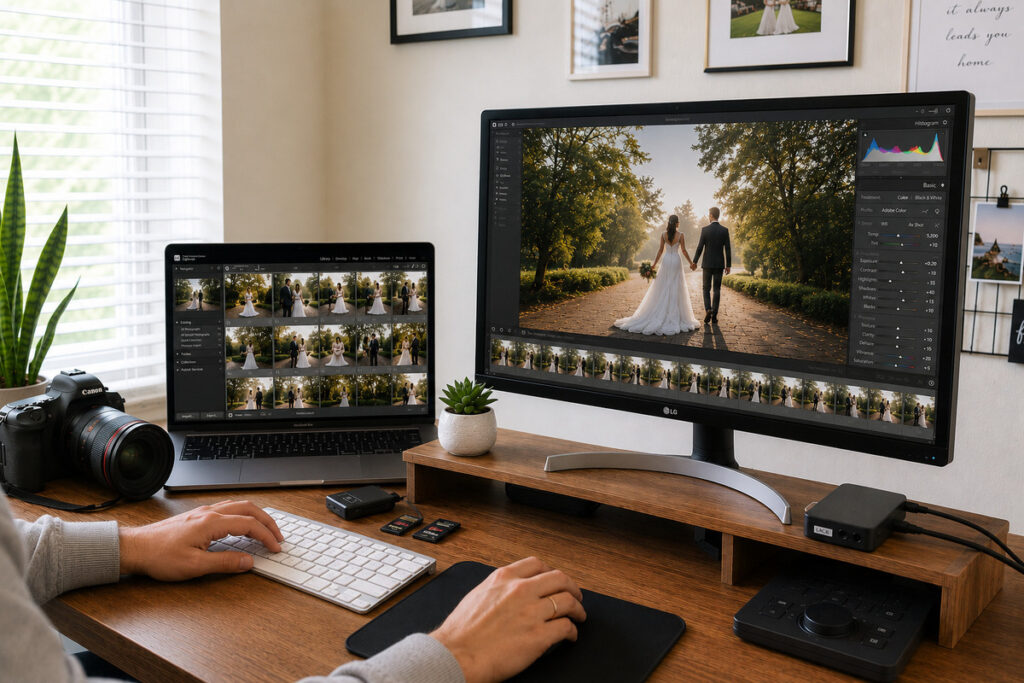
Beyond technical adjustments, editing also involves creative decisions, such as selecting images for black-and-white, balancing natural retouching, and arranging photos into a gallery that flows seamlessly. When done well, couples simply receive a collection that feels true to their wedding day, without seeing the work behind it.
Why Editing Quality Shapes the Client Experience
For most wedding photographers, referrals drive the majority of bookings, and the gallery is often what earns them. Couples recommend photographers because the photos captured their day beautifully, not simply because the experience was pleasant.

Delivery speed matters, too. Getting a finished gallery to clients within two weeks can increase word-of-mouth referrals compared to longer turnaround times. Editing quality and delivery speed go hand in hand, making an efficient post-production workflow essential.
Essential Techniques for a Polished Wedding Gallery
A handful of techniques do most of the work in a polished wedding gallery:
| Exposure and white balance correction | Keeping the gallery consistent across mixed lighting |
| Skin tone consistency | Matching skin tones across different lighting conditions |
| Selective retouching | Retouching blemishes and distractions without over-editing |
| Color grading and preset consistency | Applying a consistent look across the entire gallery |
| Black-and-white selects | Choosing black-and-white edits for the most emotional moments |
| Culling discipline | Culling duplicates, blinks, and unusable shots |
Let’s take a closer look at where these techniques get hardest to apply consistently: volume and time.
What Makes Wedding Editing So Time-Consuming
A typical wedding gallery includes 400 to 800 final images after culling, and manually editing that volume can take 8 to 14 hours. Add another 2 to 4 hours for culling, and post-production quickly becomes one of the most time-intensive parts of the job.

The workload adds up during peak season. A 2024 survey of 423 photographers found that about a quarter spend 10 to 20 hours a week editing, while one in five spend more than 20 hours.1 The same survey reported that tiredness, eye strain, and difficulty concentrating were common, with nearly one in five photographers linking burnout directly to their editing workload.
When multiple weddings are waiting in the queue, those hours can quickly pile up. Three weddings in a month can mean 30 to 40 hours of editing alone, making it harder to keep up with client communication, marketing, and promised delivery dates.
Focus on Photography
We'll Handle the Rest
Save time with a dedicated PhotoUp Coordinator.

Streamlining Wedding Post-Production, Not Just Editing
Editing is the part of the process photographers think about most, but it’s rarely the only bottleneck. A gallery moves through culling, editing, internal quality checks, revision requests, delivery scheduling, and client communication, and a slowdown anywhere in that chain delays the whole thing.
Streamlining wedding photo editing usually means addressing the system around it, not just the editing itself:
| Standardizing presets and workflows for consistent editing |
| Batching similar tasks to improve efficiency |
| Creating a clear process for revision requests |
| Organizing galleries for accurate, timely delivery |
| Keeping clients informed throughout the editing process |
The takeaway: a faster, more consistent gallery isn’t just a better editing technique. It’s a better system, and systems are usually where photographers need the most help, because building one takes time most working photographers don’t have.
How Production Coordinators Keep Wedding Workflows Moving

That’s where a Production Coordinator earns their keep. Rather than handling isolated tasks, a Production Coordinator owns the operational side of a wedding job from booking to delivery:
| Organizing files from upload to final editing |
| Coordinating editing requests and style feedback |
| Managing revision requests from start to finish |
| Tracking delivery timelines across multiple weddings |
| Keeping clients updated throughout production |
| Reviewing galleries for consistency before delivery |
| Keeping production on schedule during peak season |
This isn’t a virtual assistant checking items off a list. It’s someone trained across the full production function, so the role doesn’t need to be renegotiated every time a new type of task comes up.
How Growth Coordinators Help Wedding Studios Book More Clients

Production is half the picture. The other half is making sure the business keeps generating bookings while the photographer is shooting, editing, or simply offline for a weekend. Small business owners already spend a notable share of their week on this kind of work. One survey put it at roughly 16 hours a week on administrative tasks, time that comes directly out of shooting, marketing, or rest.2
A Growth Coordinator takes on the relationship and pipeline side of the business:
| Managing leads and organizing the CRM |
| Following up with prospective couples |
| Building relationships with referral partners |
| Turning referrals into future bookings |
| Managing email marketing and social media |
| Handling contracts, invoicing, and admin tasks |
| Strengthening client relationships after delivery |
Given how much of this business runs on word of mouth, having someone dedicated to nurturing leads and relationships isn’t a nice-to-have. It’s the function that keeps the referral engine running instead of leaving it to chance between weddings.
When to Consider Outsourcing Editing (or More of the Workflow)
Outsourcing editing often gets framed as a time-saving shortcut, and it is one. More than half of photographers already send some editing work to a freelancer or agency. But the more useful way to think about it is as a capacity decision: how much of the business should run through one person, and what happens when that person is at a wedding, asleep, or simply maxed out.
Photographers usually work through a few options as they scale:
| Option | Best For | Trade-Off |
|---|---|---|
| Self-editing | Full creative control over every image | Caps how many weddings you can realistically book |
| Per-wedding freelancer | Extra capacity during peak season | Rarely learns your specific standards |
| Generic virtual assistant | Offloading isolated admin tasks | Needs task-by-task direction |
| Dedicated Coordinator | Production or growth run as an owned function | Requires upfront onboarding of your standards |
A dedicated Coordinator sits differently from the other three. They’re trained across an entire function (production or growth), so the relationship doesn’t need to be rebuilt every time a new task comes up. That’s less about reducing editing time specifically and more about deciding which parts of the business deserve a dedicated, trained person behind them.
The best time to improve your wedding photo editing workflow isn’t during peak season. Bringing on dedicated support before bookings and gallery deliveries pile up gives a Coordinator time to learn your standards before the workload peaks.
Build a Wedding Photography Business That Runs Smoothly From Booking to Delivery
PhotoUp’s Production and Growth Coordinators give wedding photographers dedicated, trained support instead of a task list handed to a freelancer.
Production Coordinator support includes:
- Workflow and file organization
- Editing request coordination
- Revision and delivery tracking
- Client status updates
- Quality assurance checks
Growth Coordinator support includes:
- CRM and lead management
- Inquiry follow-up and nurturing
- Referral and vendor relationship management
- Social media and email marketing coordination
- Administrative and retention support
Focus on Photography
We'll Handle the Rest
Save time with a dedicated PhotoUp Coordinator.
Why Choose PhotoUp?
Every Coordinator is trained across a full role, not a single task, and built to work alongside the AI tools already reshaping wedding photography production and marketing. Studios can start with one Coordinator and add another as the business grows, the same way they’d bring on their next employee.
How to Get Started:
- Share where your workflow feels the most stretched: production, growth, or both
- Get matched with a Coordinator trained for that function
- Onboard your standards, presets, and preferences once
- Hand off the work and get back to shooting
Find the right coordinator for your photography business today!
Related Articles:
- When Should a Real Estate Photographer Hire a Virtual Assistant?
- Why Real Estate Photography Businesses Need a Virtual Assistant
- Photographer Assistant vs. Virtual Assistant: What’s the Difference?
- Virtual Assistant vs. Employee for Photographers: Which Is Better?
References: